Multiview SDI systems: a UK broadcast hardware guide
Date added: 3/08/2026
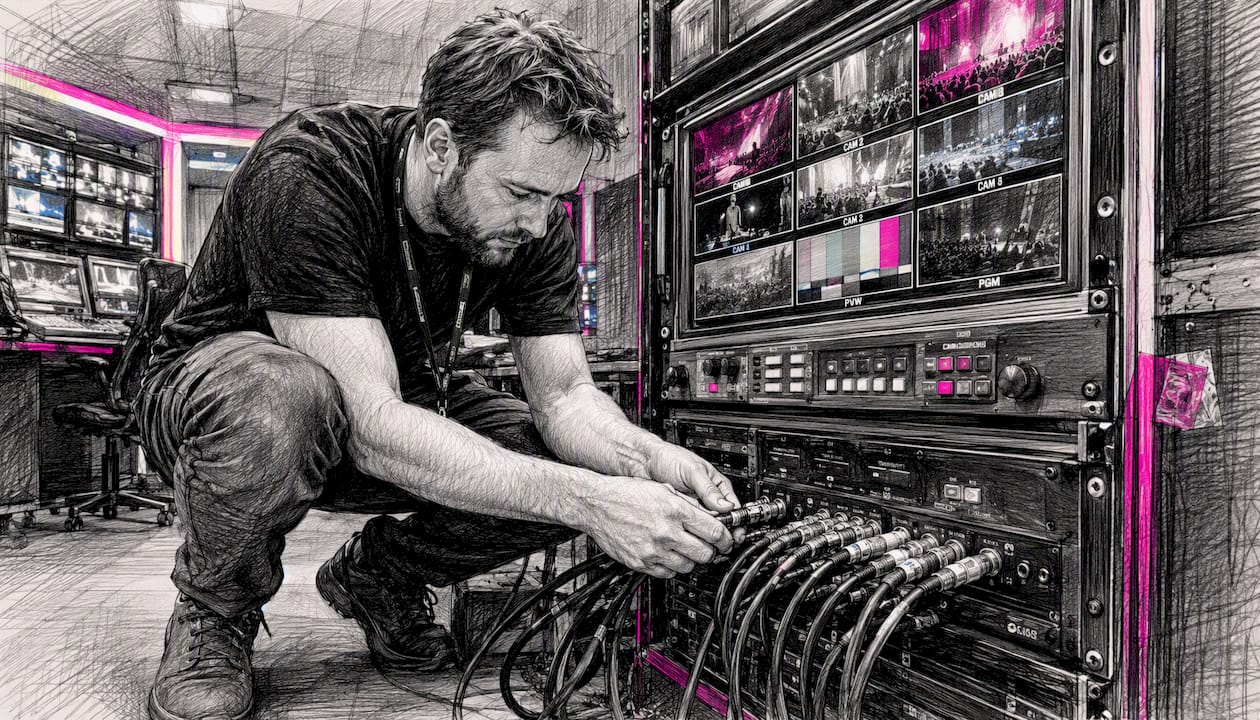
For most UK OB van, flypack, and studio workflows, a compact 4-way or 16-way SDI multiviewer with per-input re-synchronisation, HDMI and SDI outputs, and Ethernet control is the practical default. The Blackmagic MultiView family covers the majority of these deployments cleanly, at a price point that makes both hire and purchase straightforward.
The right choice depends on scale and workflow:
- Compact 4-way multiviewer (field/flypack): the Blackmagic MultiView 4 HD or MultiView 4 (6G) suits portable rigs, director’s monitors on location, and small OB setups where you need several sources on one screen without a rack full of kit.
- 16-way multiviewer (studio/master control): the Blackmagic MultiView 16 handles larger source counts, front-panel routing control, and permanent facility installs where you need a full overview wall.
- Facility-grade and IP-native systems: when source counts exceed 16, latency is critical for camera shading, or your facility is migrating to ST 2110, look at platforms such as the Imagine Communications SNP, Grass Valley MV-1200, or EVS Neuron View.
- Fireflyav supplies hire and technical support for both compact and facility-grade multiview SDI deployments across the UK, with trained engineers available for on-site configuration and integration.
Key takeaways
A compact 4-way or 16-way SDI multiviewer with per-input re-synchronisation covers the majority of UK broadcast and event monitoring needs, with facility-grade IP platforms reserved for high source counts, sub-frame latency, or HDR workflows.
| Point | Details |
|---|---|
| Device class recommendation | MultiView 4 (HD or 6G) for field/flypack; MultiView 16 for studio and master control. |
| Reference and clocking | Free-run re-sync suits most deployments; use reference distribution for complex studio router environments. |
| When to choose IP/hybrid | Specify facility-grade platforms (MV-1200, SNP, Neuron View) for 12G/ST 2110, HDR rendering, or TSL 5.0 tally integration. |
| Hire vs buy | Hire suits one-off events; purchase with a support contract suits facilities using multiviewers more than 200 days per year. |
| Fireflyav support | Fireflyav supplies Blackmagic MultiView hire and on-site technical support across the UK; use the product form to request a quote. |
Table of Contents
- What does a multiview SDI system actually do?
- Blackmagic MultiView 4 HD, MultiView 4 (6G), and MultiView 16 compared
- When do facility-grade or IP-native multiviewers make sense?
- Key technical features every engineer should understand
- How to wire and deploy a multiview SDI system
- How to choose the right multiviewer for your production
- UK availability, hire versus buy, and the cost factors that matter
- How Fireflyav deploys and supports multiview systems in the UK
- What most engineers get wrong about multiview SDI
- Fireflyav multiview SDI hire and technical support in the UK
- Sources
What does a multiview SDI system actually do?
A multiviewer takes multiple independent SDI video sources and composites them onto a single HD or UHD display, with each source shown in its own picture-in-picture window. Each window typically carries on-screen overlays: custom labels, audio level meters, and tally indicators that show which source is live or in preview. The result is a single, high-resolution overview that replaces a bank of individual monitors.
The core capabilities you should expect from any competent SDI multiviewing system:
- Per-input frame re-synchronisation: each input is independently re-synced so sources running at different frame rates or with slight timing offsets display cleanly without tearing.
- Loop-through outputs: pass the SDI signal downstream to a router or recorder without breaking the chain.
- Automatic SDI rate detection: the unit identifies SD, HD, 3G, 6G, or 12G-SDI without manual configuration per input.
- HDMI and SDI outputs: HDMI for consumer or prosumer monitors; SDI for professional displays and long cable runs.
- Audio metering and label overlays: per-source audio bars and editable text labels on screen.
As The Broadcast Bridge notes, looping router outputs through a multiviewer to create a single facility overview reduces calibration overhead compared with maintaining a wall of individual monitors. Common use cases include OB vans and flypacks, master control rooms, studio production galleries, on-site director or vision control positions, and camera focus or colour checks on location. A 4-view unit suits portable workflows; 16-view or processor-based racks suit facility monitoring and large display walls.
Blackmagic MultiView 4 HD, MultiView 4 (6G), and MultiView 16 compared
Blackmagic’s MultiView range covers three distinct models, each aimed at a different production scale. The table below maps the key comparison dimensions.
| Feature | MultiView 4 HD | MultiView 4 (6G) | MultiView 16 |
|---|---|---|---|
| Max views / layout | 4 sources, 2×2 | 4 sources, 2×2 | 16 sources, 4×4 |
| SDI rates supported | SD, HD, 3G-SDI | SD, HD, Ultra HD up to 2160p30 (6G-SDI) | SD, HD, 3G-SDI, 6G-SDI |
| Output options | HD-SDI, HDMI | HD-SDI, Ultra HD SDI, HDMI | HD-SDI, HDMI |
| Per-input re-sync | Yes, full frame | Yes, full frame | Yes, full frame |
| Loop-through outputs | Yes | Yes | Yes |
| Tally / UMD / control | Ethernet, web GUI | Ethernet, web GUI | Front panel, Ethernet, web GUI |
| Form factor | Compact, flyaway | Compact, flyaway | 1RU rack |
| Hire vs buy note | Low cost; suits short-term hire | Mid-range; buy or hire | Facility install; hire or permanent |
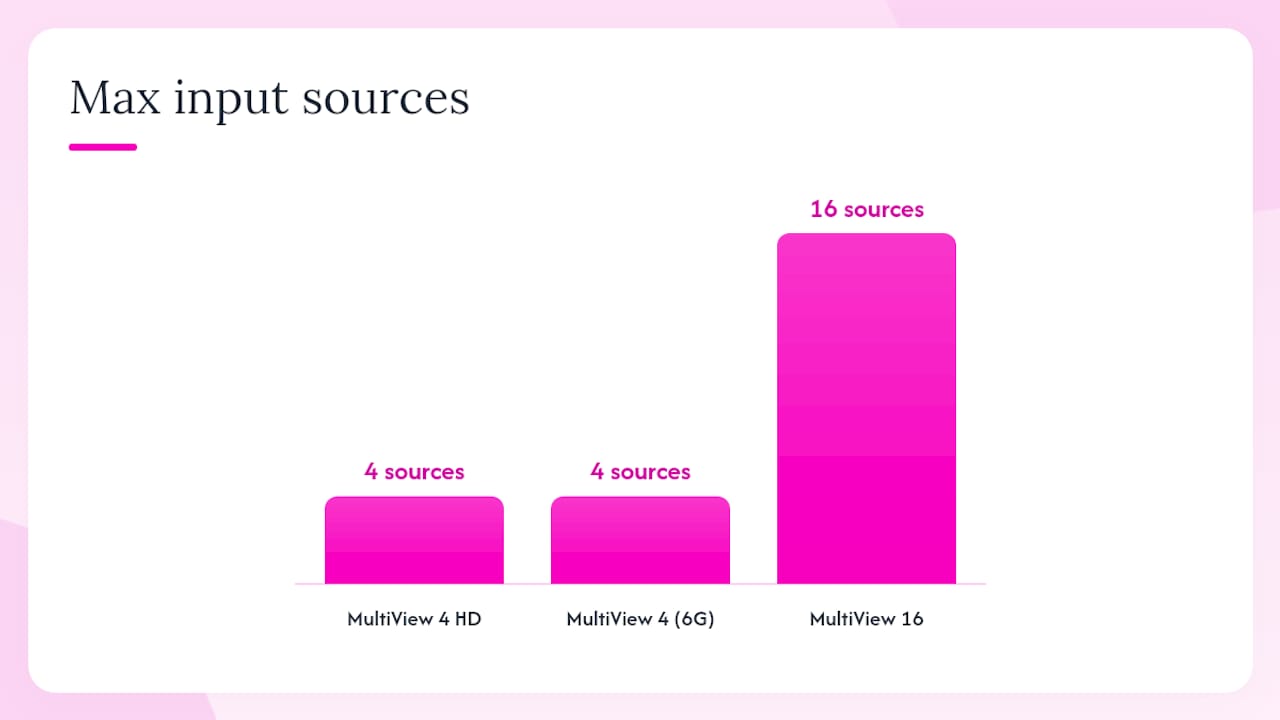
According to Blackmagic’s technical specifications, the MultiView 4 (6G) accepts multiple 6G-SDI inputs covering SD, HD, and Ultra HD with per-input full frame re-synchronisation, audio meter overlays, and custom labels on every window.
MultiView 4 HD is the entry point: low cost, genuinely pocketable for a flypack, and compatible with any HD monitor via HDMI. It handles four 3G-SDI sources and outputs in HD. If your sources are all HD and your monitor is HD, this is the unit to grab.
MultiView 4 (6G) steps up to Ultra HD output, which matters when you are feeding a UHD reference monitor or want per-window resolution headroom for camera shading. The 6G-SDI inputs handle mixed SD/HD/UHD sources without manual switching.
MultiView 16 is a different beast. Sixteen independent 6G-SDI inputs with loop-through outputs, front-panel router-style controls, and a 1RU rack form factor make it the right choice for master control rooms and permanent studio installs. Blackmagic’s workflow documentation covers daisy-chaining MultiView 4 units for larger source counts and using the MultiView 16’s front-panel controls for direct routing in master control environments.
Daisy-chaining MultiView 4 units is a practical field trick: feed the SDI output of one unit into an input of the next to build a larger composite view. It works, but you accumulate re-sync latency at each stage. For anything above eight sources in a permanent install, a single MultiView 16 is cleaner.
Fireflyav carries Blackmagic MultiView equipment for hire across the UK, with short-term and event-duration options available.
When do facility-grade or IP-native multiviewers make sense?
Compact converter-style units like the Blackmagic MultiView family cover most productions. But three scenarios push you toward facility-grade or IP-native platforms.
- High source counts: when you need 32, 64, or more simultaneous feeds, a single MultiView 16 is not enough. Platforms like the Grass Valley MV-1200 offer modular frames that scale from standalone 1RU units to large input counts, operating across both SDI and ST 2110 IP for long-term flexibility.
- Ultra-low latency for camera shading: the Imagine Communications SNP multiviewer is built for ultra-low latency operation, ST 2110 and ST 2022-6 IP input, UHD canvas rendering, and TSL 5.0 tally/UMD integration. When a camera operator is shading live, even a few frames of display lag is unacceptable.
- HDR and IP-native workflows: the EVS Neuron View supports high input counts, multiple output head configurations mixing UHD and FHD heads, on-board GUI layout control, and SDI or IP stream input depending on configuration. It suits live sports and broadcast environments where HDR rendering and flexible output heads are non-negotiable.
For distributed installations, SDVoE technology offers a different architecture entirely: processing is distributed across TX and RX endpoints rather than concentrated in a single central processor. Adding sources means adding endpoints, which keeps costs incremental and avoids the single-point-of-failure risk of a large central frame.
TSL 5.0 tally and UMD protocol support is worth calling out specifically. If your facility uses a router control system or automation, TSL 5.0 is the integration standard that ties tally states to multiviewer overlays. Grass Valley, Imagine Communications, and EVS all advertise TSL 5.0 support; confirm it before specifying any facility-grade unit.
Key technical features every engineer should understand
Per-input frame re-synchronisation means each SDI input is independently locked to a common output clock. Sources running at different frame rates, or with slight timing offsets from different cameras or tape machines, are re-synced before compositing. Without it, you get tearing or rolling artefacts on individual windows.
Reclocking on SDI outputs regenerates the clock signal before passing it downstream. On long cable runs or when feeding a router, a recocked output reduces jitter accumulation. Check whether a unit recocks its loop-through outputs as well as its multiview output.
SDI rate terminology: SD is 270 Mbit/s, HD is 1.485 Gbit/s, 3G-SDI is 2.97 Gbit/s (covers 1080p50/60), 6G-SDI handles UHD at up to 2160p30, and 12G-SDI carries UHD at 2160p60 over a single coax. Most compact multiviewers top out at 6G; 12G inputs appear on higher-end facility units.
Latency varies significantly by architecture. Converter-style units like the Blackmagic MultiView family introduce a small but measurable display latency, typically one to two frames. Facility processors optimised for camera shading can operate at sub-frame latency. For a director’s monitor or source overview, one to two frames is irrelevant. For a shader watching a live camera feed, it is not.
Tally and UMD: TSL 5.0 is the current standard for tally and under-monitor display (UMD) integration. It carries source name, tally state, and text data over Ethernet. Hardware control panels, such as the Blackmagic Teranex Mini Smart Panel, offer physical button control for layout switching. Ethernet/web GUI control is standard on the Blackmagic MultiView range.
Pro Tip: A multiviewer shows you pictures, not signal health. Pair it with a dedicated waveform monitor or vectorscope for any session where legal levels, HDR metadata, or CRC errors matter. The Broadcast Bridge’s guidance on multi-view monitoring makes this point clearly: multiviewers simplify facility monitoring but do not replace scopes for signal legality checks.
How to wire and deploy a multiview SDI system
Field and flypack setup
- Choose a UHD or HD monitor with an HDMI or SDI input that matches your multiviewer’s output.
- Connect your SDI sources to the multiviewer inputs. Use quality BNC patch cables; avoid adapters on long runs.
- Power up and confirm each input is detected. The Blackmagic MultiView range auto-detects SDI rates per input.
- Configure per-input labels via the web GUI (connect the unit to a laptop over Ethernet).
- Set audio meter overlays for each source and verify tally if your switcher supports it.
- Check re-sync behaviour: confirm each window is stable with no tearing before the session starts.
For field work with a Blackmagic ATEM Mini PRO or similar compact switcher, the multiviewer output typically feeds a director’s monitor positioned beside the switcher operator.
Studio and facility install
- Route SDI sources through your facility router, looping outputs to the multiviewer inputs.
- Connect a reference input (blackburst for SD/HD, tri-level sync for HD/3G) if your installation requires house sync. Many converter-style units use free-run re-sync, which is fine for most deployments but can introduce slight timing offsets in complex router environments.
- Connect the multiviewer to your facility Ethernet network and configure IP address, labels, and tally via the web GUI.
- For Blackmagic MultiView 16, configure front-panel routing controls and integrate with a Blackmagic Smart Videohub if router integration is required.
- Verify loop-through outputs are recocked and feeding downstream equipment cleanly.
- Document the IP address, input map, and label configuration for the engineering file.
Pro Tip: In complex router environments, free-run re-sync on converter-style units can produce subtle timing offsets between windows. If you are feeding a multiviewer from a router that is itself locked to house reference, confirm whether the multiviewer passes or re-generates that reference. For critical studio installs, a reference distribution amplifier feeding both the router and the multiviewer eliminates the ambiguity.
How to choose the right multiviewer for your production
Key decision questions before you specify:
- How many simultaneous feeds do you need? Four or fewer: MultiView 4. Up to 16: MultiView 16. Beyond 16: facility-grade.
- Do any sources run at 12G (UHD 2160p60)? If yes, rule out the Blackmagic compact range and look at facility processors.
- Is HDR rendering required on the multiview output? Compact units do not handle HDR compositing; facility platforms do.
- Will you need ST 2110 IP inputs now or within two years? If yes, specify a platform that supports both SDI and ST 2110 from the outset.
- What are the physical constraints? A road case flypack needs a compact unit; a permanent rack install suits a 1RU or modular frame.
Red flags to watch for: any unit without per-input re-sync, missing TSL 5.0 tally support when router integration is planned, no Ethernet control option, or ambiguous reclocking behaviour on loop-through outputs. These are not minor omissions; they create real operational problems on busy productions.
Procurement checklist: confirm input count and SDI rates, output type and resolution, re-sync and reclocking behaviour, control protocol (web GUI, TSL 5.0, hardware panel), physical dimensions and power requirements, and UK warranty or support terms before raising a purchase order or hire request.
UK availability, hire versus buy, and the cost factors that matter
For most UK productions, the hire-versus-buy decision comes down to frequency of use. A compact MultiView 4 HD is inexpensive enough to purchase outright for any facility that uses it regularly. The MultiView 16 sits at a higher price point where hire makes sense for one-off events or productions that need the unit for a week or less.
Cost factors that affect both hire and purchase budgets:
- Input and output count: more inputs and dual SDI/HDMI outputs push the price up.
- SDI rate ceiling: 6G-SDI units cost more than 3G-SDI equivalents; 12G-SDI and IP-capable units are significantly more expensive.
- IP licence or software keys: facility-grade platforms often charge separately for ST 2110 input licences or HDR rendering keys.
- Control panels: hardware control panels (Teranex Mini Smart Panel or equivalent) add cost but are worth it for permanent installs.
- Warranty and support contracts: UK resellers typically offer one-year warranty on Blackmagic equipment; extended support contracts are available for facility-grade platforms.
- Shipping, rack kits, and insurance: for hire, factor in delivery, return shipping, and any rack mounting hardware.
Lead times for UK hire are typically short for compact Blackmagic units, often available with a few days’ notice. Facility-grade platforms, particularly new UHD or HDR-capable models, may require longer lead times. Plan at least two to three weeks ahead for complex facility builds or when integrating with existing router and tally infrastructure.
For rental-heavy operations, the OPEX model of hiring with a technician keeps capital tied up in production rather than depreciating hardware. For facilities running multiviewers 200 or more days per year, purchase and an annual support contract usually delivers better total cost of ownership.
How Fireflyav deploys and supports multiview systems in the UK
Fireflyav supplies multiview SDI equipment on a dry hire basis or as a managed hire with a trained broadcast engineer on site. For complex builds, the service extends to full system integration, pre-event configuration, and an on-site shakedown before the production goes live.
The deployment checklist Fireflyav uses on delivery:
- Signal integrity test on every SDI input: confirm clean lock, no CRC errors, correct rate detection.
- Per-input frame alignment check: verify re-sync is stable across all sources before the session.
- Tally and UMD integration test: confirm TSL tally states are passing correctly from the switcher or router to the multiviewer overlays.
- HDR/SDR colour check: where UHD sources are in use, confirm output colour space and transfer function are correct for the connected monitor.
- Latency verification: for shading or preview-critical positions, measure display latency and confirm it is within acceptable limits for the role.
- IP and Ethernet control configuration: set static IP, configure labels, and document the setup for the client’s engineering file.
What clients should expect from a Fireflyav deployment:
- A trained engineer who understands Blackmagic MultiView configuration, Videohub router integration, and vMix 4K media server workflows.
- Rack mounting, cable dressing, and labelling to broadcast standards.
- Full documentation of IP addresses, input maps, and tally configuration handed over at the end of the build.
- Capability to supply Blackmagic MultiView 4 HD, MultiView 4 (6G), and MultiView 16 equipment, and to integrate these with Videohub routing and vMix-based production systems.
For broader context on how multiviewers fit into a complete broadcast signal chain, the Fireflyav broadcast AV equipment guide covers the wider ecosystem.
What most engineers get wrong about multiview SDI
The assumption that a 16-input multiviewer automatically solves a monitoring problem is one of the most common mistakes in broadcast procurement. Source count is the easy part. The harder questions are about signal flow: where in the chain does the multiviewer sit, what reference does it expect, and what happens when a source drops?
Converter-style units like the Blackmagic MultiView range are genuinely excellent for what they are. The per-input re-sync handles mixed sources cleanly, the web GUI is fast to configure, and the price makes them accessible for productions that would never budget for a facility-grade processor. But they are not facility processors. They do not render HDR, they do not support ST 2110 natively, and their loop-through outputs, while recocked, are not a substitute for a proper router in a complex signal chain.
The engineers who get the most from compact multiviewers are the ones who deploy them with clear intent: a director’s monitor, a source check position, a flypack overview. The ones who run into problems are the ones who try to make a compact unit do the job of a facility processor because the price was right.
IP and hybrid workflows are worth planning for even if you are not there yet. The Grass Valley MV-1200 and Imagine Communications SNP both operate across SDI and ST 2110 from the same platform. Specifying one of these now, even in SDI-only mode, avoids a full rip-and-replace when your facility migrates to IP. That is a procurement decision, not a technical one, but it is the kind of decision that saves significant budget three years down the line.
Fireflyav multiview SDI hire and technical support in the UK
Fireflyav provides multiview SDI equipment hire and on-site technical support for broadcast, corporate, and live event productions across the UK. Whether you need a compact MultiView 4 for a one-day flypack shoot or a fully integrated 16-input monitoring system for a multi-day studio build, Fireflyav can supply the hardware and the engineer to make it work.
The hire service covers dry hire for self-operated productions and managed hire with a trained broadcast engineer for productions that need configuration, integration, and on-site support. Fireflyav’s engineers are experienced with Blackmagic MultiView configuration, Videohub router integration, and vMix-based production systems.
To get a quote or check availability, use the product enquiry form and include your event dates, expected source count, monitor type, and any HDR or UHD requirements. For larger builds or facility integrations, the technical support team can advise on the right equipment class and deployment approach for your specific production.
Sources
The following sources are worth bookmarking for datasheets, workflow examples, and IP/hybrid background reading:
- Taking a multi‑view approach to video monitoring - The Broadcast Bridge
- Designing multiviewers using SDVoE technology
- Neuron View | EVS