AV equipment for corporate conferences: the essential guide
Date added: 3/07/2026
AV equipment for corporate conferences is the specialised technology that ensures every presentation is seen and heard with professional clarity. Audio-visual (AV) equipment covers the full range of hardware used to deliver, amplify, and display content at live events. Poor AV is the fastest way to lose an audience. A microphone that cuts out, a projector too dim to read, or a video feed that freezes will undermine even the strongest speaker. Getting the right kit in place before the day is the single most important decision a corporate event planner makes.
1. What are the top AV equipment essentials for corporate conferences?
The ten categories below form the backbone of any professional audio-visual setup for corporate events. Each one addresses a specific failure point that, left unmanaged, will damage the quality of your conference.
1. Projectors and screens
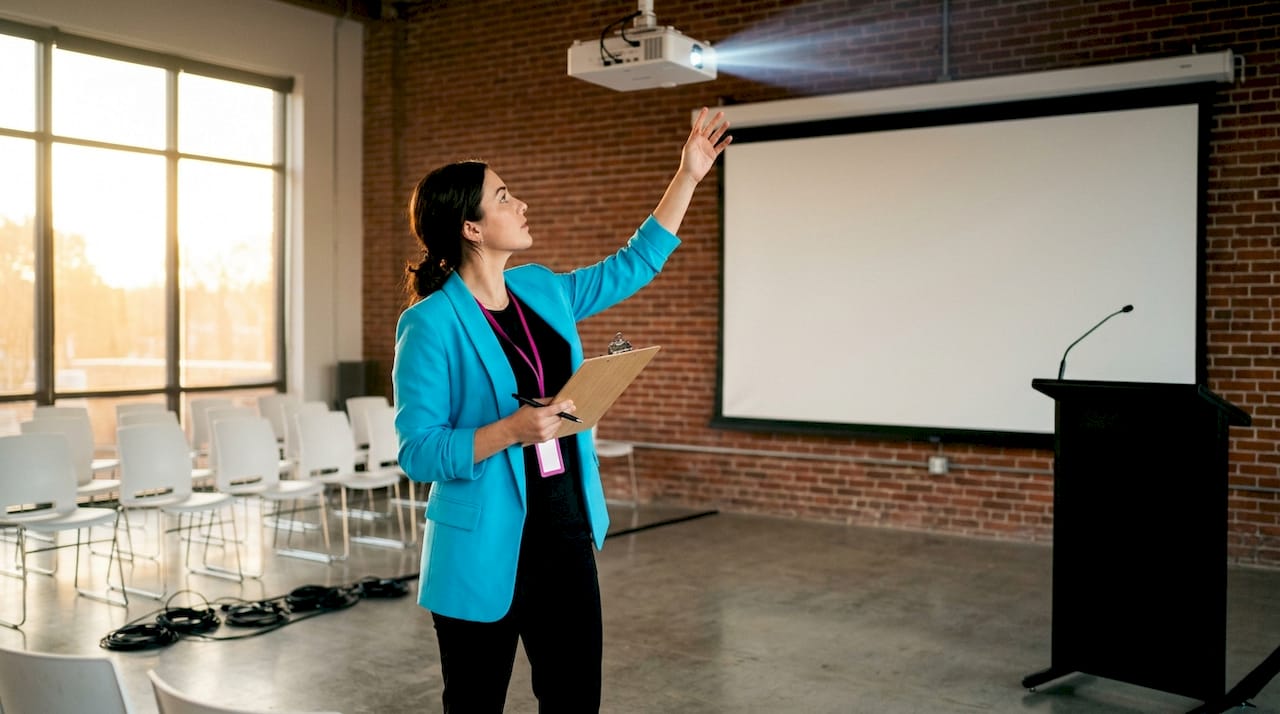
Projectors remain the workhorse of conference presentation technology. Standard meeting rooms require 3,000–4,000 lumens, while large venues demand 5,000–20,000 lumens for a clear, readable image. Brightness is non-negotiable when ambient light cannot be fully controlled. Fireflyav’s Panasonic PT-RZ970 10K projector is built precisely for high-ambient-light conference halls where a standard projector would wash out.
2. Projection screens
Screen size directly affects how many attendees can read your content. A screen should be at least 3 metres wide for 100 attendees, with multiple screens advisable for very large audiences. The DaLite FastFold Delux range, available through Fireflyav, covers medium to large venues with a quick-deploy frame system that saves significant setup time.
3. Microphone systems
Microphone choice shapes how natural and authoritative a speaker sounds. Lapel microphones free presenters to move around the stage. Handheld microphones suit Q&A sessions. Boundary microphones sit flat on tables and pick up panel discussions without visible hardware. Fireflyav’s conference mic system integrates multiple microphone types into a single managed setup.
4. PA systems and speakers
Distributed speaker arrays deliver even sound coverage across a room. A single front-of-house speaker cluster creates dead zones at the sides and rear. Line array systems or ceiling-mounted distributed speakers solve this problem in larger venues. Even coverage means every attendee hears the same quality of audio regardless of where they sit.
5. Digital mixing consoles
A mixing console gives the AV technician real-time control over every audio source in the room. The Allen & Heath Avantis digital mixing console handles complex multi-speaker conferences with precise channel routing and onboard processing. Digital consoles also store scene presets, which means transitions between speakers happen in seconds rather than minutes.
6. DSP processors
Digital signal processing (DSP) filters background noise and prioritises voice clarity, which is vital for professional conference audio. A DSP unit sits between the microphone inputs and the speaker outputs, applying equalisation, compression, and feedback suppression automatically. Without DSP, even a good microphone system will produce feedback squeals and muddy dialogue.
7. Video cameras and recording devices
Recording a conference creates a content asset that extends the event’s value well beyond the day itself. PTZ (pan-tilt-zoom) cameras with AI-powered speaker tracking produce broadcast-style video without a dedicated camera operator. That removes a significant cost and complexity barrier for planners who need professional footage on a fixed budget.
8. Wireless presentation systems
Wireless systems such as ClickShare and Barco allow screen sharing without cables, reducing setup time and the risk of a presenter arriving with the wrong adapter. Any delegate can share their screen from their own device in seconds. This matters most in panel sessions where multiple speakers need to present in quick succession.
9. AV control systems
Modern touch-panel control systems manage volume, source switching, and lighting from a single interface. That simplicity reduces the chance of a technician error during a live session. One-touch scene presets mean the room transitions from a presentation layout to a panel discussion layout without anyone hunting through menus.
10. Cabling and adapters
HDMI, USB-C, and DisplayPort are the three connectors most commonly needed at corporate events. Carrying adapters for all three prevents the most common and most embarrassing technical failure. A well-labelled cable kit, tested before the event, is worth more than any single piece of expensive hardware.
Pro Tip: Label every cable at both ends before the event. When something goes wrong during a live session, a labelled cable kit cuts fault-finding time from minutes to seconds.
2. How to choose the right projector and screen setup
Projector and screen selection depends on three variables: room size, ambient light level, and attendee count. Getting any one of these wrong produces an image that is either too dim, too small, or impossible to read from the back row.
Brightness by venue size
| Venue size | Attendee count | Recommended lumens |
|---|---|---|
| Small meeting room | Up to 20 | 2,000–3,000 |
| Medium conference room | 20–100 | 3,000–5,000 |
| Large conference hall | 100–500 | 5,000–10,000 |
| Auditorium or arena | 500+ | 10,000–20,000 |
Lumen figures assume controlled ambient light. Add 30–50% to these figures if the venue has large windows or cannot be fully darkened.
Viewing distance and screen size
The furthest viewer should be no more than 8x the screen height away. The closest viewer should sit at least 2x the screen height from the display. These two rules define the minimum screen size for any given room. A 2-metre-high screen works for a room up to 16 metres deep. A room 24 metres deep needs a 3-metre-high screen at minimum.
Screen types
Fixed-frame screens give the sharpest image because the surface stays perfectly flat. Motorised screens suit venues where the screen needs to retract between sessions. Tripod screens are portable and work well for smaller breakout rooms. Rear-projection screens hide the projector behind the screen, which eliminates shadows cast by presenters walking in front of the beam.
LED displays versus projectors
LED displays outperform projectors in brightly lit rooms because they produce their own light rather than reflecting it. They are heavier and more expensive to transport, but they require no throw distance calculation and no ambient light management. For a boardroom or a permanent installation, an LED display is the better long-term choice. For a temporary conference setup in a large hall, a high-lumen projector with a quality screen remains the most practical option.
Pro Tip: Always test your projector in the actual venue at the same time of day as your event. Morning light through east-facing windows will wash out an image that looked perfect during an evening rehearsal.
3. What audio equipment ensures clear sound at corporate conferences?
Audio quality is the element attendees notice most when it fails. A slightly dim screen is tolerable. A speaker who cannot be heard clearly is not.
The microphone type should match the speaker’s role. Lapel microphones suit keynote speakers who move around the stage. Handheld microphones work for Q&A sessions where the microphone passes between audience members. Boundary microphones placed on a conference table pick up panel discussions without visible hardware cluttering the set.
Distributed speakers and foldback monitors maintain even sound coverage and help speakers hear themselves clearly. Foldback monitors are the wedge-shaped speakers placed at the front of the stage facing the presenter. Without them, a speaker in a large room hears their own voice echoing back from the rear wall, which disrupts their timing and confidence.
DSP processing is the difference between a conference that sounds professional and one that sounds like a public address system in a car park. DSP applies automatic feedback suppression, which prevents the high-pitched squeal that occurs when a microphone gets too close to a speaker. It also applies compression, which keeps quiet voices audible and loud voices from distorting.
Pro Tip: Run a full sound check with a person standing at the furthest point in the room. What sounds balanced at the mixing desk often sounds thin or boomy at the back. Adjust from the audience’s position, not the technician’s.
4. Which video and connectivity technologies improve hybrid conferences?
Hybrid conferences, where some attendees join remotely, require a higher standard of video and connectivity than purely in-person events. The remote audience has no ambient experience to compensate for a poor feed.
- AI-powered PTZ cameras track the active speaker automatically, producing a broadcast-quality shot without a camera operator. Voice-activated switching creates a dynamic multi-camera feel that keeps remote attendees engaged rather than watching a static wide shot.
- Certified conferencing platforms such as Microsoft Teams Rooms and Zoom Rooms rely on certified PTZ cameras and touch-panel control hardware for reliable, tested performance. Using uncertified equipment with these platforms introduces compatibility risks that are difficult to diagnose under pressure.
- Wireless presentation systems remove the cable problem entirely. Testing the venue’s wireless infrastructure in advance is the single most effective way to prevent connectivity failures on the day.
- Video switchers such as the Blackmagic Design ATEM Mini PRO allow a single operator to cut between camera feeds, presentation slides, and remote video calls in real time. This gives a hybrid conference a polished, produced feel.
- Adapters and cabling cover the gap between a presenter’s device and the conference system. Carrying HDMI, USB-C, and DisplayPort adapters prevents the most common last-minute failure.
5. What lighting and ancillary AV equipment enhance conference professionalism?
Lighting is the most underestimated element in a conference AV setup. Poor lighting makes video footage unusable and makes presenters look tired or washed out on screen.
- Stage wash lighting provides even illumination across the presenter’s face and body, which is critical for video recording and live streaming.
- Digital signage displays session titles, sponsor branding, and wayfinding information on screens around the venue. Meeting room digital signage integrates with AV systems to update automatically as the programme changes.
- Lecterns with integrated AV controls give presenters direct access to slide advancement, confidence monitors, and microphone muting without relying on a technician. Fireflyav’s Perspex conference lectern combines a clean visual profile with practical AV integration points.
- Acoustic wall panels reduce echo and reverberation in hard-surfaced rooms. Acoustic treatments such as wall panels and suspended ceilings improve sound clarity and reduce listener fatigue over a full conference day.
- Twin-screen stage sets give large conferences a professional broadcast aesthetic. Fireflyav’s twin-screen conference stage set provides a complete framed stage solution that works for audiences of several hundred.
Key takeaways
The most effective AV setup for a corporate conference combines high-lumen projection, DSP-processed audio, AI-powered cameras, and a single integrated control system tested thoroughly before the event begins.
| Point | Details |
|---|---|
| Match lumens to venue size | Use 3,000–5,000 lumens for medium rooms; 10,000+ for large halls with ambient light. |
| Choose microphones by speaker role | Lapel for keynotes, handheld for Q&A, boundary for panel tables. |
| Use DSP for every audio setup | DSP removes feedback and compression issues that damage audio quality live. |
| Test wireless connectivity in advance | Venue wireless infrastructure must be verified before the event, not during it. |
| Plan lighting alongside AV | Stage wash lighting is non-negotiable for any conference with video recording or streaming. |
What I have learned from years of conference AV planning
The mistake I see most often is treating AV as a last-minute logistics task rather than a design decision. Planners spend months on venue choice, catering, and speaker line-ups, then book AV equipment two weeks before the event. That timeline leaves no room to discover that the venue ceiling is too low for the projector throw distance, or that the room’s HVAC system creates a constant background noise that a standard microphone setup cannot filter out.
The second mistake is underestimating the value of a dedicated AV technician on the day. A well-specified equipment list means nothing if no one in the room knows how to operate it under pressure. The technician is not a cost to minimise. They are the person who keeps the event running when something unexpected happens, and something unexpected always happens.
Budget conversations are where I push back hardest. Planners often ask whether they can cut costs by renting lower-specification equipment. My answer is always the same: cut costs on catering before you cut costs on audio. An attendee who cannot hear the speaker will leave with a negative impression of the entire event, regardless of how good the content was.
The shift towards hybrid events has raised the baseline standard for what “good” AV looks like. A conference that looked professional in 2019 may look amateurish to a remote attendee joining via a video call today. AI-powered cameras, certified platform hardware, and proper streaming infrastructure are no longer optional extras. They are the expected standard for any event that includes a remote audience.
— Michael
How Fireflyav supports your next corporate conference
Planning a corporate conference means making dozens of AV decisions under time pressure. Fireflyav specialises in supplying equipment and technical support for exactly this environment, from conference mic systems and digital mixing consoles to full stage sets and hybrid streaming rigs.
Every project is different. Fireflyav’s team works with event planners to match equipment to venue, audience size, and programme requirements rather than offering a one-size-fits-all package. Whether you need a single boardroom setup or a multi-room conference with live streaming, submit your project details and the Fireflyav team will respond with a tailored equipment list and support plan. You can also review the full range of AV services available to understand what is included before you commit.
FAQ
What lumens does a conference projector need?
Standard meeting rooms need 3,000–4,000 lumens; large venues require 5,000–20,000 lumens depending on ambient light levels.
What microphone type is best for a keynote speaker?
A lapel (clip-on) microphone is best for keynote speakers because it stays fixed to the presenter and leaves both hands free for movement and gesture.
How does DSP improve conference audio?
DSP filters background noise and applies automatic feedback suppression, which keeps voice clarity consistent across all microphone inputs throughout the event.
Do I need a separate camera operator for a hybrid conference?
AI-powered PTZ cameras with speaker-tracking remove the need for a dedicated camera operator by switching automatically between speakers, producing a broadcast-style result.
How far in advance should I test AV equipment at the venue?
Test all equipment at least one full day before the event. Wireless connectivity, projector throw distances, and acoustic conditions all vary by venue and cannot be reliably assessed on the morning of the conference.