Best event registration platforms for 2026: a UK buyer’s shortlist
Date added: 3/08/2026
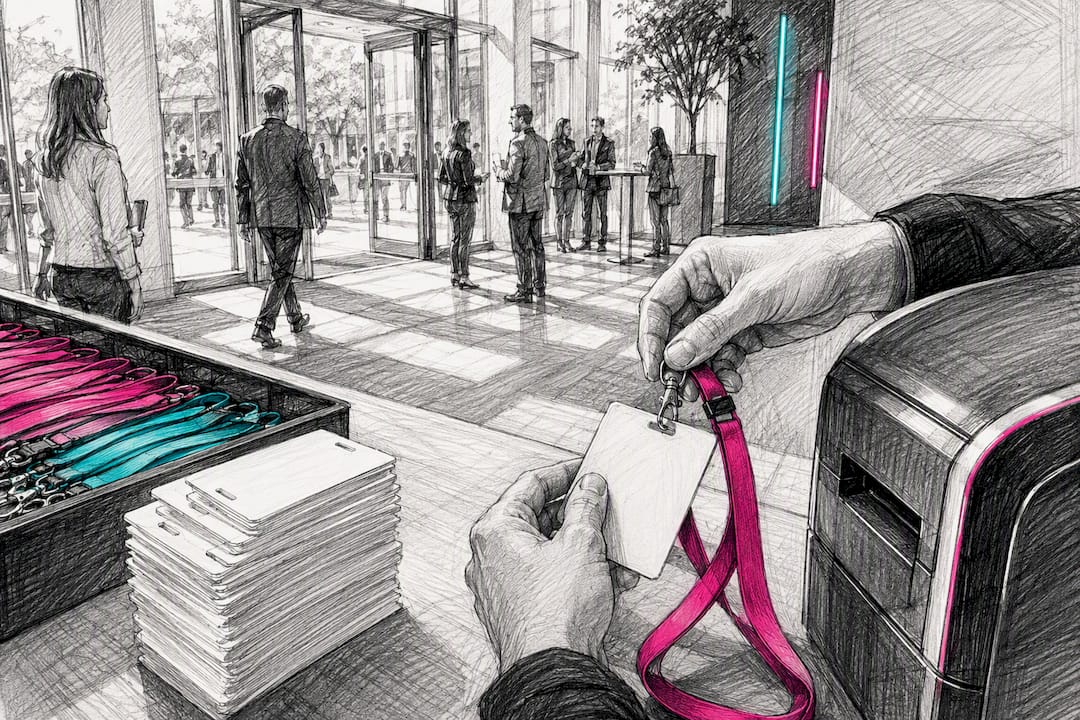
For most organisers running a mid-size conference, Whova or Cvent will cover the job, with Eventbrite the right call for public ticketed events and RingCentral Events the strongest choice for hybrid streaming. There is no single “best” platform. The right one depends on attendee volume, whether you need on-site badge printing, and how deep your CRM integration has to go. Firefly AV is an AV hire and event production company based in Leeds and Preston, working UK-wide, and this shortlist is written from that practitioner’s seat, where registration failures usually show up as queues at the door and a badge printer nobody tested.
Three picks cover most briefs. Whova suits networked conferences that live or die on attendee engagement, its per-attendee pricing scales with headcount, and the built-in event app is the standout feature. Cvent is the enterprise workhorse for multi-track conferences with complex agendas, priced on annual contracts that typically start around $15,000 to $20,000 a year, and its badge-printing and onsite check-in workflows are genuinely deep. Eventbrite wins for public ticketed events, charging a per-ticket fee rather than a subscription, with marketplace discovery as its main draw.
- Whova: best for networked conferences, per-attendee pricing, strong attendee app
- Cvent: best for enterprise multi-track events, annual contract pricing, deep badge/onsite tools
- Eventbrite: best for public ticketed events, per-ticket fees, marketplace discovery
Around 79% of organisers now connect their registration tool to a CRM, which is why integration depth, not just ticketing features, should sit near the top of any shortlist.
Key Takeaways
The strongest event registration choice depends on attendee scale and onsite complexity, not brand recognition, and CRM integration depth predicts fewer day-of failures than any feature list.
| Point | Details |
|---|---|
| Match platform to event shape | Ticketing-first tools suit public events; enterprise suites suit multi-track conferences over 1,000 attendees. |
| Integration depth beats feature count | Insist on a live CRM field-mapping demo using real attendee records before signing. |
| Budget for GBP pricing and hidden fees | Enterprise platforms often quote in USD; ask for sterling pricing and clarify processing surcharges upfront. |
| Test on-site hardware before event day | Confirm badge printer compatibility and network resilience in a pilot run, not on the morning of the event. |
| AV and registration data must connect | Firefly AV works alongside whichever platform you choose, ensuring registration data reaches the technical desk for cueing, streaming and badge accuracy. |
Table of Contents
- Best event registration platforms: a quick shortlist
- What should you look for when shortlisting a platform?
- Comparing the top event registration platforms side by side
- How we compared these platforms
- How to choose: a demo and procurement checklist
- Firefly AV’s field guide to registration and on-site production
- A practitioner’s take on choosing a registration platform
- A practical alternative to hiring a registration platform in isolation
- Sources
- FAQ
Best event registration platforms: a quick shortlist
If you need a direction before reading the full comparison, here is the short version. Most event managers are choosing between three shapes of tool: a ticketing-first platform that handles payments and attendee lists, a full event suite that also manages agendas and onsite logistics, and increasingly a conversational intake layer that sits in front of a logistics platform to capture attendee intent before anyone reaches a form. The market has genuinely split into these lanes, and picking the wrong lane costs more than picking the wrong brand within it.
- Whova — best for networked conferences and attendee engagement; per-attendee pricing; standout is the integrated app and networking tools.
- Eventbrite — best for public ticketed events and small festivals; per-ticket fee model (typically 2 to 5% per ticket); standout is marketplace discovery.
- Cvent — best for large multi-track conferences and enterprise portfolios; annual contract pricing; standout is enterprise integrations and badge printing.
- RingCentral Events — best for hybrid and virtual productions needing robust streaming; subscription pricing tied to attendee tiers; standout is the integrated streaming toolkit.
- Jotform — best for organisers who need a fast, low-cost custom form rather than a full platform; free and low-cost tiers available; standout is form flexibility.
- RSVPify — best for smaller RSVP-driven events and private gatherings; affordable tiered pricing; standout is simple RSVP flows.
Every one of these covers the basics: collect a name, take a payment, send a confirmation. Where they genuinely differ is what happens after that, whether the data lands cleanly in your CRM, whether a badge prints correctly on the morning of the event, and whether the platform can handle 3,000 concurrent sign-ups without falling over. That’s the comparison worth doing properly before you sign a contract.
What should you look for when shortlisting a platform?
Start with payments and registration types, because this is where budget assumptions quietly fall apart. Confirm the platform supports the ticket types you actually sell: free registration, paid tiers, group bookings, waitlists, and session-level bookings for multi-track events. A platform that handles simple ticketing brilliantly but has no waitlist logic will cost you a support ticket every time a session sells out.
Group bookings deserve particular attention if you sell corporate tables or delegate packages. Not every platform lets one buyer register five colleagues under a single invoice, and retrofitting that after launch is painful. Check this in the demo, not after the contract is signed.
Data and integration needs
Your registration platform is a data pipeline before it’s a checkout page. Ask exactly how attendee records map into your CRM fields, whether the sync runs in real time or in nightly batches, and how the platform handles duplicate records when the same person registers twice under slightly different email addresses. Real-time field mapping and de-duplication are where most integrations fail once you’re live, not during the demo, so insist on seeing a live mapping test using a genuine attendee record rather than a sample dataset the vendor has pre-cleaned.
Single sign-on and SCIM provisioning matter if you’re running internal corporate events where attendees log in via a company identity provider. Consent tracking is a related, often-overlooked requirement: if you market to past attendees, your platform needs to record and honour opt-in choices at the point of registration, not bolt them on afterwards.
On-site support and hardware compatibility
This is where the gap between a slick registration page and a smooth morning at the venue becomes obvious. Ask whether the platform natively supports badge printing and QR check-in, or whether you’ll need a third-party app layered on top. Some platforms, Cvent and EventsAir among them, build badge templates and on-site scanning into the core product. Others, including most ticketing-first tools, expect you to export a list and run check-in through a separate app.
Pro Tip: Bring your own badge printer model to the vendor demo, or at least the exact make and model number, and ask them to walk through a sample print job on it. A platform that “supports badge printing” in the sales deck sometimes means a generic template that clips awkwardly on your specific printer, and you only find that out at 7am on event day.
Commercial drivers and pricing shapes
Pricing on these platforms falls into three broad shapes. Ticketing-first tools like Eventbrite and Ticketbud charge per ticket, typically 2 to 5% plus a fixed fee, which suits low-volume or occasional events but adds up fast at scale. Mid-market tools, including Whova and Eventleaf, price on subscriptions running from a few hundred to low thousands of pounds a month depending on attendee volume. Enterprise suites like Cvent and RainFocus typically start around $15,000 to $20,000 a year, often priced in US dollars.
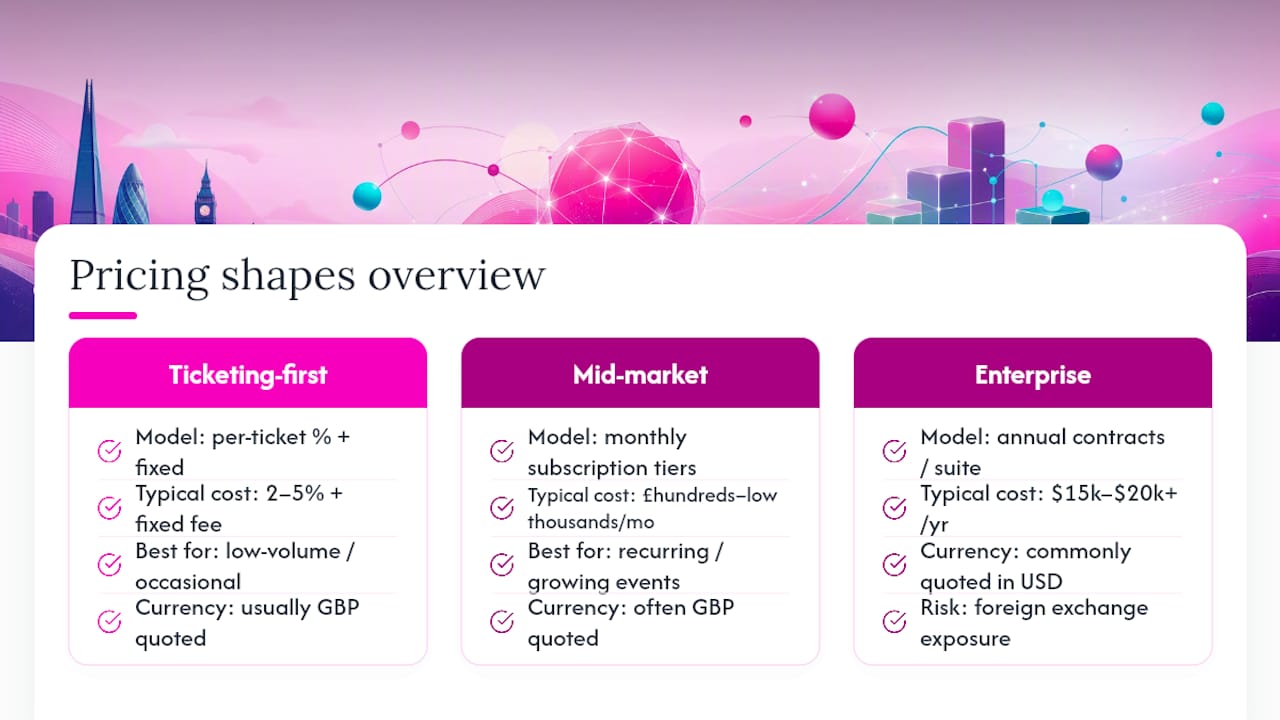
That last point matters more than it sounds. If you’re a UK organiser being quoted in dollars, you’re carrying foreign exchange risk on top of the headline price, and a currency swing can quietly inflate your renewal. Always ask for GBP pricing upfront rather than accepting a dollar quote and converting it yourself; UK-focused vendors and managed suppliers are used to being asked this and should have a sterling rate ready.
Watch for hidden fees beyond the headline number: payment processing surcharges, SMS confirmation costs, per-badge printing charges, and “premium support” add-ons that turn a reasonable base price into something closer to double by the time you’ve configured everything you actually need.
Security, data ownership and your GDPR checklist
Before any vendor conversation, settle a short list of questions internally: who owns the attendee data once the event ends, how long it’s retained, whether the platform is GDPR-compliant for UK and EU attendees, and what happens to personal data if you cancel the contract. A useful preparatory checklist covers payments, badge types, merchant account arrangements, branding, data ownership, attendance tracking and session bookings before you even start evaluating vendors, because answering these questions after you’ve picked a platform usually means retrofitting a compromise.
Comparing the top event registration platforms side by side
The table below sets out how the most commonly shortlisted platforms differ across the dimensions that actually change your day-to-day running an event: who they suit, how they charge, what happens at the door, and how deep the integrations go.
| Platform | Best for / use case | Pricing model | On-site support & badging | CRM / SSO integrations | Virtual/hybrid & streaming | Setup time |
|---|---|---|---|---|---|---|
| Whova | Networked conferences with strong engagement | Per-attendee, tiered | Native check-in app, badge printing | CRM sync, SSO on higher tiers | Basic virtual session support | 2 to 6 weeks |
| Eventbrite | Public ticketed events, small festivals | Per-ticket fee (2 to 5%) | Third-party check-in apps | Limited native CRM sync | Minimal | Days |
| Cvent | Large multi-track enterprise conferences | Annual contract, from ~$15,000 to $20,000+ | Deep badge printing, onsite kiosks | Strong CRM/SSO/SCIM | Hybrid streaming add-ons | 6 to 12 weeks |
| Wild Apricot | Membership associations | Subscription, membership tiers | Basic check-in | Membership database native | Minimal | 2 to 4 weeks |
| Ticketbud | Small paid events, fast checkout | Per-ticket fee | Third-party check-in | Limited | Minimal | Days |
| RingCentral Events | Hybrid/virtual productions | Subscription, attendee-tiered | Limited physical badging | CRM integrations available | Strong native streaming | 2 to 6 weeks |
| RainFocus | Very large conferences, portfolio management | Enterprise contract | Deep badging, scalable check-in | Deep CRM/SSO | Hybrid capability | 6 to 12 weeks |
| Splash | Field marketing, brand-led events | Subscription | Minimal | Marketing platform sync | Minimal | Days to 2 weeks |
| Jotform | Fast custom forms, low-cost setup | Free tier, low-cost paid tiers | None native | Basic integrations, Zapier | Minimal | Days |
| RSVPify | Small-to-mid RSVP and ticketing | Tiered subscription | Basic check-in | Limited | Minimal | Days |
| EventsAir | Mid-market and enterprise hybrid | Subscription/contract | Native badging | Strong CRM | Combined registration and virtual delivery | 2 to 8 weeks |
| Eventleaf | Meetings needing simple onsite check-in | Subscription | Native scanning and check-in | Basic CRM | Limited | 1 to 3 weeks |
| RingCentral Events (formerly Hopin) | Large virtual/hybrid productions | Subscription, tiered | Limited | CRM integrations available | Strong native streaming | 2 to 6 weeks |
| 6Connex | Virtual environments, branded portals | Contract/subscription | Minimal | CRM integrations available | Deep virtual environment tools | 2 to 6 weeks |
| Brushfire | Ticketing for churches, venues, tours | Per-ticket fee | Basic check-in | Limited | Minimal | Days |
| GoTo Webinar | Webinars, small virtual sessions | Subscription | None | Basic CRM integrations | Webinar-focused streaming | Days |
| Evite | Casual and social invitations | Free/low-cost | None | None | None | Minutes |
| Google Forms | Simple free registration forms | Free | None | Manual export only | None | Minutes |
| Hubspot Forms | Marketing-integrated sign-ups | Included in Hubspot tiers | None | Deep Hubspot CRM native | Minimal | Minutes to days |
| EventBookings | Small-to-mid paid bookings | Per-ticket fee/subscription | Basic check-in | Limited | Minimal | Days |
Firefly AV does not sell registration software. This comparison is written from the seat of a supplier that has to work with whatever platform an organiser has already chosen, which is exactly why the on-site column matters more here than in most buyer’s guides.
What each platform actually gets you
Whova earns its place on most shortlists because the attendee app does real work: session bookmarking, in-app messaging, and sponsor visibility that a generic form builder can’t touch. It suits conferences where networking is the point, not just the registration.
Eventbrite remains the default for anyone selling public tickets, largely because attendees already trust the checkout flow and the marketplace brings in casual discovery traffic you won’t get from a standalone form. It’s a weaker fit once you need complex multi-session agendas or enterprise-grade badge printing.
Cvent and RainFocus sit at the enterprise end, built for organisations running a portfolio of large events rather than a single conference. Both demand a genuine implementation project: 6 to 12 weeks for events over 1,000 attendees once you account for configuration, SSO setup, testing and badge templates. That’s a serious commitment, but the payoff is deep reporting and onsite workflows that smaller tools simply don’t attempt.
Wild Apricot is the outlier on this list because it’s built around membership management first, registration second. Associations running annual conferences alongside member renewals get real value from having both in one system rather than stitching a separate ticketing tool onto a membership database.
Ticketbud and Brushfire both target straightforward paid ticketing with minimal setup friction, Brushfire in particular common among churches, venues and touring productions that need fast, no-fuss checkout rather than a full event suite.
RingCentral Events and its sibling product line under the same brand cover hybrid and virtual delivery with native streaming, which matters if your event has a genuine remote-attendee component rather than a token webinar bolted on. 6Connex occupies similar territory with a heavier focus on persistent branded virtual environments, useful for organisations running recurring virtual expos rather than one-off webinars.
Splash is built for marketing teams running a high volume of branded event pages, where the registration form is really a lead-capture tool dressed as an RSVP. Jotform and Google Forms sit at the opposite end of the spectrum: no event-specific features at all, but genuinely useful when you need a form live in minutes and don’t need payment processing, badge printing, or CRM sync.
RSVPify and EventBookings both fill the gap between a bare form and a full platform, workable for small-to-mid events that need ticketing without enterprise pricing. Eventleaf distinguishes itself with genuinely solid onsite scanning for its price point, a reasonable pick for meetings that need reliable check-in without Cvent-level cost.
GoTo Webinar and Hubspot Forms are worth naming because organisers often default to them out of familiarity rather than fit. GoTo Webinar handles webinar delivery well but has no event registration depth beyond that. Hubspot Forms works if your registration data needs to land directly inside an existing Hubspot CRM instance, but it was never built as an event platform and it shows once you need multi-session agendas. Evite belongs firmly in the casual and social category, not a serious option for any event with paid tickets or CRM requirements.
Questions worth asking before you commit
- Can you demo the CRM field mapping live, using one of my actual attendee records rather than a sample?
- Which badge printer models have you tested this platform against, and can you run a sample print on my model?
- What happens to attendee data, and who owns it, if I cancel or don’t renew?
- Is your quoted price in GBP, and does it include payment processing fees?
- What’s your implementation timeline for an event of my size, realistically, not the marketing figure?
How we compared these platforms
The shortlist above draws on three test scenarios that map to the events UK organisers actually run: a public ticketed event with variable walk-up demand, an enterprise multi-track conference with 1,000+ delegates, and a hybrid webinar with a live and remote audience. For each scenario, the technical checks that mattered most were checkout completion speed, CRM sync accuracy against sample records, badge-printing compatibility, and check-in reliability under load.
- Checkout flow: time to complete registration and payment friction points
- CRM sync: field-mapping accuracy and de-duplication on live sample records
- Badge printing and check-in: compatibility with common hardware and scan reliability
- Streaming and hybrid tools: latency and integration depth for remote attendees
Weighting favoured on-site reliability and integration depth over headline pricing, on the reasoning that a cheap platform that fails at the door costs far more in reputational and operational terms than the subscription saved.
How to choose: a demo and procurement checklist
Working through demos in a fixed order stops vendors steering the conversation toward their strongest feature and away from your actual requirements.
- Ask directly whether the platform supports your merchant account and payment processor, not just “payments in general.”
- Request the exact badge printer models supported, and ask for a live sample print if you already own printers.
- Test network resilience: ask what happens to check-in if venue Wi-Fi drops, and whether the app works offline.
- Confirm SSO/SCIM support if attendees log in via a corporate identity provider.
- Ask to see the Data Processing Agreement before, not after, you sign the commercial contract.
- Run a pilot event or a defined proof-of-concept scope before committing to a multi-year enterprise contract.
- Request a written SLA for onsite support response times, not a verbal assurance from the sales rep.
Pro Tip: Treat vagueness as the biggest red flag in a demo. If a vendor can’t give you a straight answer on fees, won’t show a live CRM sync, or hesitates to test on your actual badge printers, that hesitation is telling you something about how the relationship will run once you’re a paying customer, not a prospect.
Negotiation leverage usually sits with organisers more than they realise: enterprise vendors have room to move on annual contracts, especially outside their financial quarter-end, and mid-market tools will often waive setup fees for a multi-event commitment.
Firefly AV’s field guide to registration and on-site production
Registration platforms and AV production sit closer together than most organisers assume until the morning something goes wrong. The most common failure Firefly AV sees on-site isn’t a lighting fault or a dead microphone, it’s a registration export that doesn’t match the badge template, or a check-in app that can’t reach the venue network because nobody tested it against the actual Wi-Fi provision.

On-site friction most often comes from mismatched data formats between the registration export and the badge printer or check-in system, and it’s almost always avoidable with a proper test run the week before, not the morning of.
A practical checklist for event day, built from what actually goes wrong:
- Confirm badge printer network access and IP addressing before doors open, not during setup
- Bring spare check-in hardware, tablets fail, and a single dead device queues fifty people
- Assign one named staff member solely to registration troubleshooting, not shared with stage management
- Test streaming and CRM sync end-to-end at least once with genuine sample data, not test accounts
Where the event includes a hybrid or streamed component, Firefly AV typically works with Birddog cameras and Absen LED walls for the visual side, paired with Sennheiser mics and Allen & Heath consoles for audio, day rates for a technician-supported package commonly running from roughly £600 to £1,200 depending on kit list and crew size. Registration data needs to reach the AV desk too, not just the front-of-house team, particularly for speaker cueing and session-based streaming where the wrong name on a lower-third graphic is a visible, avoidable error.
A practitioner’s take on choosing a registration platform
The research here supports one judgement clearly: organisers spend far too long comparing feature lists and not nearly long enough testing the handoff points, registration to CRM, registration to badge printer, registration to the AV desk running the live stream. Feature comparisons are almost always symmetrical; every platform on this list will let you sell a ticket and send a confirmation email. Where they diverge is in the boring, unglamorous middle, and that’s exactly where most demos skip past too quickly.
Conventional buyer’s-guide advice treats pricing as the headline decision. It isn’t. A £15,000 enterprise contract that eliminates onsite check-in queues is cheaper, in every sense that matters, than a £2,000 tool that leaves fifty delegates standing in a corridor at 9am. Prioritise the live CRM demo and the badge-printer test over the pricing sheet, every time. That single habit prevents more event-day disasters than any feature comparison ever will.
— Michael
A practical alternative to hiring a registration platform in isolation
The platforms above solve registration and ticketing. None of them solve what happens once attendees actually arrive: the lighting, the sound, the stage, the LED wall carrying your sponsor branding, or the stream reaching remote delegates. That’s a separate discipline, and it’s the one Firefly AV works in every week.
Firefly AV is an AV hire and event production company based in Leeds and Preston, working UK-wide across conferences, product launches and hybrid productions. Where a registration platform ends at the confirmation email, Firefly AV picks up from there: equipment hire covering Absen LED walls, Panasonic projectors, Sennheiser mics, Allen & Heath consoles and DB Technologies speakers, paired with technicians who make sure your check-in data, badge printing and live-stream feed all work together on the day rather than colliding at 8am. If you’re planning an event where the registration choice above needs to connect to real staging, sound or streaming, get a quote for your event’s AV requirements and we’ll scope it against your platform and venue before you commit to a crew.
Sources
- Event registration platforms: the 2026 landscape — Event Tech Live
- Choosing an event registration tool in 2026: a buyer’s guide — Perspective AI
- How to select the correct registration software: our top 10 — Brightelm
FAQ
What is the best event registration software?
There is no single best platform. Whova suits networked conferences with strong engagement needs, Cvent suits large enterprise multi-track events, and Eventbrite suits public ticketed events, each winning on a different combination of pricing model and onsite capability.
What are the best event ticketing platforms in the UK?
Eventbrite, Ticketbud and Brushfire are the most commonly used ticketing-first platforms for UK organisers selling paid tickets, with UK-focused managed suppliers like Eventsforce and RefTech also common for larger UK exhibitions needing onsite registration support.
What is the best online event platform for virtual or hybrid delivery?
RingCentral Events is generally the strongest choice for hybrid and virtual productions that need robust native streaming, though for large-scale branded virtual environments 6Connex is worth demoing alongside it.
What are the 5 C’s of an event?
Definitions of this framework vary across the industry and there isn’t a single agreed version, so it’s worth asking any vendor or consultant using the term to define exactly what they mean by it before applying it to your planning.
How much does event registration software typically cost?
Ticketing-first tools charge 2 to 5% per ticket, mid-market subscriptions run to a few hundred pounds a month, and enterprise suites like Cvent typically start around $15,000 to $20,000 a year, so always request GBP pricing if you’re a UK organiser being quoted in dollars.
Do I need a separate AV supplier if my registration platform handles check-in?
Yes. Registration platforms manage sign-up, payment and check-in data, but staging, sound, lighting, LED walls and live streaming are a separate technical discipline, which is why Firefly AV works alongside whichever registration platform an organiser has already chosen.