Inclusive by Design: Making Live Events More Accessible
Date added: 2/04/2023

In recent years, there has been a growing movement towards making events more inclusive and accessible for people with disabilities.
Live events, whether they are concerts, conferences, or performances, provide unique experiences that cannot be replicated online. However, they also present numerous barriers for people with disabilities, such as physical, sensory, or cognitive impairments.
In this post, we will explore some of the key considerations for making your live events more accessible and inclusive for everyone.
Please note: this post and the recommendations included are not exhaustive, and it does not replace conversations with your client and attendees about their experiences and requirements.
So you’ve decided to hold your own event, or you’ve been approached by a client who’s asked you to plan for them – congratulations! This is a great opportunity to showcase your technical and personal skills.
It’s important to consider from the very beginning of a project what barriers could impact your attendee’s experience. Some questions to ask yourself during your initial planning stage might include:
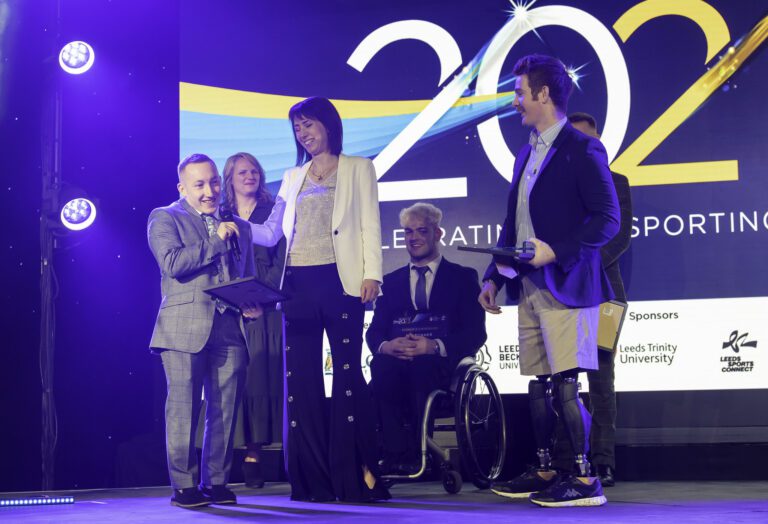
As part of your pre-planning for the event, take a look over the running order and breaks between sessions or performances. Questions to consider include:
A crucial part of answering all these questions accurately is being able to inspect the site during a visit. It’s a great idea to walk around the space in the mindset of an attendee, from arrival, to during the event, and leaving. This will help you to visualise the accessibility, looking for:
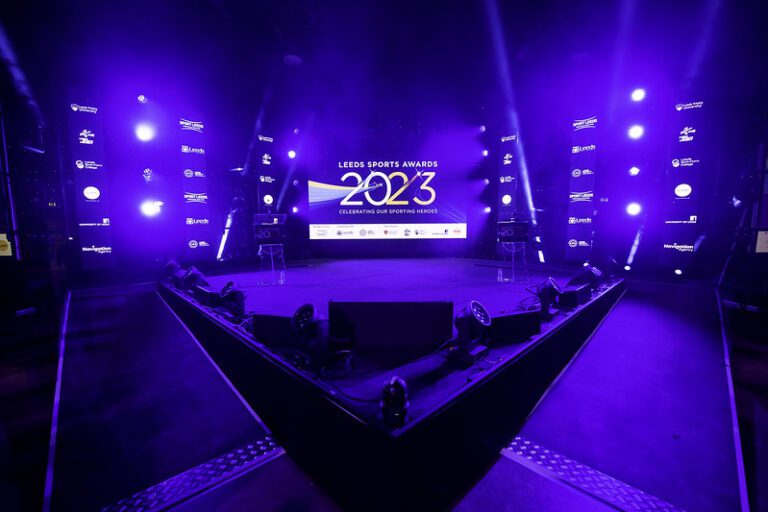

For any size event, providing seating arrangements is a core part of the room preparation. It’s essential to make sure that seats are accessible, and that they are not segregated from the rest of the audience. Visibility should not be compromised, as well as the sound quality from the stage.
You should consider the route of access around the room and venue for wheelchair users. A great example of this is award ceremonies, where people will be getting up from their seats and travelling to the stage and back throughout the event. Can people with mobility issues or a wheelchair move around the room with ease and access the stage, or the backstage area?
Event technology has the ability to provide incredible experiences for every attendee, and has made vast improvements to enhance the experience for those with visual and auditory impairments. Please see the Visual and Audio Considerations over the page for more information!
Ensuring that technicians, engineers and stage managers are trained to support attendees with visual, auditory and sensory impairments, including invisible illnesses, is a vital part of preparation in our day-to-day practices.
Staff must be able to recognise and respond to those who need extra assistance in a respectful and swift manner, listening to their concerns and providing support wherever possible.
They must be able to communicate effectively with clients and attendees in regards to their requirements for accessibility, and provide different options for support through technical and logistical considerations.
Finally, communication is key!
After assessing the venue and considering the technical and logistical impact for attendees, it’s important to clearly advertise the methods you have implemented to prepare attendees prior to the event.
Make sure to highlight parking arrangements, the venue’s step, ramp and lift availability, and any sign language interpretation or audio captioning that will be offered.
It is important to provide an outlet for attendees to reach out to you to ask questions about the venue and their own requirements, and to make suggestions that would improve their experience.
There are a few different technical options available to provide visual assistance to attendees, including:
Alongside these technical choices, there are some incredibly simple design choices to make when providing visual material for an event that could vastly enhance the experience for attendees with visual impairments, whether that be a video, presentation slides or graphics. Some of these include:
If possible send out any reading materials, presentation slides or videos to attendees in advance, make them accessible online, or provide large printout copies to each table.
If you are presenting, it is also helpful to describe out loud to the audience any images, graphs or visuals being used in your presentation.
There are also different audio options that can be tailored to improve the experience for hearing impaired attendees, including:
A vital part of all these considerations is that they are easily accessible to attendees, and easy to use. They must be readily available to provide to all participants on request – our technicians are more than happy to walk clients and attendees through this process to ensure the event is as smooth running as possible.
Photo credit: @SWpix