What is a multicore audio cable? A professional guide
Date added: 3/07/2026

A multicore audio cable, often called a snake, is a thick, durable cable that bundles 4–64 individual audio channels inside a single outer jacket. Its purpose is straightforward: replace the chaos of dozens of separate cables with one tidy run between your stage and mixing console.
What is a multicore audio cable and why does it matter?
At its core, a multicore cable solves a very practical problem. Running individual cables for every microphone, instrument, or signal return across a venue is slow, messy, and prone to failure. A multicore consolidates all of those connections into one manageable line.
You will hear the terms “snake,” “multicore,” and “snake cable” used interchangeably on professional stages and in recording studios. They all refer to the same thing. The key concepts to understand from the start are:
- Sends: signals travelling from the stage (microphones, instruments) to the mixing console
- Returns: signals travelling back from the console to the stage (amplifiers, monitors)
- Stage box: the on-stage unit where individual XLR cables plug in
- Pigtail or fanout: the bundle of individual connectors at the mixer end
A multicore cable is often specified using notation like “16/4,” meaning 16 sends and 4 returns. That single label tells an engineer everything they need to know about a cable’s capacity before a show.
Where are multicore cables actually used?
The live event world runs on multicores. Without them, a festival stage with 32 microphone inputs would require 32 separate cables snaking across the floor to the front-of-house desk. A multicore collapses that into one.
Common professional applications include:
- Live sound reinforcement: connecting a stage box to a front-of-house (FOH) mixing console, which is the most frequent use case by far
- Broadcast: routing multiple audio feeds from a studio floor or outside broadcast truck to a production desk
- Recording studios: linking a live room to the control room, often via stage boxes mounted flush in the floor or walls
- PA systems: carrying signals from a mixing console back to speaker amplifiers and monitor wedges via return channels
- Temporary outdoor events: portable multicores stored on a drum allow rapid deployment at music festivals and corporate events
For event microphone setups, multicores are equally valuable in corporate conference environments, where a clean cable run from a stage or podium to a technical desk keeps the room looking professional.
What types and configurations are available?
Multicore cables come in several distinct forms, and choosing the wrong one for a job creates problems quickly.
- Unterminated lengths: raw multicore cable sold by the metre, used when a technician needs to build a custom assembly with specific connectors
- Terminated cables with multipin connectors: a single robust connector at each end, common in permanent theatre or broadcast installations where the same cable is used repeatedly
- Complete assemblies with stage boxes: the most common live event format, combining a stage box, multicore run, and pigtail at the mixer end into one ready-to-use system
- Breakout cables (pigtails): a short fanout of individual XLR connectors used at the mixer end of a snake, giving the engineer a separate connector per channel
- Drive snakes: multicores carrying only return signals, used to feed amplifiers and monitor systems from the console
The send/return notation like “16/4” or “8/4” is standard across the industry. Channel counts typically vary broadly, with certain configurations being common for mid-scale live events. Durability and portability requirements also vary: a touring cable needs a tougher jacket and strain relief than one permanently installed in a studio wall.
How is a multicore cable constructed?
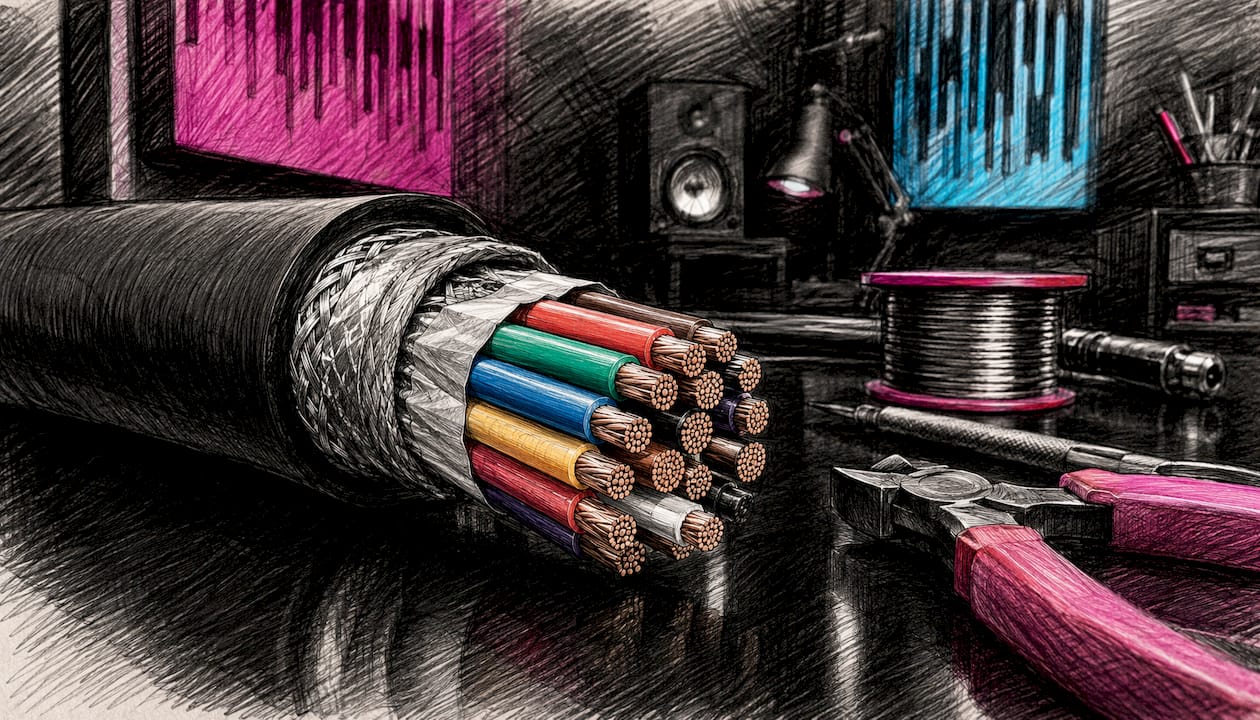
Inside the outer jacket, each audio channel runs as its own individually insulated conductor. The construction follows a consistent logic:
- Individual cores: each channel has its own copper conductors, typically a positive, negative, and earth, wrapped in insulation
- Colour coding and numbering: cores are identified by colour bands, printed numbers, or both, so a technician can trace channel 7 at the stage box to channel 7 at the mixer end without guesswork
- Shielding: a foil or braided shield around each core, or around the entire cable, reduces electromagnetic interference from lighting rigs, power cables, and radio equipment
- Outer jacket: a tough PVC or rubber sheath holds everything together and protects against physical damage during touring and repeated coiling
- Gauge: thicker gauge conductors carry signal with lower resistance over long runs; thinner gauge cables are lighter and more flexible for portable use
Cable lengths vary widely. Cable lengths vary widely depending on venue size, from shorter runs in studios to longer runs at large outdoor festival stages. Gauge selection depends on that run length and how much flexibility the cable needs.
Pro Tip: Always coil multicore cables using the over-under technique. It removes the natural twist from the cable with each loop, preventing internal conductor stress and extending the cable’s working life considerably.
Maintenance matters too. Wipe connectors regularly, store cables on proper drums rather than bundled in a heap, and inspect the jacket for cuts or kinks after every event. A damaged outer jacket lets moisture into the shielded cores, which causes intermittent faults that are notoriously difficult to trace during a live show.
What connectors and terminations do multicores use?
The termination at each end of a multicore determines how it interfaces with the rest of the audio system.
- XLR connectors: the standard for analogue audio; female XLRs at the stage box accept microphone and instrument feeds, while male XLRs at the pigtail end connect to console inputs
- Multipin connectors: a single large connector (such as a Socapex or proprietary format) that carries all channels in one plug, used in permanent installations where speed and repeatability matter
- Pigtail/fanout terminations: individual XLR tails at the mixer end, one per channel, giving maximum flexibility for patching into any console
- Jack connectors: occasionally used in smaller or more portable setups, particularly for instrument-level signals
The choice of termination affects both durability and troubleshooting speed. A multipin connector on a permanent installation is faster to connect but harder to fault-find if one pin fails. A pigtail gives you direct access to every channel individually, so isolating a faulty line takes seconds. For digital mixing consoles that accept analogue inputs via XLR, a well-terminated pigtail is still the most common connection method.
Professional best practices for using multicores
Getting the most from a multicore cable comes down to planning and understanding what the cable is actually doing.
- Plan your send/return ratio carefully: an under-provisioned return count forces additional cable runs, which defeats the purpose of using a multicore in the first place; a 16-channel snake with only 4 returns can become a bottleneck on a busy monitor-heavy stage
- Match the cable to the environment: a touring multicore needs robust strain relief and a thick jacket; a studio installation can use a lighter, more flexible cable since it stays put
- Label everything: even with colour-coded cores, labelling the stage box channels and the corresponding pigtail tails saves time during soundcheck and prevents patching errors
- Route cables away from power: keep multicore runs physically separated from mains power cables and dimmer packs to minimise interference pickup
- Test before the event: plug a signal into every channel at the stage box and confirm it arrives at the mixer end; catching a faulty connection in the afternoon is far better than discovering it mid-performance
For professionals working across live events and AV production, understanding the full signal chain from microphone to console is what separates a clean show from a troublesome one. Fireflyav supplies and supports professional audio multicore systems for corporate events, broadcast, and live performance, with technical expertise across the full range of configurations. For a deeper look at modern audio production techniques that complement your multicore setup, the immersive audio production guide from Mix Analytic covers signal routing and processing in useful detail.

Planning a live event or broadcast and need the right multicore setup? Fireflyav’s AV equipment range covers everything from stage boxes to full technical support, so your signal chain is solid before the first soundcheck.
Key takeaways
A multicore audio cable bundles multiple individual audio channels into one durable outer jacket, replacing dozens of separate cables with a single, manageable run between stage and console.
| Point | Details |
|---|---|
| Channel capacity | Multicores typically house 4–64 individual audio channels within one outer jacket. |
| Send/return notation | Notation like “16/4” specifies 16 sends to the console and 4 returns to the stage. |
| Core identification | Colour coding and numbering on individual cores allow fast, accurate channel tracing. |
| Termination choice | Pigtails suit flexible live use; multipin connectors suit permanent installations. |
| Cable care | Over-under coiling and regular connector cleaning preserve cable reliability over time. |