What is an audio mixing desk: a beginner’s guide
Date added: 8/07/2026

An audio mixing desk is an electronic device that combines multiple audio signals into controlled master outputs, giving you precise command over volume, tone, and routing. Also called a mixing console or soundboard, it sits at the centre of every professional recording studio, live concert, and broadcast facility. Consoles range from simple 6-channel setups to professional systems handling up to 384 input channels. That range tells you everything about how universal this tool is, from a hobbyist home studio to a West End theatre production. Understanding what a mixing desk does is the first real step into audio engineering.
What is an audio mixing desk and what does it do?
A mixing desk is the central hub through which every audio signal passes before reaching speakers or a recording device. Microphones, instruments, playback sources, and effects units all feed into the desk. The engineer then shapes each signal individually before combining them into a final mix. Without a mixing console, controlling multiple audio sources simultaneously would be impossible. The desk is what separates a chaotic wall of sound from a polished, balanced output.
The core function is signal routing and level control. Every input channel receives a signal, processes it through a series of controls, and sends it to one or more outputs. Those outputs might feed a PA system, a recording interface, a broadcast encoder, or a set of stage monitors. Understanding audio signal flow is the foundation skill for anyone learning to use a mixing desk effectively. Once you grasp how a signal travels through the desk, every other concept falls into place.
How does a mixing desk channel strip work?
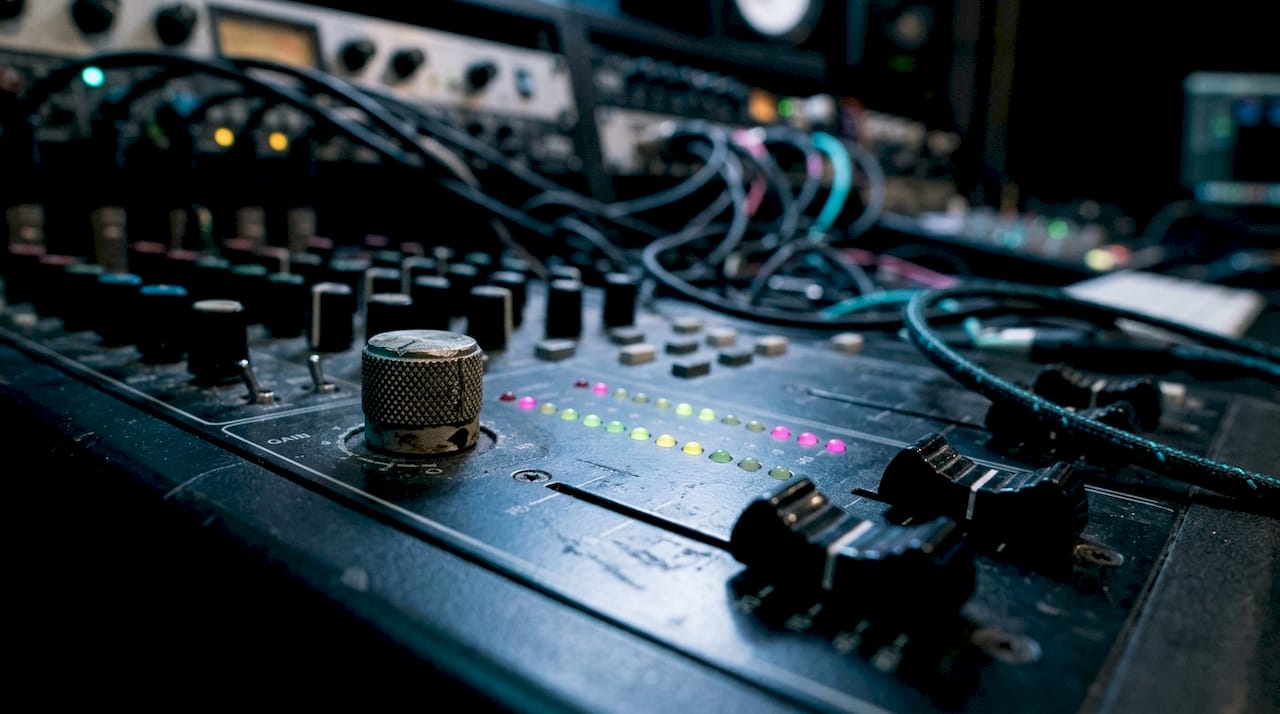
Mixers are modular by design. A large desk typically duplicates 48 to 96 identical channel strips side by side. Understanding one strip means you understand the entire console, regardless of its size. That insight removes most of the intimidation factor when you first sit in front of a large-format desk.
The signal path through a channel strip follows a fixed order:
- Input and gain (trim): The signal enters here. The gain control sets the input level before any processing occurs.
- EQ (equalisation): Boosts or cuts specific frequency ranges, such as adding warmth to a vocal or reducing muddiness in a guitar.
- Dynamics processors: Compressors and gates shape the dynamic range of the signal.
- Auxiliary sends: Route a copy of the signal to effects units or monitor speakers, independent of the main mix.
- Pan control: Positions the signal in the stereo field, left to right.
- Fader: Sets the final level of the channel in the main mix. Faders default at unity gain, marked as 0 dB.
Proper gain staging avoids background noise and distortion. Setting the gain correctly at the input stage means every processor downstream receives a clean, strong signal to work with. Skipping this step is the most common beginner mistake, and it cannot be fixed later in the chain.
Auxiliary sends operate as either pre-fader or post-fader. Pre-fader sends are independent of the channel fader, making them ideal for monitor mixes on stage. Post-fader sends track the fader position, making them the correct choice for effects like reverb. Confusing the two causes monitor mix chaos or unintended changes to reverb levels during a performance.
Pro Tip: Set your gain so the signal peaks around 0 VU or below -18 dBFS on a digital desk. Use the channel solo or PFL button to check the level in isolation before bringing the fader up.
What are the different types of audio mixing desk?
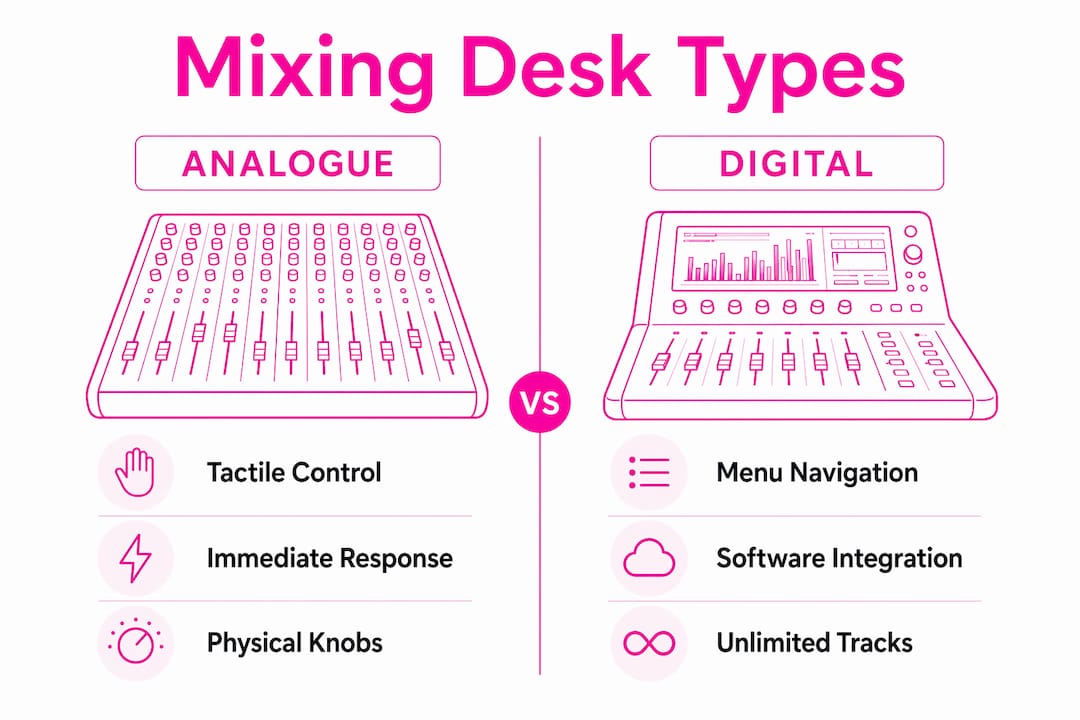
Mixing desks fall into three broad categories: analogue, digital, and software-based. Each suits different working environments and skill levels.
| Type | Strengths | Limitations | Best suited for |
|---|---|---|---|
| Analogue | Immediate tactile control, no menu navigation, warm signal path | Fixed channel count, no recall, larger physical footprint | Live events, beginners learning signal flow |
| Digital | Recall of settings, built-in effects, flexible routing, compact | Menu navigation required, software literacy needed | Touring engineers, broadcast, corporate events |
| Software (DAW-based) | Low cost, unlimited tracks, deep editing | Requires audio interface, no physical faders without controller | Home studios, post-production |
Analogue desks give you a physical control for every function. That directness makes them excellent for learning. You can trace the signal path by following the knobs and faders with your hands. The Yamaha MGP16X, for example, is a popular analogue mixer that combines physical controls with onboard effects, making it a practical starting point for live and studio work.
Digital consoles present distinct learning challenges, particularly menu navigation, sometimes called “menu diving.” Core signal flow principles remain unchanged between analogue and digital desks, but digital units require software navigation skills alongside traditional audio knowledge. The Allen and Heath Avantis is a strong example of a professional digital console that offers deep routing flexibility alongside a touchscreen interface, widely used in corporate conferences and live events.
Software mixers inside digital audio workstations (DAWs) remove the hardware entirely. They offer unlimited track counts and non-destructive editing, but they require an external audio interface to connect microphones and instruments. Without a physical controller, mixing on a screen alone is slower and less intuitive than working on hardware.
Pro Tip: If you are learning on a digital desk, spend your first sessions mapping the signal flow on paper before touching the screen. Knowing where the signal goes mentally makes menu navigation far less confusing.
How to use a mixing desk effectively
Effective mixing starts before the performance or recording session begins. The setup and soundcheck phase determines the quality of everything that follows.
- Set gain first, always. Bring each channel up individually, ask the performer to play or speak at their loudest, and adjust the trim until the signal is strong but not clipping. Gain staging failure leads to noise or distortion that compromises all subsequent processing, including EQ and compression.
- Use EQ to solve problems, not to add colour. Cut before you boost. If a vocal sounds muddy, reduce the low-mid frequencies around 300–500 Hz rather than boosting the highs. Boosting frequencies you do not need adds noise and phase issues.
- Check your aux sends before the show. Confirm whether each send is pre-fader or post-fader and verify that monitor mixes reflect what performers actually need to hear. A guitarist who cannot hear themselves will perform poorly regardless of how good the front-of-house mix sounds.
- Use PFL to troubleshoot. PFL (Pre-Fade Listen) lets you listen to an individual channel through headphones without affecting the main output. Use it to check for hum, distortion, or phase issues on any channel before the audience hears it.
- Mix by ear, not by eye. Meters are a guide, not the final word. Trust what you hear through the speakers or headphones. A mix that looks balanced on the meters but sounds wrong is wrong.
- Mute unused channels. Open microphone channels that are not in use pick up stage noise and bleed. Muting them keeps the mix clean and reduces the risk of feedback.
Soundcheck discipline is the single biggest factor in live mixing success. Good microphone placement and PA tuning matter more than the complexity of the desk. An expensive console cannot compensate for a poorly positioned microphone or an untreated room.
The same principles apply in a recording studio, though the pace is slower. You have time to revisit gain settings, try different EQ curves, and compare takes. Live mixing demands faster decisions, but the underlying technique is identical.
Pro Tip: Walk the room during soundcheck. What sounds balanced at the mixing position may sound bass-heavy near the back wall or thin near the stage. Adjust the desk to serve the whole room, not just your listening position.
How to choose the right mixing desk for your needs
Choosing a mixing desk requires matching the desk’s capabilities to your specific working environment. A desk that suits a recording studio may be impractical for a touring live engineer, and vice versa.
- Channel count: Count your inputs realistically. A band with drums, bass, two guitars, keys, and three vocals needs at least 12 channels, and ideally more for effects returns and playback sources. Always buy more channels than you think you need.
- Analogue or digital: Analogue suits beginners and smaller live setups where simplicity and reliability matter. Digital suits engineers who need scene recall, built-in processing, and flexible routing across multiple events. For conference and corporate work, digital desks with scene recall save significant setup time between sessions.
- Portability: A large-format analogue desk is impractical for a mobile engineer. Compact digital desks with stage boxes allow the mixing position to be placed anywhere in the venue while keeping the inputs close to the stage.
- Integration with other equipment: Check that the desk connects cleanly to your conference microphone system, recording interface, or broadcast encoder. Incompatible gain structures or connector types create problems that no amount of EQ will fix.
- Budget and future-proofing: Entry-level analogue desks offer excellent value for learning. Mid-range digital desks add recall and built-in effects. High-end professional consoles add redundancy, advanced routing, and larger channel counts. Buy the desk that meets your current needs with room to grow, rather than the cheapest option you will outgrow in six months.
For event planners and sound engineers working across corporate and cultural venues, understanding AV equipment for events helps clarify how a mixing desk fits into a wider technical setup.
Key takeaways
An audio mixing desk is the control centre of any professional audio setup, and mastering its signal flow is the foundation of every other mixing skill.
| Point | Details |
|---|---|
| Core function | A mixing desk combines and controls multiple audio signals into balanced outputs for live or recorded sound. |
| Signal flow order | Every channel strip follows the same path: gain, EQ, dynamics, aux sends, pan, and fader. |
| Gain staging is critical | Set input levels correctly first; poor gain staging creates noise and distortion that no processor can fix. |
| Analogue vs digital | Analogue suits beginners and simple setups; digital suits engineers who need recall and flexible routing. |
| Soundcheck over gear | Microphone placement and room acoustics determine mixing success more than the desk’s specification. |
Why the mixing desk clicked for me later than I expected
The first time I sat behind a 32-channel analogue desk, I did what most beginners do. I looked at it as 32 separate problems. It took an experienced engineer about 30 seconds to correct that thinking. He pointed at one channel strip and said, “Learn that one. The rest are copies.” That single reframe changed everything.
The second lesson took longer to absorb: gain staging is not a preliminary step. It is the mix. Every engineer I have watched who consistently produces clean, powerful sound sets gain with the same care they give to EQ or compression. The ones who rush it spend the rest of the session chasing problems they created at the input stage.
The hardest habit to break is mixing by eye. Meters are useful, but they do not tell you whether a vocal sits correctly in the mix or whether the kick drum is masking the bass guitar. Your ears do. The discipline of closing your eyes during a soundcheck and listening without looking at the desk is something I still practise deliberately. It forces honest decisions.
The transition from analogue to digital is genuinely challenging, and not for the reasons most people expect. The signal flow is identical. The challenge is that digital desks hide controls behind menus, which slows your reaction time in a live situation. The solution is repetition. Learn the menu structure of your specific desk until navigation is automatic. Then you can focus on the sound again.
— Michael
Fireflyav’s mixing desk solutions for engineers and event teams
Fireflyav supplies analogue and digital mixing consoles for corporate conferences, live events, broadcast productions, and cultural venues across the UK.
Whether you are specifying a desk for a touring production or a fixed installation in a conference centre, Fireflyav’s technical team can advise on the right console for your channel count, routing requirements, and budget. The range includes professional-grade options from established manufacturers, supported by hands-on technical expertise. For a full overview of how mixing desks fit into a complete AV setup, the AV equipment guide for event planners is a practical starting point. To discuss your specific project requirements, submit your project details and a member of the team will respond with tailored recommendations.
FAQ
What is an audio mixing desk used for?
An audio mixing desk combines multiple audio signals, such as microphones and instruments, into controlled outputs for live sound, recording, or broadcasting. It gives the engineer precise control over volume, tone, and routing for every input source.
How many channels does a mixing desk need?
Channel requirements depend on the number of inputs in your setup. Consoles range from 6 to 384 channels, so count your microphones, instruments, and returns, then choose a desk with at least a few spare channels for flexibility.
What is the difference between analogue and digital mixing desks?
Analogue desks offer direct physical controls for every function, making them straightforward to learn. Digital desks require menu navigation but offer scene recall, built-in effects, and flexible routing that analogue units cannot match.
What does gain staging mean on a mixing desk?
Gain staging means setting the input level on each channel so the signal is strong and clean before it reaches any processing. Setting trim controls correctly prevents noise and distortion from affecting EQ, compression, and all downstream processing.
What is a PFL button on a mixing desk?
PFL stands for Pre-Fade Listen. Using PFL lets you listen to an individual channel through headphones without changing the main mix output, making it the standard method for checking and troubleshooting individual channels during a performance or session.