What is an installed AV system? A venue guide
Date added: 9/07/2026
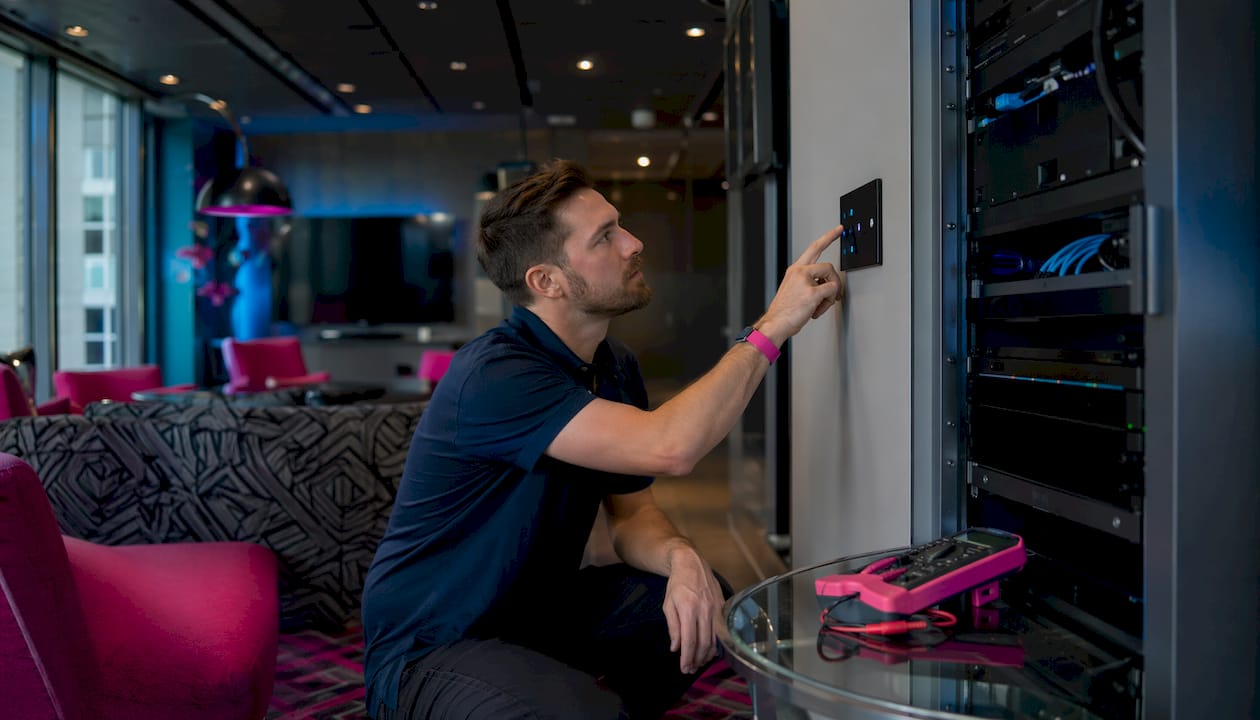
An installed AV system is a fixed configuration of audio and visual equipment built permanently into a venue to deliver consistent, high-quality event production. Unlike hired-in rigs that arrive and leave with each event, installed audio visual systems become part of the building’s infrastructure. They combine displays, audio equipment, signal processing, control systems, and cabling into one unified setup. For event professionals and venue managers, understanding what an installed AV system is means understanding the difference between a venue that performs reliably every time and one that depends on luck and last-minute logistics.
What is an installed AV system and what does it include?
An installed AV system is defined as a permanently integrated assembly of audio, video, control, and infrastructure components designed to operate as a single, coordinated system. The industry term for this discipline is “installed AV,” which sits within the broader ProAV (professional audio visual) sector. It is distinct from live event hire, where equipment is brought in temporarily for a single occasion.
AV systems include five main sections: displays, audio, power and processing, cabling and infrastructure, and control. Each section handles a specific function, and the system only performs well when all five work together. A venue with excellent speakers but a poorly configured control system will frustrate staff and undermine every event it hosts.

Fireflyav specialises in supplying equipment and technical support across the corporate, cultural, broadcast, and live event sectors. Their work spans eSports arenas and corporate conference suites, which means they regularly design and support installed AV solutions across very different venue types. That breadth of experience matters when you are specifying a system that needs to serve multiple event formats.
What are the essential components of an installed AV system?
Each component plays a unique role in signal capture, processing, transmission, and output. Understanding what each one does helps venue managers make informed decisions when specifying or upgrading a system.
Displays
Displays present content to the audience. The main options are:
- Fixed projection screens with short-throw or long-throw projectors, suited to darkened conference rooms and theatres
- LED walls, which deliver high brightness and are ideal for large venues, exhibitions, and eSports events
- Commercial-grade LCD or OLED panels, used for breakout rooms, reception areas, and digital signage
The choice of display depends on ambient light levels, viewing distances, and the type of content being shown. A boardroom and an eSports arena have entirely different requirements.
Audio
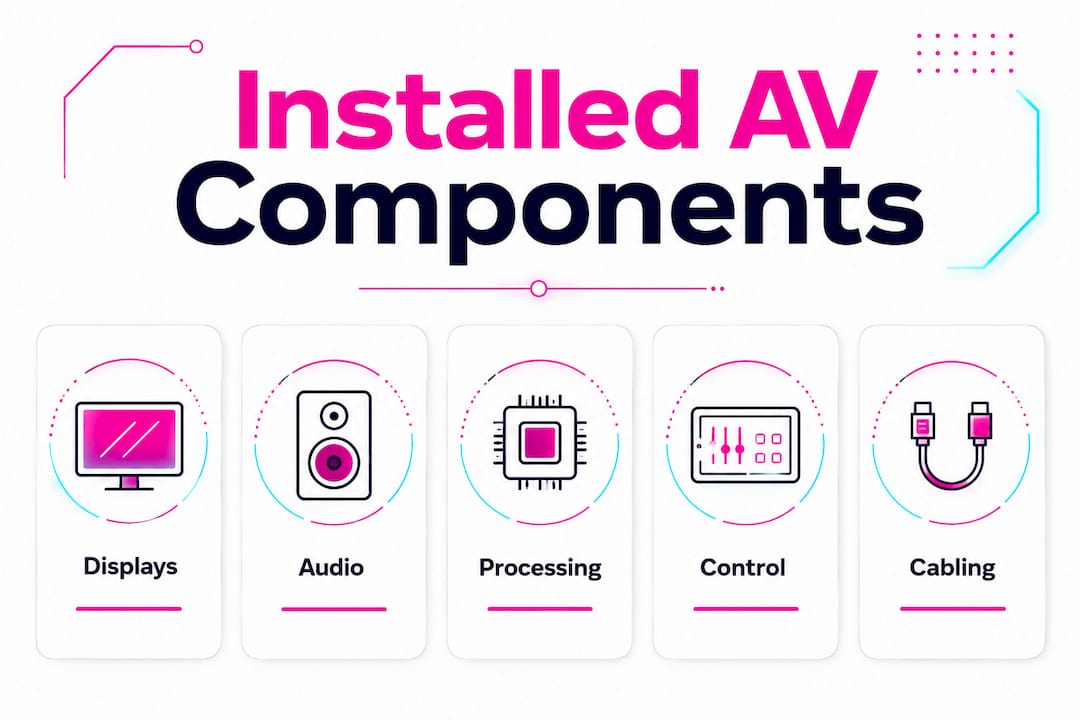
The audio section covers microphones, speakers, and amplifiers. Microphones capture speech or performance. Amplifiers boost the signal. Speakers distribute sound across the space. In installed systems, speakers are typically ceiling-mounted, wall-mounted, or flown from rigging points, rather than placed on stands. This keeps the floor clear and delivers more even sound coverage.
Processing units
Digital Signal Processors (DSPs) sit at the heart of the audio chain. They manage equalisation, feedback suppression, routing, and delay alignment between speaker zones. Without a DSP, a multi-zone venue cannot maintain consistent audio quality across different rooms or areas simultaneously.
Control systems
A control system acts as the heart of complex AV setups, simplifying operation via an easy-to-use interface that manages multiple devices from one platform. Control processors receive commands from touch panels and coordinate all connected equipment. A well-designed control interface means a non-technical member of staff can start a conference, adjust the volume, and switch inputs without calling for support.
Cabling and infrastructure
Cabling manages signal paths between every component. In modern installed AV, this includes both traditional copper cabling and network infrastructure for AV-over-IP systems. Conduit routing, rack placement, and cable management all affect long-term reliability and the ease of future upgrades.
| Component | Primary function | Common formats |
|---|---|---|
| Displays | Present visual content | LED walls, projectors, LCD panels |
| Audio | Capture and reproduce sound | Microphones, speakers, amplifiers |
| Processing | Manage and route signals | DSPs, signal processors |
| Control | Unify system operation | Touch panels, control processors |
| Infrastructure | Connect all components | Network cabling, conduit, racks |
What benefits do installed audio visual systems provide?
The core benefit of installed AV solutions is reliability. A temporary hire rig is configured fresh for each event, which introduces variables. An installed system is tested, calibrated, and ready. That consistency directly reduces the risk of technical failure during a live event.
Operational efficiency is the second major gain. Integrated control systems centralise management of AV and lighting, simplifying room turnover and event setups for non-technical staff. A venue that previously needed a technician on site for every room change can now empower its own team to handle routine setups independently.
The financial case also strengthens over time. Repeated hire costs accumulate quickly. A permanent installation carries a higher upfront cost but eliminates recurring hire fees and reduces the labour required for each event. For venues running more than a handful of events per month, the return on investment becomes clear within a few years.
Additional benefits include:
- Scalability: modular installed systems can be expanded as the venue grows or event formats change
- Audience experience: calibrated audio and correctly positioned displays produce a noticeably better experience than ad-hoc setups
- Brand consistency: every event in the venue looks and sounds the same, which matters for corporate clients and repeat bookers
Pro Tip: When briefing a venue on its AV requirements, ask how many different event formats the space needs to support. A system designed for one format will underperform in others. Build flexibility in from the start.
How does network-based AV technology future-proof installed systems?
AV-over-IP architecture represents a shift away from point-to-point physical cabling toward networked signal distribution, enhancing flexibility, scalability, and ease of future upgrades. In practical terms, this means audio, video, and control signals travel across the venue’s existing IT network rather than through dedicated point-to-point cables.
Traditional point-to-point cabling connects each source directly to each display or speaker. It works, but it is rigid. Adding a new display zone means running new cable. Reconfiguring a room means physical rewiring. Network-based AV replaces this with centralised management platforms and software updates, so a venue can repurpose spaces without touching a single cable.
| Approach | Flexibility | Upgrade method | Infrastructure cost |
|---|---|---|---|
| Point-to-point cabling | Low | Physical rewiring | Lower upfront, higher long-term |
| AV-over-IP (networked) | High | Software and licence updates | Higher upfront, lower long-term |
Networked AV architectures support multipoint signal distribution and centralised control, which means one source can feed multiple rooms simultaneously without additional hardware. For a conference centre running breakout sessions from a single keynote feed, this is a significant operational advantage.
Future-proofing AV installations is critical. Industry leaders highlight the importance of adopting networked solutions rather than relying on traditional cabling, so venues can evolve without total rebuilds. Planning for future-proof infrastructure from the outset is far less expensive than retrofitting a networked architecture into a building that was wired for point-to-point.
Pro Tip: When specifying a new installed AV system, ask your integrator to confirm that the network infrastructure meets the bandwidth and latency requirements for AVoIP. A standard office network is rarely sufficient without dedicated VLANs and quality-of-service configuration.
What steps should venue managers take when selecting and installing AV systems?
A thorough needs assessment is the correct starting point. Before specifying any equipment, map every space in the venue, the events each space will host, the audience sizes, and the technical requirements for each format. A room that hosts both intimate board meetings and large-scale product launches needs a very different system from one that serves a single purpose.
- Conduct a full site survey. Measure room dimensions, assess ambient light and noise levels, identify existing infrastructure, and locate power and data points. This information drives every subsequent decision.
- Build a mock-up room. Pre-installation mock-up rooms are vital to detect acoustic, airflow, and heat issues before full system rollout. Building a full-scale test environment months in advance identifies hidden challenges that would be expensive to fix after installation.
- Specify modular, scalable equipment. Choose components that can be upgraded individually without replacing the entire system. A DSP that supports additional licence-based features is more future-proof than one with fixed functionality.
- Work with a reputable AV integrator. An integrator manages the design, installation, programming, and commissioning of the system. Their experience with similar venues reduces risk and accelerates delivery. Fireflyav provides technical support across corporate and live event environments, which gives venue managers access to specialists who understand both the technical and operational demands of professional events.
- Schedule routine maintenance. Installed systems require periodic checks: firmware updates, cable integrity tests, speaker calibration, and control system audits. A maintenance schedule prevents small issues from becoming failures during a live event.
Pro Tip: Request a full system handover session with your integrator after installation. Your in-house team should be able to perform basic diagnostics and resets without calling for external support. That capability saves time and money on event days.
Key takeaways
An installed AV system delivers reliable, consistent event production by permanently integrating audio, video, control, and network infrastructure into a venue’s fabric.
| Point | Details |
|---|---|
| Definition | An installed AV system is a fixed, permanently integrated audio-visual setup built into a venue. |
| Core components | Displays, audio, DSPs, control systems, and cabling all work together as one unified system. |
| Operational benefit | Centralised control simplifies room turnover and reduces reliance on specialist technicians for routine setups. |
| Network advantage | AV-over-IP architectures allow venues to reconfigure and upgrade spaces via software rather than rewiring. |
| Installation best practice | Mock-up rooms and thorough site surveys prevent costly problems before full system deployment. |
Why I think most venues underestimate installed AV until it is too late
The venues that get installed AV right share one habit: they treat the AV system as infrastructure, not as equipment. The same way you would not compromise on electrical wiring or HVAC, you should not compromise on the signal paths, processing power, and control architecture that make every event work.
The most common mistake I see is specifying a system for the events a venue currently runs, rather than the events it wants to run in three years. Technology moves quickly, and a system locked into point-to-point cabling will struggle to keep pace. The venues that invested in networked AV infrastructure early are now reconfiguring spaces via software while others are facing expensive rewiring projects.
Control interface design is also undervalued. A technically excellent system that requires a specialist to operate it is a liability. The best installations I have encountered give non-technical staff genuine confidence. That confidence shows up in smoother events and fewer last-minute calls for support.
— Michael
How Fireflyav supports your installed AV system needs
Fireflyav works with event professionals and venue managers across the corporate, cultural, broadcast, and live event sectors to specify, supply, and support installed AV solutions. Whether you are equipping a conference suite, an eSports arena, or a multi-purpose cultural venue, the team brings hands-on technical expertise to every project.
From audio visual equipment selection through to on-site technical support, Fireflyav covers the full scope of what a professional installed system requires. If you are planning a new installation or reviewing an existing setup, the product enquiry form is the fastest way to start a conversation with the team about your specific requirements.
FAQ
What is an installed AV system?
An installed AV system is a permanently fixed configuration of audio, video, control, and infrastructure components built into a venue. It delivers consistent, high-quality event production without the need for temporary hire equipment.
What are the main AV system components?
The five main components are displays, audio equipment (microphones, speakers, amplifiers), processing units (DSPs), control systems (touch panels and processors), and cabling and network infrastructure.
How does AV-over-IP differ from traditional cabling?
AV-over-IP routes audio, video, and control signals across a network rather than through dedicated point-to-point cables. This allows venues to reconfigure spaces and add new zones via software updates rather than physical rewiring.
What are the benefits of installed audio visual systems for venues?
Installed systems provide reliability, operational efficiency, and long-term cost savings. Centralised control simplifies event setups for non-technical staff, and a permanent installation eliminates recurring hire costs over time.
How should venue managers prepare for an AV installation?
Start with a full site survey and a detailed needs assessment covering all event formats the space will host. Build a mock-up room to test acoustic and thermal performance before committing to full deployment, and work with an experienced AV integrator throughout.