Denon Professional DN-500BD: the UK buyer’s and hire guide
Date added: 3/08/2026
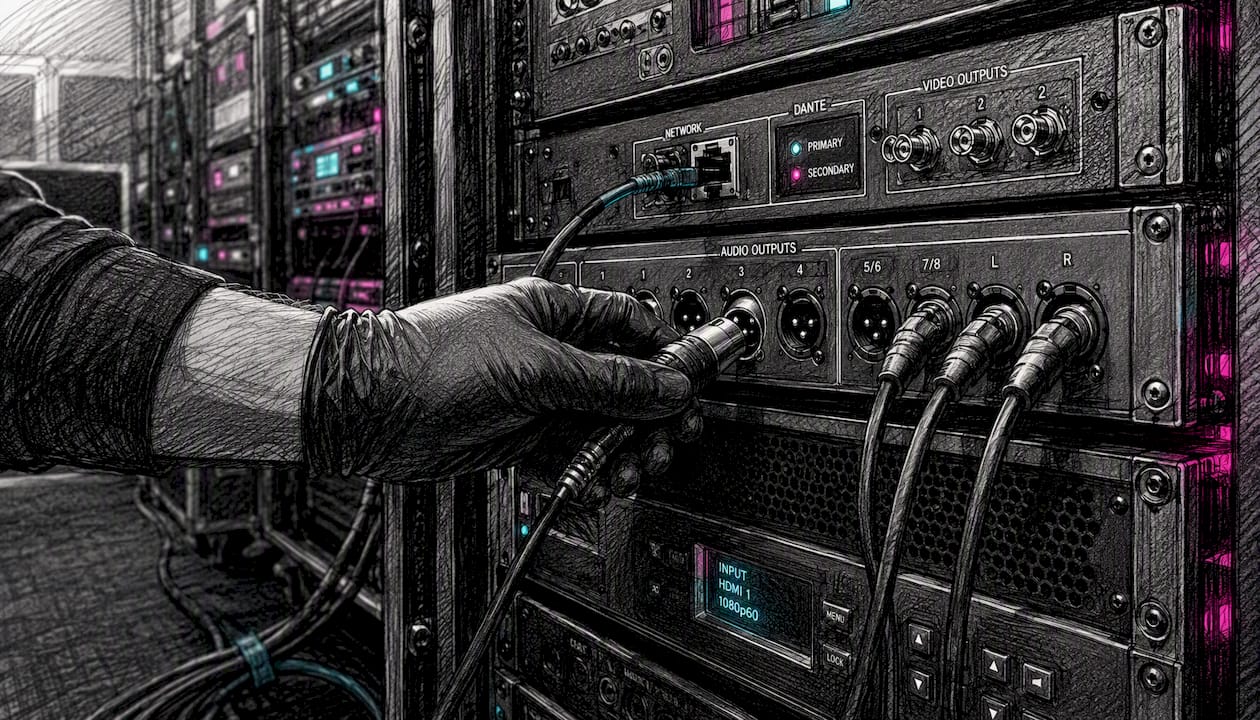
The Denon Professional DN-500BD is a 1RU rack-mount Blu-ray and media player built for professional AV installations. The original DN-500BD is discontinued. The DN-500BD MKII is the current, actively supported model and the one to specify for any new purchase or hire. Firefly AV is an AV hire and event production company based in Leeds and Preston, working UK-wide, and we can supply the DN-500BD MKII alongside technicians for conferences, corporate presentations, touring productions and fixed venue installs.
Key facts at a glance:
- 1RU rack-mount chassis, 483 × 273 × 44 mm, 2.7 kg
- Balanced XLR L/R outputs at +4 dBu alongside discrete 7.1 analogue RCA
- RS-232C (9-pin D-sub) and RJ-45 LAN/IP control with a published protocol guide
- Power-on Play, panel lock, IR remote lock and OSD hide for unattended live use
- Plays Blu-ray, DVD, CD, USB and SD media
Key takeaways
The DN-500BD MKII is the current, actively supported model and the correct unit to specify for any new professional AV installation or hire in the UK.
| Point | Details |
|---|---|
| MKII is the current model | The original DN-500BD is discontinued; specify the DN-500BD MKII for all new purchases and hires. |
| XLR and RS-232C are the integration essentials | Balanced XLR at +4 dBu and RS-232C/LAN/IP control are the outputs that make this a professional rack device. |
| USB/SD playback reduces touring risk | FAT32-formatted USB with MP4 is the most reliable show-delivery format and removes disc-tray risk. |
| Firmware is model-specific | MKII and original firmware are not cross-compatible; verify the model identifier before any update. |
| Firefly AV hire covers UK-wide | Firefly AV supplies tested MKII units with technicians for events across the UK; request a quote via the equipment hire catalogue. |
Table of Contents
- What are the essential specs for rack and procurement planning?
- How do you integrate the DN-500BD MKII into a professional signal chain?
- What disc, file and subtitle formats does the DN-500BD MKII play?
- What control options does the DN-500BD MKII support, and where is the protocol guide?
- DN-500BD vs DN-500BD MKII: which should you specify?
- What do riggers need to know about rack installation and transport?
- Where can you buy or hire the DN-500BD MKII in the UK?
- Where do you find manuals, firmware and the protocol guide?
- What are the most common live-use problems and how do you fix them?
- When should you hire versus buy the DN-500BD MKII?
- The DN-500BD MKII: what most guides miss about specifying it correctly
- Firefly AV supplies tested DN-500BD MKII units for UK events
- Sources
- FAQ
What are the essential specs for rack and procurement planning?
The DN-500BD MKII spec sheet and Denon product page give you everything a rigger or procurement manager needs before committing to a rack slot.
| Parameter | DN-500BD MKII |
|---|---|
| Rack size | 1RU |
| Dimensions (W × D × H) | 483 × 273 × 44 mm |
| Weight | 2.7 kg |
| Typical power consumption | 15 W |
| Standby power | <0.5 W |
| Front I/O | USB-A, SD card slot, disc tray |
| Rear audio | XLR balanced L/R, 7.1 analogue RCA, coaxial digital |
| Rear video | HDMI |
| Control | RS-232C D-sub, RJ-45 LAN, IR |
Pro features checklist:
- Power-on Play (auto-starts playback on power-up, no operator needed)
- Panel lock and IR remote lock (prevents accidental button presses during a show)
- OSD hide (removes on-screen overlays from the video output)
- Repeat and loop modes for continuous playback
- RS-232C and IP control for integration with show automation
Pro Tip: At 15 W typical draw, the MKII is light on power, but plan your rack PDU for peak draw across all units simultaneously. For touring racks, a 9U acoustic server rack gives you a compact, manageable enclosure for a media player, DSP and control interface without overbuilding.
How do you integrate the DN-500BD MKII into a professional signal chain?
The output set on the MKII covers most professional installation scenarios without adapters. Understanding which output to use where saves time during load-in.
Audio outputs:
- Balanced XLR L/R at +4 dBu — connect directly to an Allen & Heath console, DSP input or FOH rack without a DI box
- Discrete 7.1 analogue RCA — for surround installations or multi-channel distribution
- Coaxial digital (S/PDIF) — useful for digital mixers and audio processors that accept AES3 or S/PDIF
Video output:
- HDMI — single cable carrying A/V to a video processor, scaler or LED wall controller
The balanced XLR outputs are the reason this unit earns its place in a professional rack rather than a consumer player. Running balanced at +4 dBu over long cable runs to a DB Technologies amplifier or an Allen & Heath console eliminates the ground-loop hum that plagues unbalanced RCA feeds in large venues. For broadcast or recording feeds, you can split the XLR output directly to a Birddog camera chain or a broadcast mixer without level matching. If you need to DI the player into a passive split or a FOH feed, a Radial Pro-AV1 passive DI box handles the conversion cleanly.
The 7.1 RCA outputs are less commonly used in touring but matter for fixed cinema-style installs and immersive audio rooms where a multi-channel amplifier or processor takes discrete channel feeds.
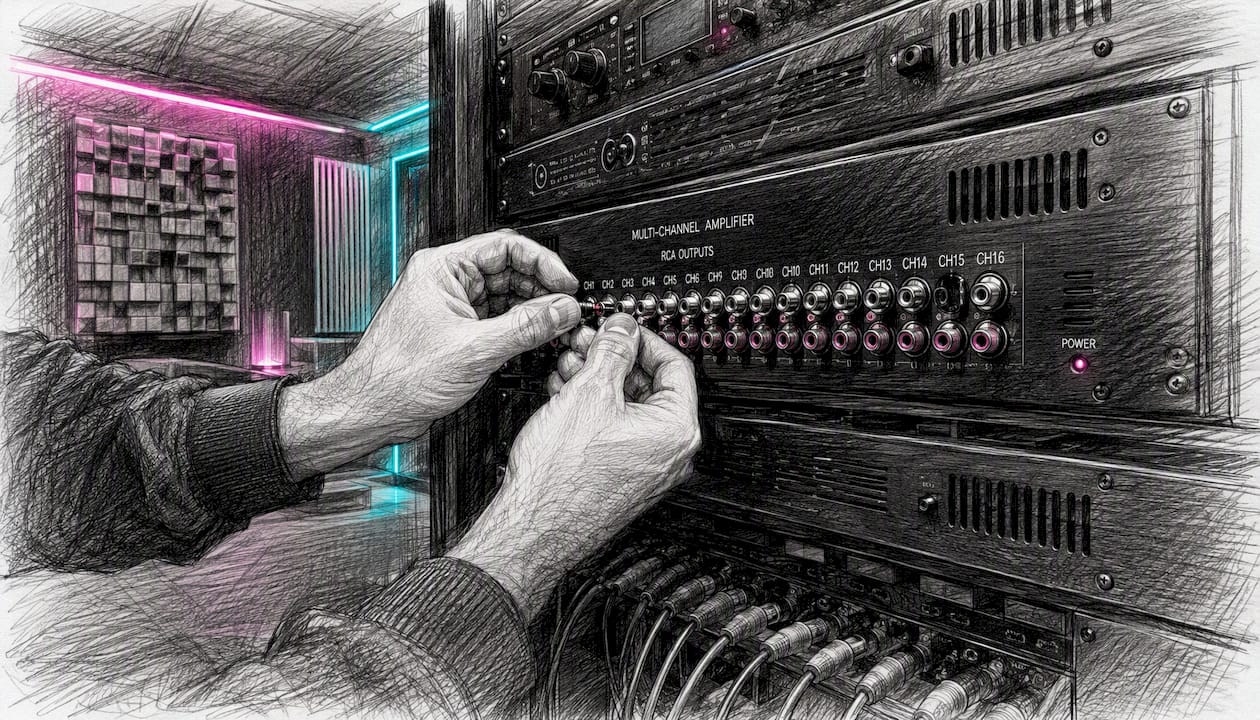
Pro Tip: In touring environments, always use the XLR outputs and tie off the RCA connectors with protective caps. Loose RCA connectors vibrating against a rack shelf are a common source of intermittent noise faults mid-show.
What disc, file and subtitle formats does the DN-500BD MKII play?
The Zenitel printable spec lists the full compatibility matrix. For corporate and venue use, the practical summary is:
Disc formats:
- Blu-ray: BD25, BD50, BD-ROM, BD-R, BD-RE
- DVD: DVD+R, DVD-R, DVD+RW, DVD-RW, DVD-ROM, DVD-Video
- CD: CD-DA, CD-R, CD-RW, DTS music disc
USB and SD file formats:
- Video containers: MP4, MKV, AVI
- Audio: MP3, WAV, FLAC
- Images: JPEG, PNG
- Subtitles: SRT, ASS
File systems and capacity:
The tech spec PDF confirms FAT16, FAT32 and NTFS are all supported. USB drives up to 2 TB total capacity and SD cards up to 128 GB are documented.
Pro Tip: For corporate presentations and awards nights, deliver show content as H.264 MP4 in a FAT32-formatted USB drive. It is the most reliably read combination across venue players and avoids the codec negotiation issues that occasionally affect MKV containers with unusual audio tracks. Keep a second USB as a verified backup.
What control options does the DN-500BD MKII support, and where is the protocol guide?
Three control interfaces are available: RS-232C, LAN/IP and IR remote. For any installation where a show controller or automation system is involved, RS-232C or LAN/IP is the correct choice.
Control interfaces:
- RS-232C via 9-pin D-sub connector — the standard for Crestron, AMX and Q-SYS integrations
- RJ-45 LAN/IP control — useful for networked AV systems and remote monitoring
- IR remote — included for manual operation; can be locked out via panel/IR lock
The DN-500BD MKII Protocol Guide v1.1 documents the full RS-232C command set, including play, stop, pause, chapter skip and status query strings. Download it before writing any control module. Crestron and AMX drivers built on this guide are straightforward; the command structure is clean and well-documented. For a broader view of why RS-232/IP-controllable devices are preferred in professional signal chains, the broadcast AV equipment guide covers the integration rationale.
Pro Tip: Before load-in, test every RS-232 cue sequence from the actual show controller, not just a laptop terminal. Baud rate mismatches (the MKII default is documented in the protocol guide) and cable pinout errors are the two most common causes of control failure on the day. A null-modem loopback test on the cable before it goes into the rack takes two minutes and saves an hour of fault-finding.
DN-500BD vs DN-500BD MKII: which should you specify?
The original DN-500BD is no longer the active model. For any new purchase or hire, specify the MKII.
| Feature | DN-500BD (original) | DN-500BD MKII |
|---|---|---|
| Status | Discontinued | Current, actively supported |
| Supported disc formats | BD, DVD, CD | BD25/50, BD-R/RE, DVD variants, CD, DTS |
| Audio outputs | XLR balanced L/R, 7.1 RCA, coaxial | XLR balanced L/R (+4 dBu), 7.1 RCA, coaxial |
| Control options | RS-232C, IR | RS-232C, LAN/IP, IR |
| Rack size | 1RU | 1RU |
| Pro features | Power-on Play, panel lock, OSD hide | Power-on Play, panel/IR lock, OSD hide, loop/repeat |
| UK availability | Used/marketplace only | New via specialist AV resellers; hire via Firefly AV |
The practical consequence: the original is unlikely to receive further firmware updates and sourcing replacement units or verified spares is increasingly difficult. The MKII adds LAN/IP control on top of RS-232C, which matters for networked installations, and its firmware is actively maintained by Denon Professional.
What do riggers need to know about rack installation and transport?
At 273 mm chassis depth, the MKII fits comfortably in a standard 19-inch rack with 300 mm or greater internal depth. Allow at least 25 mm of rear clearance for cable dressing and connector access. Running at 15 W typical and under 0.5 W in standby, it generates minimal heat, but do not block the chassis vents with cable bundles in a sealed rack. For a 24U rack enclosure in a fixed install, position the player in the middle of the rack rather than at the top to keep the centre of gravity low and reduce vibration transfer to the disc tray.
Touring and transport checklist:
- Secure the disc tray with a transit lock or foam insert before moving the rack
- Use rack ears with M6 cage nuts and check torque — a loose player in a touring rack is a disc-read fault waiting to happen
- Pad the front panel in a flight case to protect the tray mechanism
- Label the unit with firmware version and last test date on a cable tie tag
Pre-show checks:
- Confirm firmware version matches your tested configuration
- Enable panel lock and IR lock before doors open
- Run OSD hide and verify the output is clean through the full signal chain
- Test Power-on Play with the actual show file loaded
Pro Tip: The disc tray is the most transport-sensitive component. For touring shows, Firefly AV recommends using USB or SD playback rather than physical disc wherever the content allows. It removes the tray mechanism from the risk equation entirely.
Where can you buy or hire the DN-500BD MKII in the UK?
New units are available through specialist professional AV resellers and Denon Professional’s authorised UK distribution network. The original DN-500BD appears on general marketplaces such as Amazon UK as used stock; treat any used unit with caution and verify firmware version and playback history before committing.
Realistic GBP price guidance:
- DN-500BD MKII new: typically £600–£900 depending on reseller and stock availability
- DN-500BD original used: £150–£350 on general marketplaces, condition-dependent
- Dry hire day rate (MKII): typically £50–£120 per day depending on duration and support level
- Technician day rate for UK events: typically £250–£450 per day depending on role and travel
These are indicative ranges; actual pricing varies with demand, event duration and whether a technician is included. For pro playback hire, Firefly AV can quote based on your specific event dates and location across the UK.
What to ask any supplier before committing:
- What firmware version is installed, and has it been tested against your show format?
- Is the RS-232 protocol guide included or available for download?
- What is the warranty period and return policy for the unit?
- Can you provide a test playback on your actual show file before delivery?
- Is a spare unit available as a show backup?
Pro Tip: For one-off corporate events, hire almost always beats purchase on total cost once you factor in storage, maintenance and the risk of owning a unit that sits idle between shows. Firefly AV’s equipment hire catalogue covers the full rack kit list.
Where do you find manuals, firmware and the protocol guide?
Official downloads to bookmark:
- Product page and overview: DN-500BD MKII on Denon Pro — spec overview, feature list and links to support
- Protocol guide: DN-500BD MKII Protocol Guide v1.1 — RS-232C command set for automation
- Tech spec PDF: Denon Pro MKII tech specs — full I/O, file system and capacity details
- FAQ article: Denon Pro DN-500BD MKII FAQ — OSD hide, panel lock and Power-on Play explained
- Firmware: check the Denon Pro support portal for the current release; firmware for the original DN-500BD and the MKII is not cross-compatible. Applying the wrong firmware risks device failure — verify the exact model identifier before updating.
For warranty and support, confirm with your UK reseller whether the unit carries a manufacturer warranty or a reseller-backed guarantee. Used units from general marketplaces typically carry no warranty. If buying new, ask the reseller for the warranty registration process and the support contact for firmware issues.
Pro Tip: Keep a copy of the protocol guide and a tested RS-232 cue script in your show-cue repository alongside the show file. If a control system fails and you need to rebuild the integration on-site, having the command reference immediately to hand cuts recovery time significantly.
What are the most common live-use problems and how do you fix them?
Quick fault checklist:
- No audio from XLR: check output level is not set to minimum in the player menu; verify XLR cable pinout (pin 2 hot); confirm the console input is set to line level, not mic
- HDMI handshake failure: power-cycle the player after connecting to a scaler or LED wall processor; check EDID settings on the receiving device; try a different HDMI cable
- Disc read error: clean the disc; try USB playback as an immediate fallback; check firmware version
- OSD visible on output: enter the player menu and enable OSD hide; test through the full signal chain including any scaler, as EDID negotiation can reset display settings
- RS-232 control not responding: confirm baud rate matches the protocol guide; check cable pinout (straight-through vs null-modem); run a loopback test on the cable; verify the control system is sending the correct command terminator
USB/SD fallback preparation: format a USB drive as FAT32, copy the show file as H.264 MP4, verify playback on the actual unit before the show, and label the drive clearly. Keep it in the rack bag as a hot swap.
If RS-232 control fails during a show and you cannot recover quickly, switch to IR remote operation and log the firmware version and cable details for post-show diagnosis. Contact your supplier or Denon Pro support if the fault persists across a cable swap.
When should you hire versus buy the DN-500BD MKII?
Three scenarios cover most UK event and venue situations:
- One-off corporate presentation or awards night: hire. A tested MKII with a technician from Firefly AV costs less than purchase when you factor in storage and the risk of owning a unit that needs firmware maintenance between uses.
- Regular weekly venue use (theatre, conference centre, hotel): purchase the MKII. At regular use frequency, ownership pays back within a season and you control firmware and maintenance scheduling.
- Touring production: hire. Firefly AV maintains and supplies tested units, handles transport logistics and can provide a spare. Disc-tray wear and firmware currency are our problem, not yours.
Firefly AV’s hire packages typically include the unit, pre-show test playback, and a technician if required. Day rates vary by event type and duration; contact us for a quote tied to your specific dates and venue.
Pro Tip: For fixed installs, always specify the current MKII rather than sourcing a used original. Firmware support and the LAN/IP control interface are worth the price premium, particularly for installations where a control system integrator will need to maintain the RS-232 or IP module long-term.
The DN-500BD MKII: what most guides miss about specifying it correctly
Most write-ups on the DN-500BD MKII treat it as a straightforward product review: list the outputs, note the rack size, mention the price. That misses the point for anyone actually specifying it into a show.
The device’s value is not in the Blu-ray playback. Physical disc is increasingly a fallback format in professional AV, not a primary delivery method. The real reason to specify this unit is the combination of balanced XLR outputs, RS-232C/IP control and Power-on Play in a 1RU chassis at a price point that does not require a capital expenditure conversation. That combination is genuinely rare at this price.
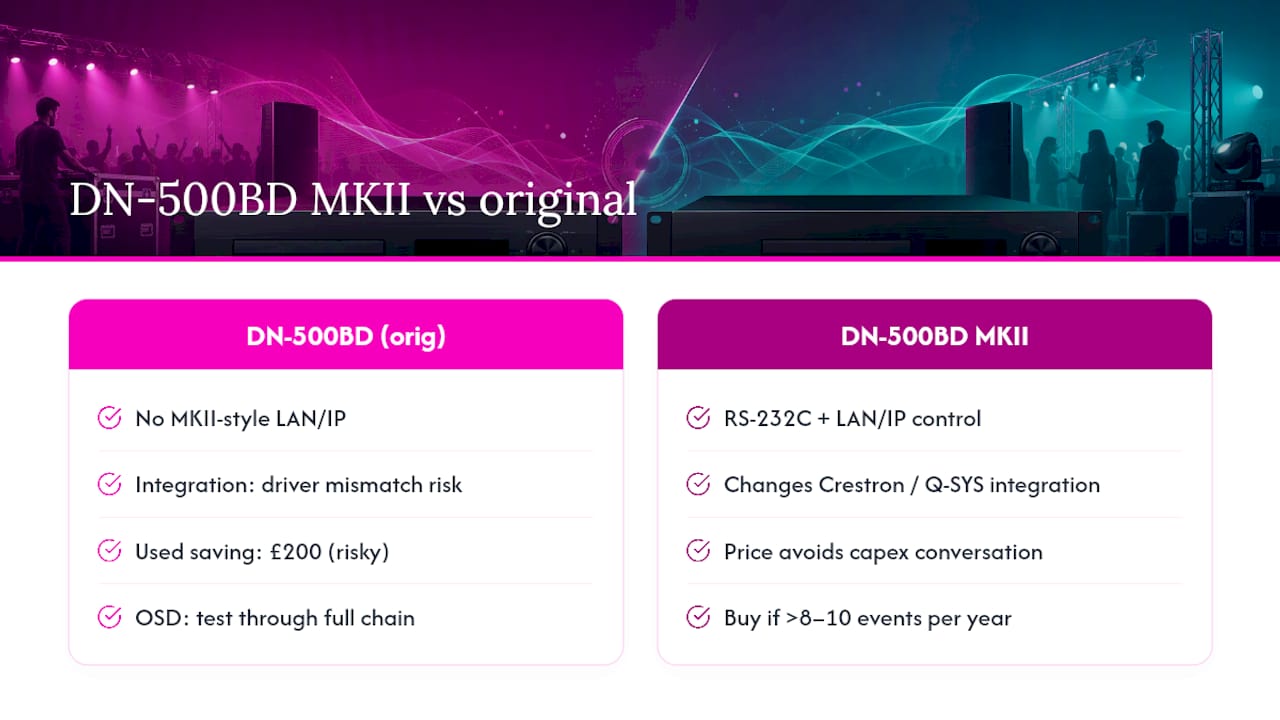
Where I see procurement go wrong is in treating the original DN-500BD and the MKII as interchangeable. They are not. The LAN/IP control interface on the MKII is not a minor upgrade; for any installation where a Crestron or Q-SYS system is involved, it changes the integration architecture. Sourcing a used original to save £200 and then discovering the control system driver was written for the MKII’s IP interface is an expensive lesson.
The OSD hide function is another one that gets underestimated. Test it through the full signal chain, including any scaler or LED wall processor, before the show. EDID negotiation between the player and a downstream device can reset display parameters and bring the OSD back. This is documented in Denon’s own guidance and it still catches people out at load-in.
For UK event managers, the hire-versus-buy question is simpler than it looks. If you are running fewer than eight to ten events a year with this device, hire wins on total cost and removes firmware and maintenance responsibility. Above that frequency, ownership makes sense, but only with the current MKII.
Firefly AV supplies tested DN-500BD MKII units for UK events
Firefly AV is the practical alternative to sourcing and maintaining your own rack media player. Based in Leeds and Preston and working across the UK, we supply the DN-500BD MKII as part of a complete rack package, pre-tested with your show file before it leaves our warehouse.
For a corporate conference in Manchester, an awards night in London or a touring production through multiple UK venues, our hire includes the unit, pre-show playback verification and a technician if required. You get a tested, firmware-current device with the RS-232 protocol files ready, not a unit pulled from a shelf and shipped cold. Browse our AV equipment hire catalogue for the full rack kit list, or contact us directly for a quote tied to your event dates and venue.
Sources
- DN-500BD-MkII (Zenitel printable spec)
FAQ
Is the Denon Professional DN-500BD still available to buy new?
The original DN-500BD is discontinued; new stock is no longer available through authorised channels. The DN-500BD MKII is the current model and is available new through specialist professional AV resellers in the UK.
What control protocol does the DN-500BD MKII use for show automation?
The MKII supports RS-232C via a 9-pin D-sub connector and LAN/IP control via RJ-45. The full command set is documented in the DN-500BD MKII Protocol Guide v1.1, available from the Denon Professional support pages.
Can Firefly AV supply a DN-500BD MKII with a technician for a UK event?
Yes. Firefly AV hires the DN-500BD MKII with pre-show playback testing and can include a technician for load-in and show operation. Contact us via the equipment hire page for a quote.
What is the best file format for USB playback on the DN-500BD MKII?
MP4 on a FAT32-formatted USB drive is the most reliable combination for corporate and venue use. The MKII also supports MKV, AVI, MP3, WAV and FLAC from USB drives up to 2 TB.
Is the firmware for the original DN-500BD compatible with the MKII?
No. Firmware for the original DN-500BD and the DN-500BD MKII is not cross-compatible. Applying the wrong firmware risks device failure; always verify the exact model identifier before downloading or applying any update.