Event production setup examples: five UK blueprints
Date added: 2/07/2026

Each event type demands a different production blueprint. A small boardroom meeting needs a confidence monitor, a lapel mic, and a single display. A mid-size conference adds a PA system, a lighting rig, and a dedicated front-of-house position. A large theatre production scales to full line-array audio, moving-head fixtures, and a video wall. A hybrid broadcast-style event layers in an encoder, a vision mixer, and a streaming operator on top of all that. An outdoor festival starts from scratch on power, weather protection, and site logistics.
The five blueprints below give you the kit lists, crew roles, cost bands, and checklists to plan each one. Here is the quick map:
- Small meeting (small group): display screen, confidence monitor, lapel/boundary mic, basic AV controller
- Mid-size conference (medium-sized audience): line-array or column PA, intelligent wash lighting, IMAG screen or LED panel, stage and lectern
- Large theatre (large audience): full PA system, moving-head fixtures, LED video wall, full staging and rigging
- Hybrid broadcast-style (any size): all of the above plus vision mixer, encoder, multi-camera, streaming operator
- Outdoor festival (large-scale outdoor event): generator power, weatherproof PA, truss and ground-support staging, site comms
Scale up by adding redundancy, crew headcount, and a second PA zone. Scale down by removing video and reducing lighting to static wash only.
Table of Contents
- What event production actually covers
- Production stages and an actionable timeline
- Core technical systems: what each one does and the minimum spec
- Five concrete setup blueprints with kit lists and cost bands
- UK technical best practice: power, redundancy, and streaming
- Run-sheet and technical checklists you can copy
- Common on-site problems and how to fix them
- How to cost a production setup and UK procurement tips
- Key takeaways
- What most planners get wrong about production
- Fireflyav delivers these setups end to end
- Useful UK sources and further reading
What event production actually covers
Event production is the technical and logistical delivery of a live experience: AV systems, staging, crew, communications, and power. It is distinct from event planning, which covers venue hiring, catering, and programme design. Production begins where planning ends, turning a brief into a working technical specification.
This article covers in-person, hybrid, livestreamed, and outdoor events. It does not cover venue procurement, food service, or entertainment booking. What it does cover: production timelines, minimum kit specs, crew roles, UK power distribution, hybrid encoder and switcher basics, run-sheet templates, and cost bands for UK hire. Every blueprint is written for event professionals who need something they can adapt on Monday morning, not a theoretical overview.
Industry experts are clear that event production is not a collection of kit but a strategic alignment of technical systems with event objectives. The audio, lighting, video, and staging decisions should all serve the attendee experience and the client’s messaging goals.
Production stages and an actionable timeline
The production process runs in three phases: pre-production, event day, and post-production. Most problems on show day trace back to decisions that were not made, or not confirmed, during pre-production.
| Stage | Task | Lead time | Owner |
|---|---|---|---|
| Concept | Brief, objectives, attendee numbers, venue shortlist | several weeks out | Producer / client |
| Specification | AV spec, lighting design, staging drawings | a few weeks out | Technical director |
| Site survey | Venue walk-through, power assessment, rigging points | weeks before the event | Technical director + venue |
| Procurement | Kit hire confirmed, crew contracted, logistics booked | weeks before the event | Producer |
| Technical rehearsal | Full rig, cue-to-cue, speaker run-through | days before the event | Technical director + all crew |
| Load-in | Delivery, build, cable runs, patching | Day before or morning of show | Stage manager |
| Show | Doors open, programme runs, livestream live | Event day | All crew |
| Load-out | De-rig, pack, vehicle loading | Post-show | Stage manager |
| Wrap | Asset delivery, debrief, kit return | Within 5 days | Producer |
The site survey is the step most often skipped on smaller events, and it is the one that causes the most expensive surprises. Confirming rigging points, mains supply capacity, and loading-bay access before you specify kit saves hours on load-in day. For multi-venue productions, AV logistics planning across sites adds another layer of scheduling complexity that needs its own timeline column.
Core technical systems: what each one does and the minimum spec
Audio
The goal for audio is even speech intelligibility across the whole room, with no hot spots and no dead zones. For speech-led events, aim for a signal-to-noise ratio well above ambient room noise. A PA system selection decision comes down to room size, ceiling height, and whether the event is speech-only or includes music.
| Venue size | Minimum PA spec | Mic input minimum |
|---|---|---|
| Small group | Appropriate powered speakers suitable for the room size | multiple microphone channels for presenter use |
| Medium-sized audience | Professional line-array or similarly capable speaker system | several microphone input channels |
| Large audience | Full professional line-array speaker system, flown or ground-stacked | many microphone channels |
| Outdoor 500+ | Weatherproof professional PA system with supplementary delay towers | multiple microphone input channels |
For corporate conferences, a conference mic system with boundary mics on panel tables and a delegate discussion unit gives clean audio pickup without visible stands cluttering the stage.
Lighting
Warm lighting creates intimacy; dynamic, cueable LED fixtures manage energy and scene changes for corporate presentations. Lighting professionals confirm that the two functions are distinct: ambient wash sets the room mood, while intelligent fixtures handle brand-colour moments, speaker introductions, and audience engagement cues.
| Application | Minimum fixture spec |
|---|---|
| Corporate wash | Several LED fixtures providing warm and colored ambient wash |
| Conference stage | Profile spot lighting for front illumination plus backlight LED wash fixtures |
| Theatre / concert | Multiple moving head fixtures, haze effects, and follow spotlights |
| Outdoor festival | Weatherproof moving head and par fixtures suitable for outdoor use |
Pro Tip: Always assign a dedicated lighting control channel to your confidence monitor and presenter screen backlight. Dimming the house lights for a video playback while leaving the presenter lit requires a separate circuit, and missing this in the patch causes a common, avoidable problem during cue-to-cue.
Video
Video covers display screens, LED walls, IMAG (image magnification) for large rooms, and livestream output. Pixel pitch on an LED screen determines the minimum viewing distance: a P3 panel (3 mm pitch) suits indoor close-viewing; a P6 or P10 suits outdoor or large-hall applications where the audience is further back.
| Application | Minimum spec |
|---|---|
| Small meeting | Large display or sufficiently bright projector |
| Conference IMAG | Multiple LED panels or projectors with full HD resolution minimum |
| Theatre video wall | An LED video wall of adequate size and pixel pitch for venue scale |
| Hybrid stream output | Hardware for HD capture and dedicated streaming encoding |
Staging, rigging, and comms
Staging defines sightlines and presenter authority. Placing the focal point intentionally — stage, LED wall, or dance floor — and designing seating around it is the single most effective layout decision you can make. Rigging requires a competent rigger and a venue-approved rigging plan; never hang truss from unapproved anchor points.
Comms (production intercom) is often the last item on the kit list and the first thing missed. A two-channel belt-pack system between stage manager, FOH, and lighting operator is the minimum for any event with more than two crew members.
Five concrete setup blueprints with kit lists and cost bands
Blueprint 1: Small meeting (up to 30 attendees)
Purpose: Boardroom presentation, team briefing, or small training session.
Layout: Single-room, all delegates facing one end. Presenter at a lectern or standing at the head of the table.
Minimum kit list:
- 1× 75"–85" display screen or short-throw projector
- 1× confidence monitor (facing presenter)
- 1× lapel mic or boundary mic
- 1× wireless handheld mic (backup)
- 1× simple AV controller or laptop switcher
- Basic ambient LED lighting (if room lighting is inadequate)
Crew: 1 AV technician (can double as operator and setup)
Cost band: A budget range for hire costs including technician services. Cost rises if the venue has no in-house display and a projector plus screen must be supplied.
Blueprint 2: Mid-size conference (30–200 attendees)
Purpose: Corporate conference, AGM, product launch, or awards ceremony in a hotel ballroom or dedicated conference centre.
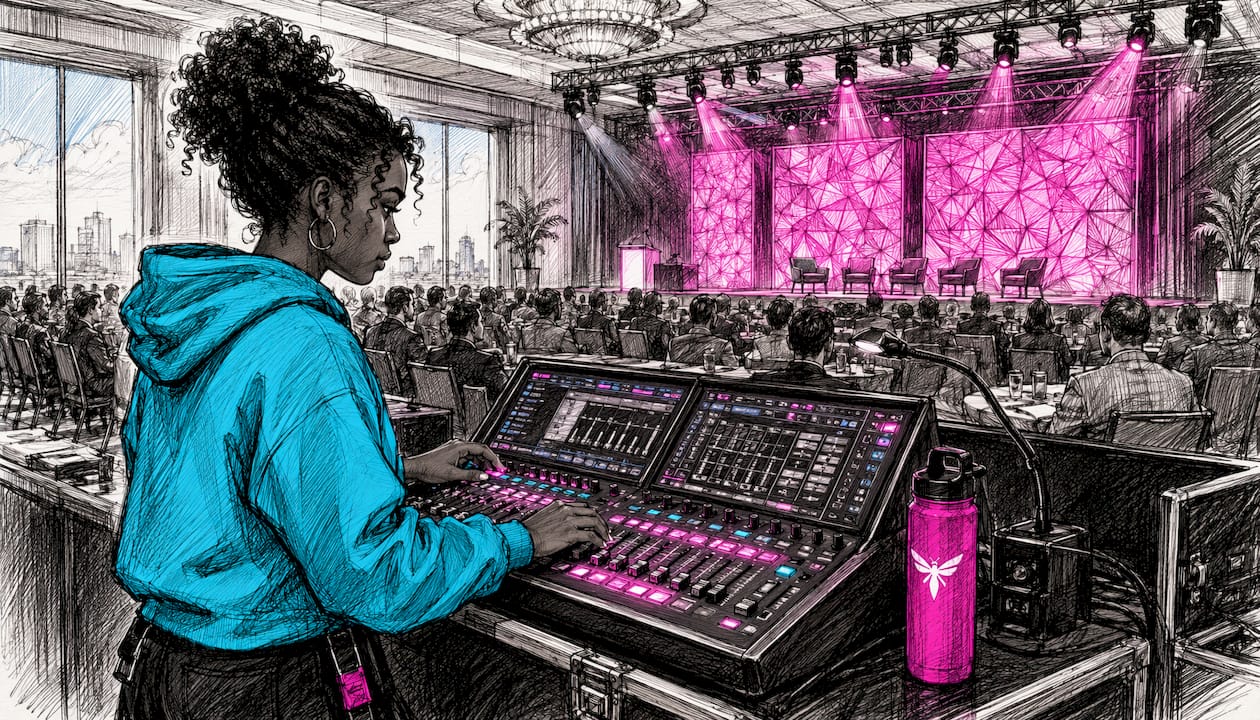
Layout: Theatre-style or cabaret seating facing a raised stage. FOH position at the rear of the room. Experience zones such as a registration desk, networking lounge, and breakout area improve guest flow and reduce congestion at the main entrance.
Minimum kit list:
- 2× line-array tops + 1× sub (or 4× 12" tops in smaller rooms)
- 1× digital mixing console (FOH)
- 4–8 mic channels (lapel, handheld, panel boundary mics)
- 2× LED panel or projector screens (IMAG or content playback)
- Stage: 6 m × 4 m modular staging, 600 mm rise
- Lectern with integrated confidence monitor
- 8× LED wash fixtures + 4× profile spots (front light)
- 1× lighting console
- Power distro: 63A single-phase feed minimum
Crew: Technical director, FOH audio engineer, lighting operator, stage manager (4 crew minimum)
Cost band: A budget range reflecting mid-scale conference costs. The main cost driver is LED panels vs projectors; LED walls add £1,500–£3,000 but eliminate ambient-light washout problems in bright hotel ballrooms.
Blueprint 3: Large theatre production (200–1,000 attendees)
Purpose: Conference keynote, awards gala, product launch, or concert in a theatre or large venue.
Layout: Fixed or raked seating, flown PA, full stage with wing space. FOH at a dedicated mix position in the auditorium. Sightlines must be checked from the furthest seat before finalising screen and speaker placement.
Minimum kit list:
- Full flown line-array system (left/right hang + sub array)
- 24-channel digital console (FOH) + monitor console (stage)
- 12–24 mic channels including IEM (in-ear monitor) system for performers
- LED video wall: 6 m × 3.5 m minimum, P3–P4 pitch
- IMAG cameras: 2× broadcast-spec cameras + vision mixer
- Moving-head fixtures: 12+ wash/beam, haze machine, follow spot
- Full stage: 12 m × 8 m minimum, wing masking, stairs
- Rigging: truss grid, motor chain hoists, competent rigger on crew
- Power: A robust power feed appropriate for the event scale
Crew: Technical director, FOH engineer, monitor engineer, lighting programmer/operator, video/LED operator, stage manager, 2× stage hands, rigger (8–10 crew)
Cost band: A substantial budget for large-scale theatre productions. Rigging and LED wall are the largest single cost items. Concert AV production at this scale also typically requires a pre-production day for programming and a full technical rehearsal day.
Blueprint 4: Hybrid broadcast-style event (any size)
Purpose: Corporate conference or product launch with a simultaneous livestream to remote attendees, or a fully virtual event with a live studio audience.
Layout: As per Blueprint 2 or 3 for the in-room setup, with an additional streaming station (encoder, vision mixer, monitor) positioned at or near FOH. Camera positions must be agreed before the lighting design is finalised, as camera angles and lighting angles interact.
Additional kit over the base in-room setup:
- 2–4× broadcast-spec cameras (PTZ or manned)
- 1× vision mixer (e.g. Blackmagic Design ATEM Mini Pro for smaller productions)
- 1× hardware encoder (e.g. Blackmagic Web Presenter for direct stream output)
- Dedicated streaming laptop with wired Ethernet (minimum 10 Mbps upload, stable)
- 1× programme monitor at streaming station
- Confidence monitor feed for remote presenter integration
- BrightSign media player for pre-roll and interstitial content playback
Crew: Add 1× livestream operator and 1× camera operator (minimum) to the base crew. For multi-camera productions, add a dedicated vision mixer operator.
Cost band: Additional budget range for hybrid broadcast functionality, depending on camera count and stream complexity. The broadcast AV equipment choices at this level significantly affect post-production options if the stream recording is to be repurposed.
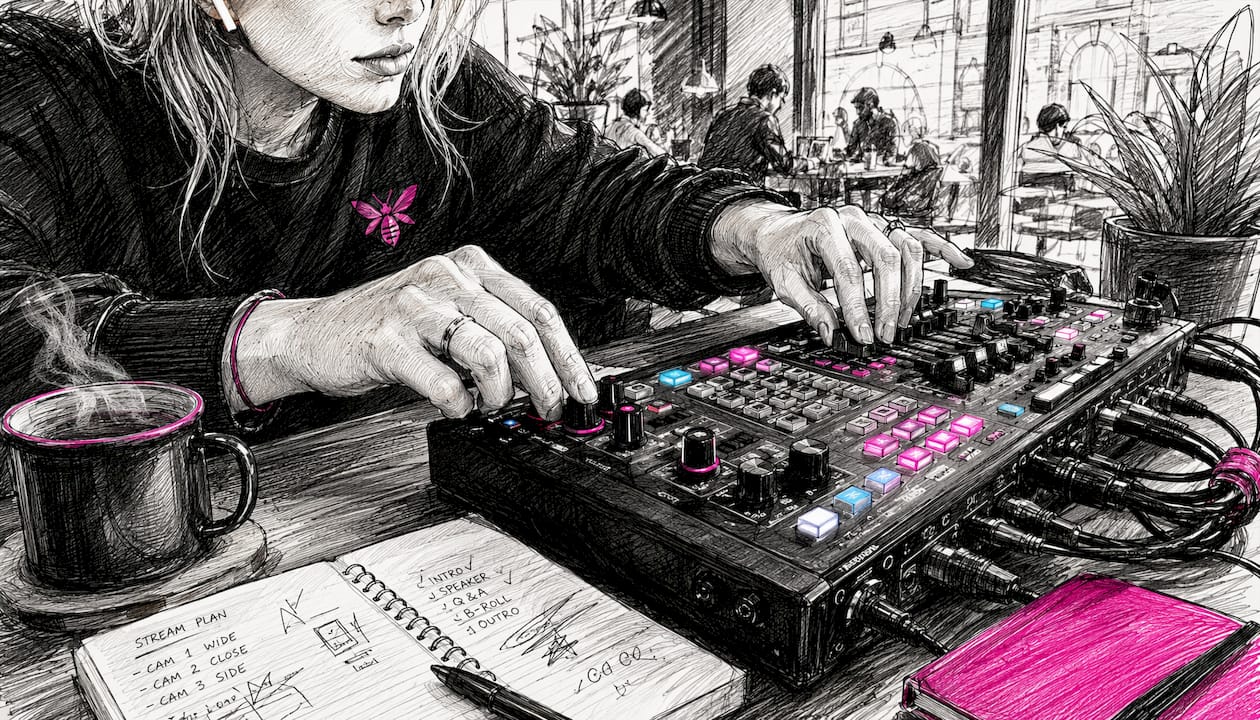
Blueprint 5: Outdoor festival (500+ attendees)
Purpose: Music festival, outdoor corporate event, community festival, or large-scale brand activation.
Layout: Main stage facing a large open audience area, with secondary stages or experience zones positioned to avoid audio bleed. Bars, lounges, and photo areas create distinct guest moments and keep crowds moving rather than clustering at one point.
Minimum kit list:
- Weatherproof line-array PA (main hang + sub array + delay towers for deep sites)
- 48-channel digital console (FOH) + monitor console
- IP-rated moving-head fixtures + weatherproof par cans
- Ground-support truss or stage roof structure (engineer-certified)
- A generator sized appropriately with added headroom for reliability
- Site power distro: 125A three-phase feeds to each stage and zone
- Weatherproof cable covers and cable ramps across pedestrian routes
- Site comms: multi-channel radio system for all crew
Crew: Technical director, FOH engineer, monitor engineer, lighting programmer, stage manager, 2× stage hands, generator/power technician, site safety officer (9–12 crew minimum)
Cost band: Significant costs typical for outdoor festivals. Generator hire and fuel, site power infrastructure, and staging structure are the dominant cost items. Weather contingency (additional tarpaulins, cable protection, shelter for FOH) adds 10–15% to the budget.
Crew roles across all blueprints
| Role | Responsibility | Required from blueprint |
|---|---|---|
| Producer / PM | Client liaison, budget, schedule, overall delivery | All |
| Technical director | Specification, supplier management, on-site technical lead | Blueprint 2+ |
| FOH audio engineer | Mixing console operation, PA optimisation | Blueprint 2+ |
| Lighting operator | Console programming and operation | Blueprint 2+ |
| Stage manager | Load-in coordination, show calling, load-out | Blueprint 2+ |
| Livestream operator | Encoder, vision mixer, stream monitoring | Blueprint 4 only |
| Camera operator | Camera positioning and operation | Blueprint 3–4 |
| Rigger | Truss, motors, certified rigging plan | Blueprint 3+ |
| Power technician | Generator, distro, site power | Blueprint 5 |
UK technical best practice: power, redundancy, and streaming
Power distribution
UK event power runs on 230 V single-phase or 400 V three-phase supply. Single-phase (63A) supports up to approximately 14 kW of load; three-phase (125A) supports up to approximately 86 kW. Always calculate your total load from the kit list and add 30% headroom before specifying the mains feed.
| Supply type | Max usable load (approx.) | Typical application |
|---|---|---|
| — | 3.5 kW | Small meeting, basic lighting |
| 63A single-phase | 14 kW | Mid-size conference |
| 125A three-phase | 86 kW | Large theatre, hybrid broadcast |
| Generator 200 kVA | — | Outdoor festival |
Every temporary electrical installation at a UK event must comply with BS 7671 (the IET Wiring Regulations) and the Electricity at Work Regulations 1989. All distro boxes must be RCD-protected, clearly labelled by circuit, and locked off when not in use. Never daisy-chain domestic extension leads for production power.
Pro Tip: Label every distro output with the circuit name, the connected load, and the breaker rating before load-in begins. A laminated label on each socket saves 20 minutes of fault-finding when a breaker trips mid-show.
Redundancy checklist
The most common on-site failures are audio signal loss, laptop/playback failure, and network drop for streaming. Carry these as standard:
- 1× spare wireless mic receiver and transmitter (same frequency band as primary)
- 1× spare laptop pre-loaded with all presentation files and stream software
- 1× spare HDMI and DisplayPort cable per presenter input
- 1× spare encoder or hardware stream device
- 1× spare CAT6 cable run from router to streaming station
- 1× spare IEM transmitter pack (for Blueprint 3+)
- 1× spare moving-head fixture (for Blueprint 3+)
Streaming reliability
A stable wired Ethernet connection is non-negotiable for live streaming. Wi-Fi is not acceptable as a primary stream connection. Request a dedicated VLAN from the venue IT team, or bring a 4G/5G bonded router as a backup. Minimum upload speed for a 1080p stream is 8–10 Mbps; for multi-bitrate adaptive streaming, budget 15–20 Mbps. Use a hardware encoder rather than a software-only solution wherever possible: it reduces CPU load on the production laptop and gives a cleaner failover path.
For streaming platform options and software tools, TechVideoBlog’s platform archive covers the main encoder-compatible services used in hybrid event workflows.
Run-sheet and technical checklists you can copy
A run sheet is a minute-by-minute schedule that every crew member works from. The most useful run sheets have four columns: time, task, owner, and acceptance criteria. The acceptance criteria column is what most teams skip, and it is what prevents “I thought you checked that” conversations during the show.
Sample run-sheet template
| Time | Task | Owner | Acceptance criteria |
|---|---|---|---|
| — | Crew call, vehicle access confirmed | Stage manager | All crew on site, loading bay clear |
| — | Stage build begins | Stage manager + hands | Stage at correct height, level, secured |
| — | PA fly/ground-stack | FOH engineer | Speakers in position, cabled, no physical damage |
| — | Lighting rig and patch | Lighting operator | All fixtures responding, no dark units |
| — | Video/LED build and test | Video operator | All panels lit, no dead pixels, signal confirmed |
| — | Power check and labelling | Technical director | All circuits labelled, RCDs tested |
| — | Full system patch and line check | FOH engineer | All inputs passing signal, no ground loops |
| — | Soundcheck (band/presenter) | FOH + stage manager | All mics checked, IEMs working, confidence monitor live |
| — | Lighting cue-to-cue | Lighting operator | All cues programmed, haze tested |
| — | Stream test (hybrid only) | Livestream operator | Stream live to test destination, 5-min soak test |
| — | Full technical rehearsal | All crew | Full run-through, all cues called |
| — | Doors open | Stage manager | House lights at preset, music playing, crew at stations |
Load-in checklist
- Confirm vehicle access and loading bay with venue contact before arrival.
- Check all flight cases and kit against the delivery manifest.
- Photograph any pre-existing venue damage before touching walls or floors.
- Confirm mains supply location and test with a socket tester before connecting distro.
- Build staging before rigging anything above it.
- Run all cable routes before connecting any signal cables.
- Label every cable at both ends before patching.
- Test all RCDs before connecting production loads.
- Confirm fire exit routes are clear after all kit is in position.
- Sign off the load-in with the venue duty manager before the show.
Common on-site problems and how to fix them
The most frequent critical failure per event type: hybrid events drop their stream due to network instability; outdoor festivals lose mains power due to generator fault or weather; large theatre productions hit a rigging delay that compresses the technical rehearsal; mid-size conferences face presenter laptop incompatibility at the last minute.
- Audio feedback on mic open: Reduce gain before fader, check mic placement relative to speakers, apply high-pass filter at 120 Hz. Red flag: feedback on every mic open suggests a speaker is facing the wrong direction.
- Presenter laptop not connecting to display: Always carry a USB-C to HDMI and a DisplayPort to HDMI adaptor. Test every presenter laptop at load-in, not at doors-open.
- Stream drops mid-show: Switch to backup encoder immediately. If using a bonded 4G router, confirm it has switched to the backup SIM. Notify the online audience via chat within 60 seconds.
- Generator failure (outdoor): Start the backup generator before shutting down the primary. Never leave the site without a second power source if the event runs more than four hours.
- Lighting console crash: Most modern consoles have a backup file on a USB stick. Load the backup file; if the console is unrecoverable, switch to manual override on the dimmer racks and run static states.
- Stage structure concern during load-in: Stop work immediately. Do not continue rigging or loading until a competent person has inspected and signed off the structure. This is not a negotiable timeline decision.
- Wireless mic interference: Scan for clear frequencies using a spectrum analyser before the show. In the UK, check Ofcom’s current frequency allocation for your region; some frequencies require a licence.
How to cost a production setup and UK procurement tips
The three main cost drivers are kit hire, skilled labour, and logistics. Reducing kit hire cost without compromising quality usually means specifying more precisely: a smaller PA that is correctly specified for the room outperforms a larger system that is poorly positioned and under-driven. Labour is the hardest to cut; a competent technical director saves more money than they cost by preventing expensive mistakes. Logistics costs are reduced by consolidating suppliers and using a single production company that carries its own transport.
| Blueprint | Low band | Mid band | High band | Main cost driver |
|---|---|---|---|---|
| Small meeting | — | — | — | Screen size, technician day rate |
| Mid-size conference | — | — | — | LED panels vs projectors |
| Large theatre | — | — | — | LED wall, rigging, crew headcount |
| Hybrid broadcast | — | +£15,000 | +£25,000 | Camera count, encoder spec |
| Outdoor festival | £25,000 | £50,000 | £80,000+ | Generator, staging structure |
Procurement tips for UK events
- Contract technicians with a written agreement that specifies call time, role, rate, and cancellation terms. Verbal agreements are unenforceable when a crew member cancels 48 hours before load-in.
- Confirm that your AV supplier carries public liability insurance to a minimum of £5 million. For larger events, £10 million is standard. Ask for a certificate before signing the hire agreement.
- For AV equipment hire, compare dry hire (kit only) against wet hire (kit plus technician). Dry hire is cheaper on paper; wet hire is almost always better value when the event has any technical complexity.
- Get a site-specific power assessment from a qualified electrician for any outdoor event or venue where the mains supply is not a standard venue-provided feed.
- For venue-specific considerations in London, the London venues AV guide covers common infrastructure constraints and what to confirm before signing a venue contract.
Key takeaways
Specifying AV early, assigning a technical lead, and scheduling a full technical rehearsal are the three decisions that most reliably separate a smooth show from an expensive problem.
| Point | Details |
|---|---|
| Spec AV at a few weeks out | Late specification forces compromises on kit availability and crew booking. |
| Assign a technical director | One person must own all technical decisions; shared responsibility produces gaps. |
| Schedule a tech rehearsal | A full cue-to-cue days before the event the show catches 90% of on-site problems before they matter. |
| Plan UK power from the brief | Confirm mains supply type and capacity at the site survey; never assume a venue can provide what you need. |
| Use Fireflyav for managed delivery | Fireflyav supplies kit, crew, and technical management for all five blueprints above, from small corporate meetings to outdoor festivals. |
What most planners get wrong about production
The conventional wisdom is that production problems are technical. In practice, the majority of show-day failures are communication failures: a presenter who was never told to bring their slides on a USB stick, a venue that did not pass on the loading-bay access restriction, a client who approved the running order but not the cue sheet. The technical systems are usually fine. The handoffs between people are where things break.
The second thing planners consistently underestimate is the value of the technical rehearsal. It is the one moment in the production process where every system is live, every cue is called, and every failure mode surfaces in a controlled environment. Cutting the tech rehearsal to save a day’s crew cost is one of the most expensive decisions you can make. The crew day costs a fraction of what a failed show costs in client relationships and remedial work.
The third lesson, specific to UK outdoor events, is that generator sizing is almost always underestimated. The load calculation from the kit list looks reasonable; the actual draw when everything is running simultaneously, including catering, lighting, and PA, is consistently higher. Build in 30% headroom and confirm the fuel supply for the full event duration plus two hours.
Fireflyav delivers these setups end to end
Fireflyav supplies the kit, crew, and technical management for every blueprint in this article, from a single-technician boardroom setup to a full outdoor festival production. The service covers equipment hire (dry or with technician), staging and rigging, LED walls, conference mic systems, livestreaming, and on-site technical management across corporate, cultural, broadcast, and eSports events throughout the UK.
Every engagement includes public liability insurance and full compliance with UK electrical and health and safety regulations, so you are not managing those obligations separately. For hybrid and broadcast-style events, Fireflyav’s team handles encoder configuration, camera placement, and stream monitoring, using equipment including the Blackmagic Design ATEM Mini Pro and Blackmagic Web Presenter for productions where a compact, reliable switcher and encoder combination is the right call.
To get a quote or discuss the right blueprint for your event, fill out the project form and a technical producer will come back to you with a specification and cost estimate. If you are still scoping the brief, the AV equipment guide is a good starting point for understanding what each system does and what to ask for.
Useful UK sources and further reading
- Audio visual equipment explained for event planners — Fireflyav’s technical primer on AV systems and their roles; useful for building a specification from scratch.
- LED screen setup for live events — Detailed guidance on pixel pitch, positioning, and rigging for LED walls; reference this when specifying video for Blueprints 3–5.
- Conference mic system — Fireflyav’s hire page for conference microphone systems, with technical notes on delegate discussion units and boundary mic configurations.
- PA systems for events — Practical guidance on PA selection and deployment for different room types and audience sizes.
- Meetings Industry Association (MIA) — The UK trade body for the meetings and events sector; publishes standards and guidance relevant to venue and supplier contracting.
- Digital building infrastructure design — Partner resource on integrating venue digital infrastructure with event technology; relevant for hybrid events where venue network and AV systems must work together.
- Broadcast AV equipment guide — Fireflyav’s guide to broadcast-grade kit for hybrid and livestreamed events, covering encoders, switchers, and camera workflows.