IMAG for event producers: what you need to know
Date added: 8/07/2026

IMAG (image magnification) is the live projection of close-up video of stage presenters and performers onto large screens so the whole audience can read facial expressions and body language. It is not slides, not playback footage, not a pre-recorded loop. It is a live camera feed, magnified in real time, so the person in row 40 sees exactly what the person in row 3 sees.
The single strongest reason to use it: distance kills engagement. When attendees cannot read a speaker’s face, they disengage. IMAG closes that gap.
IMAG is typically essential at:
- Large conference halls and hotel ballrooms where rear seats are at a significant distance from the stage
- Concerts and music festivals with standing crowds or tiered seating
- Stadiums and arenas for sports, awards, and graduation ceremonies
- Houses of worship with large congregations
- Keynote sessions where a speaker’s non-verbal cues carry as much weight as their words
Table of Contents
- What does IMAG mean, and where did it come from?
- Why does IMAG matter for your event?
- How does IMAG work? The technical signal chain
- Camera placement, framing, and the operator’s role
- When should you use IMAG, and when should you skip it?
- Production planning, costs, and timeline for UK events
- How Fireflyav approaches IMAG for UK events
- Health and safety when using IMAG equipment
- Key takeaways
- The part most producers get wrong
- Fireflyav can handle your IMAG from site survey to show day
- Useful sources
What does IMAG mean, and where did it come from?
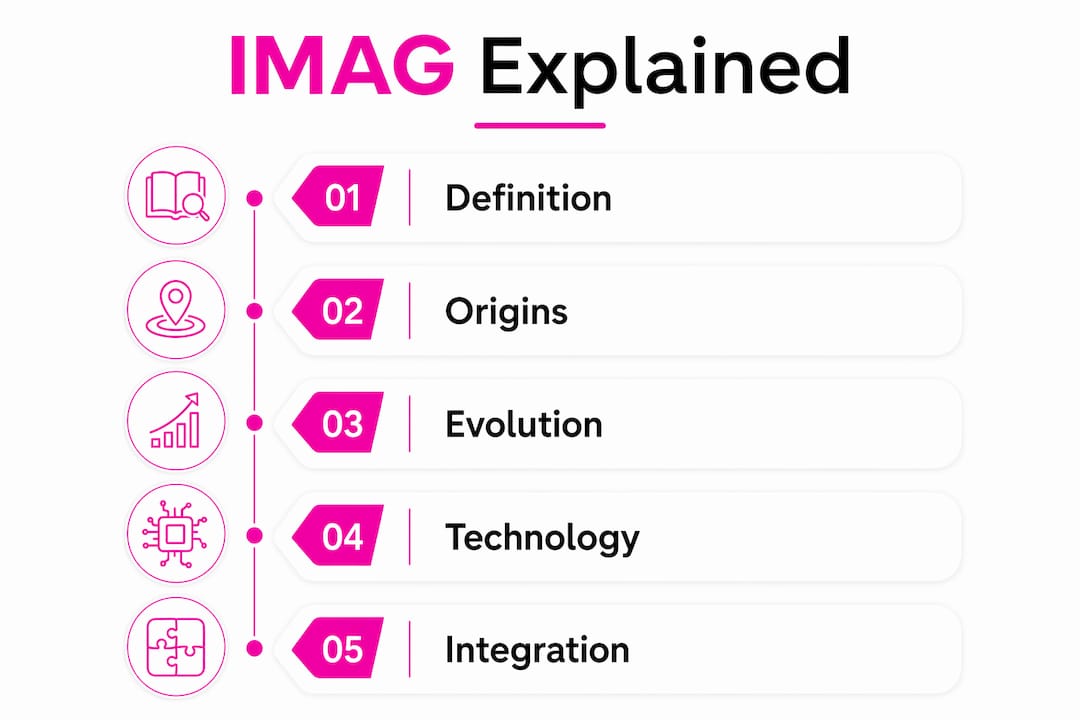
IMAG stands for image magnification: the technique of capturing live footage of on-stage talent and projecting it at scale so distant audience members can follow facial expressions and subtle stage detail. Practitioners use the term interchangeably with “I-mag” or simply “mag” in production shorthand.
The technique grew out of stadium rock tours in the 1970s and 1980s, when acts like The Rolling Stones needed audiences 200 metres from the stage to feel connected to the performance. Early systems used analogue cameras feeding CRT-based projection screens, often called jumbotrons. By the 2000s, digital video switchers, high-brightness projectors, and eventually LED walls replaced those systems entirely, bringing broadcast-quality imagery to corporate conferences and cultural venues.
One important distinction matters: IMAG is not the same as slide projection or content playback. Slides or pre-recorded video on a screen do not qualify as IMAG. The defining characteristic is a live camera feed of the performer or presenter, cut and switched in real time. A conference that shows PowerPoint decks on flanking screens is not running IMAG unless there is also a live camera feed of the speaker.
Modern IMAG setups frequently integrate with livestreaming and multi-feed LED systems, meaning the same camera infrastructure that serves the room can simultaneously feed a broadcast or online audience.
Why does IMAG matter for your event?
The most immediate benefit is visibility. IMAG is common in venues where significant distances separate the stage from the back row — stadiums, conference centres, hotel ballrooms — and it has become a practical standard rather than a luxury add-on. When a keynote speaker pauses for effect, raises an eyebrow, or makes eye contact with the camera, those cues land for every seat in the room, not just the front third.
Emotional engagement follows from visibility. Audiences respond to faces. A tight headshot of a speaker landing a key point creates a shared moment across a room of 500 people in a way that a distant silhouette simply cannot.
Accessibility is an underappreciated benefit. Attendees who are hard of hearing rely heavily on lip-reading and facial cues. A well-framed IMAG feed, particularly when paired with a conference mic system and clear audio, makes a large event significantly more inclusive without additional infrastructure.
Typical use cases where IMAG changes outcomes:
- Corporate keynotes and town halls with large audiences
- Worship services in large sanctuaries
- Concerts and live music with tiered or standing audiences
- Awards ceremonies where reaction shots matter as much as the stage action
- Graduation and civic ceremonies in large auditoria
There is also a content angle that producers often overlook: using post-production and editing tools for turning IMAG footage into social edits; this is useful for producers planning content reuse. IMAG camera feeds are prime source material for highlight clips, social edits, and post-event assets — provided the footage is recorded with the right codecs and the shot choices are made with reuse in mind. The same operator who cuts the live show is, in effect, also shooting your post-event video package.
How does IMAG work? The technical signal chain
The core of any IMAG setup is straightforward: camera captures the performer, the signal is processed and switched, then distributed to screens. The complexity lives in the details of that chain.
A typical signal path runs: camera → capture/encoder → video switcher (programme/preview) → scaler or processor → distribution (SDI, NDI, or IP) → LED wall or projection screen.
| Stage | Typical hardware | Key consideration |
|---|---|---|
| Capture | Broadcast or ENG camera | Long-zoom lens for mid-auditorium positions |
| Switching | Video switcher (e.g. ATEM series) | Programme/preview monitoring; multiview output |
| Processing | Scaler / LED processor | Resolution matching; colour grading for screen type |
| Distribution | SDI cable runs or NDI over IP | Cable length limits; network bandwidth for NDI |
| Output | LED wall or high-brightness projector | Ambient light levels; screen size vs. throw distance |
Cameras with long lenses and large projection screens are the two non-negotiable ingredients. Everything else in the chain serves those two elements.
SDI (Serial Digital Interface) remains the standard for cabled runs in professional venues because it is reliable over long distances and carries embedded audio. NDI (Network Device Interface) over IP is increasingly common for flexible, multi-camera setups where running coaxial cable is impractical, though it demands a managed network and introduces its own latency considerations.
Running separate feeds for projection and streaming is often the better approach. The IMAG feed for the room may be cropped tighter and colour-graded for the LED wall’s brightness, while the streaming programme feed needs a wider mix with more cutaways and context shots. Routing these separately from the switcher avoids compromise on both outputs.
Latency is the most damaging unseen factor in any IMAG setup. Even a modest delay between live sound and projected video creates a perceptible disconnect, particularly for audience members seated close to the stage where they can hear the speaker directly and simultaneously watch the screen. Solving it requires low-latency encoders, a high-quality switcher, and careful monitoring of audio-video sync throughout the show. Signal delay between live sound and projected video can create a perceptible disconnect if the processing chain is not optimised.
Pro Tip: Ask your AV supplier to specify the end-to-end latency of the proposed signal chain before the event. Anything above two frames (roughly 66ms at 30fps) is worth querying, especially in venues where the front rows are close to the PA.
Camera placement, framing, and the operator’s role
Getting the hardware right is table stakes. What separates a good IMAG show from a distracting one is the human layer: where cameras sit, how operators frame shots, and how the director cuts between them.
Camera placement trade-offs:
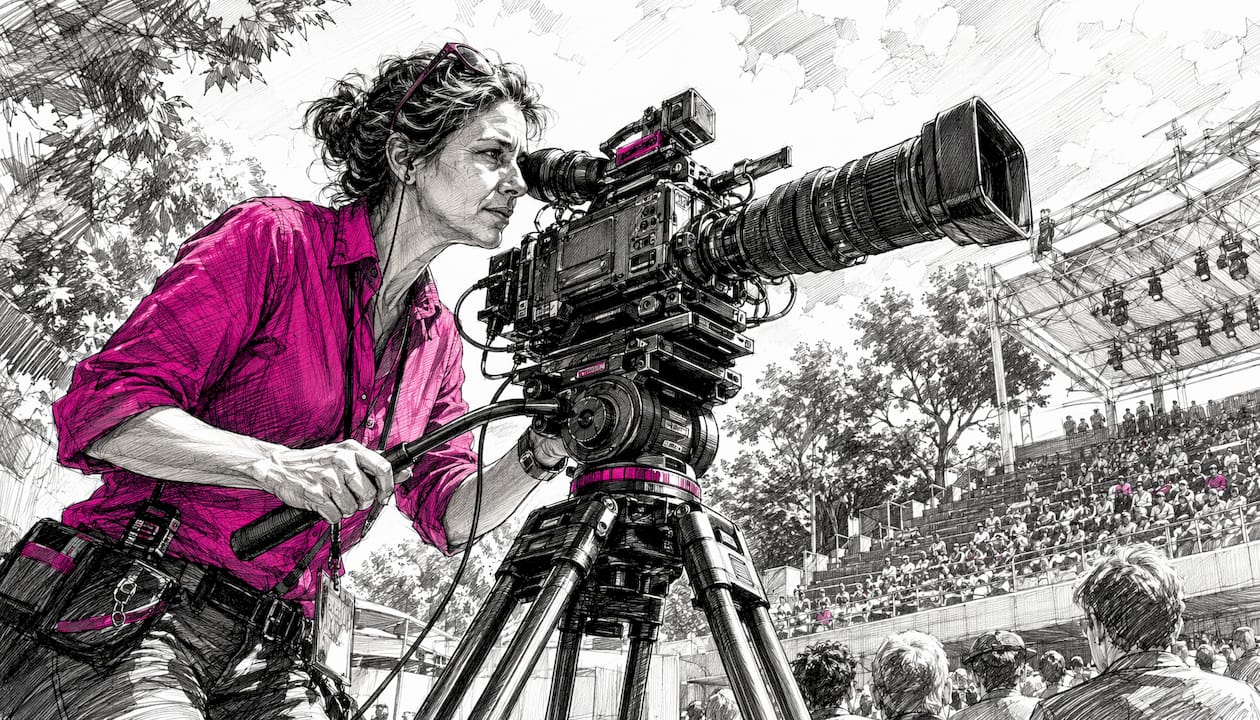
- Mid-auditorium riser: The most common position for a primary IMAG camera. It gives a clean sightline to the stage without obstructing the audience, and a long-zoom broadcast lens (some productions use lenses in the 80x zoom range) can pull tight headshots from 20–40 metres. The trade-off is that the riser itself blocks a small section of seats behind it.
- Stage-level platforms: Useful for wide establishing shots or two-shots during panel discussions. They cannot achieve the tight facial close-ups that mid-auditorium positions deliver, but they add variety and context.
- Roving handheld: Adds energy for concerts or awards shows, but requires an experienced operator and a director who can anticipate movement.
Shot language for IMAG:
- Tight headshot (head and shoulders) for solo speakers — the workhorse of any keynote feed
- Two-shot for panel discussions or presenter handovers
- Cutaway to audience reactions during applause or emotional moments
- Wide establishing shot to reorient the viewer after a sequence of close-ups
Operator skill — framing, rhythm, and knowing when to cut — often determines whether IMAG enhances or distracts from the live show. Hardware is secondary to the person behind the camera and the director calling the shots.
Crew roles in a standard IMAG setup:
- IMAG camera operators (one per camera): responsible for framing, focus, and following the action
- Video director / technical director (TD): calls cuts, manages the switcher programme output, and coordinates with the stage manager
- Graphics operator: handles lower-thirds, titles, and any content that overlays the IMAG feed
- Stage manager liaison: feeds cue information to the TD so cuts anticipate rather than chase the action
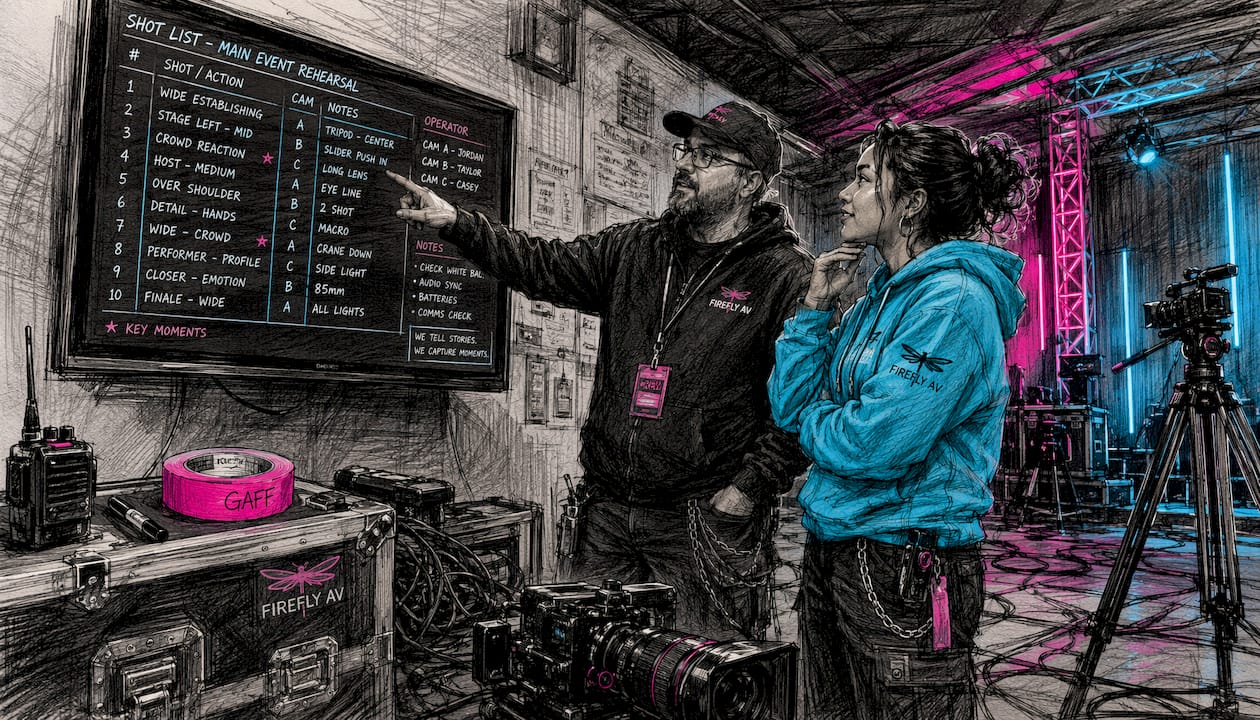
Pro Tip: Build a shot list and share it with camera operators before the tech rehearsal. Even a rough run-of-show with speaker names, transitions, and any planned audience reaction moments will halve the number of awkward cuts on the day.
When should you use IMAG, and when should you skip it?
The rule of thumb: if attendees in the back third of your venue cannot comfortably read a presenter’s facial expressions, you need IMAG. IMAG is a practical solution for large-scale indoor events — not just stadium shows. A hotel ballroom with a sizable number of guests and a stage at one end qualifies.
Use IMAG when:
- The venue has a large audience capacity and a fixed stage at one end
- The programme relies on speaker credibility, emotional delivery, or subtle non-verbal cues
- You are simultaneously livestreaming and want broadcast-quality camera coverage
- Accessibility is a priority and attendees rely on lip-reading
Consider skipping IMAG when:
- The room is intimate (under 100–150 seats) and every attendee has a clear sightline
- The format is theatre-in-the-round or traverse staging, where camera rigs would obstruct sightlines from multiple angles
- The performance relies on the audience experiencing unmediated stagecraft — certain theatrical productions or immersive experiences where a screen would break the fourth wall
- The budget genuinely cannot accommodate a skilled operator and director alongside the hardware
Poorly executed IMAG is worse than no IMAG. Jarring cuts, soft focus, a camera that pans a beat behind the action, or a screen that shows the wrong speaker during a panel — these actively undermine the event. If the budget only stretches to equipment and not to an experienced operator and TD, it is worth reconsidering the scope.
Production planning, costs, and timeline for UK events
Good IMAG production starts weeks before the event, not on the morning of the show.
Site survey checklist:
- Measure sightlines from the back row to the stage; confirm the maximum distance a camera must cover
- Identify rigging points and load ratings for screens and camera platforms
- Check power availability at each camera and screen position
- Confirm cable routes for SDI runs or network infrastructure for NDI
- Note ambient light levels that will affect screen brightness requirements
- Check for event power distribution capacity at the venue
Sample shot list for a 45-minute keynote:
- Opening: Wide establishing shot as speaker walks on; cut to tight headshot once at the lectern
- Body: Tight headshot as default; two-shot if a co-presenter joins; cutaway to slides when speaker references screen content
- Q&A: Roving or stage-level camera for audience questioners; tight headshot of speaker responding
- Close: Wide shot for applause; tight headshot for final remarks
Timeline milestones:
- 6–8 weeks out: Confirm camera count, lens hire, screen type (LED wall vs. projector), and crew
- 2–3 weeks out: Site survey; confirm rigging and power with the venue
- 1 week out: Distribute shot list and run-of-show to camera operators and TD
- Day before / morning of: Pre-rig and cable test; switcher build and multiview check
- Tech rehearsal: Full run with all cameras live, latency check, audio-video sync confirmed
UK cost considerations: IMAG budgets vary considerably depending on camera count, lens specification, screen size, and crewing hours. A two-camera conference setup with a basic LED screen and a half-day crew will sit at a different price point from a four-camera festival rig with broadcast lenses and a full production team. Lens hire alone for long-zoom broadcast glass can represent a meaningful share of the equipment budget. The most reliable approach is to request an itemised quote from your AV supplier once the site survey is complete, as venue-specific factors (rigging complexity, cable runs, power requirements) shift costs significantly. For corporate events using AV, building IMAG into the initial brief rather than adding it later almost always reduces cost.
How Fireflyav approaches IMAG for UK events
Fireflyav supplies and operates IMAG systems for corporate conferences, cultural events, and live productions across the UK. The team covers the full signal chain: camera hire, lens specification, switching, LED wall or projection, and the experienced operators and technical directors who make the difference between a clean show and a distracting one.
Two typical configurations:
Conference two-camera IMAG package: Two broadcast cameras (one mid-auditorium on a riser, one stage-level for wide shots and panels), a video switcher with programme/preview monitoring, a scaler, and flanking LED screens or a central projection screen. Suited to keynote conferences, town halls, and awards evenings with 200–800 attendees.
Single-camera IMAG with LED feed: One mid-auditorium camera with a long-zoom lens feeding a central LED wall. A leaner setup for smaller conferences or events where budget is tighter but visibility is still a priority. Can be extended with a streaming output for hybrid events.
For a site survey or a detailed quote, submit your project details and the Fireflyav team will scope the right setup for your venue and programme.
Health and safety when using IMAG equipment
IMAG setups introduce several physical hazards that require proper planning and, in many cases, qualified personnel.
Rigging screens and camera platforms: Any suspended LED wall or projection screen must be rigged by a qualified rigger and load-tested against the venue’s certified rigging points. In the UK, the Work at Height Regulations 2005 apply to any rigging work, and venues will typically require a method statement and risk assessment before permitting overhead loads. Camera platforms and mid-auditorium risers must be structurally rated, non-slip, and fitted with appropriate edge protection if operators are working at height.
Cabling: SDI and power cables running across audience areas must be covered with cable ramps or routed overhead to prevent trip hazards. All electrical connections should be PAT-tested and installed by a competent person. In venues with existing house systems, confirm that additional loads will not exceed circuit capacity.
Screen placement and sightlines: Screens positioned at the sides of a stage can create sightline obstructions for seated audiences. Confirm screen height and angle during the site survey to avoid blocking emergency exit signage or fire safety equipment.
Laser and light hazards: High-brightness projectors and certain LED processors emit intense light. Operators should avoid looking directly into projector beams, and beam paths should be clear of audience eye level where possible.
A pre-event risk assessment covering all of the above, shared with the venue’s health and safety lead, is standard practice for professional IMAG productions in the UK.
Key takeaways
IMAG is the most direct tool for closing the distance between a performer and a distant audience, and its value extends well beyond stadium shows to any UK event where non-verbal communication matters.
| Point | Details |
|---|---|
| Definition | IMAG (image magnification) is live camera footage of on-stage talent projected in real time onto large screens. |
| When to use it | Any venue where rear-seat attendees cannot read facial expressions — typically 200+ seats with a fixed stage. |
| Operator skill matters most | Hardware is secondary; an experienced camera operator and TD determine whether IMAG enhances or distracts. |
| Plan for content reuse | Record IMAG feeds with broadcast codecs and shot choices made for post-event edits and social assets. |
| Fireflyav | Fireflyav supplies full IMAG setups for UK corporate and cultural events, from site survey through to show operation. |
The part most producers get wrong
The conversation around IMAG almost always gravitates to kit: how many cameras, which LED wall, what resolution. That is the wrong starting point.
The single biggest variable in IMAG quality is the relationship between the video director and the stage manager. When those two people are not communicating in real time, the director is always a beat behind the action. Cuts happen after the moment, not with it. The audience on the screen is perpetually watching the aftermath of what just happened on stage.
The second thing producers underestimate is performer preference. Some speakers find a live close-up feed deeply distracting, particularly if the screens are in their eyeline. Others actively play to the camera once they know it is there. Neither response is wrong, but neither should come as a surprise on the day. A five-minute conversation with your keynote speaker about where the cameras will be and what the screens will show is worth more than an extra hour of tech rehearsal.
IMAG done well is invisible. The audience stops thinking about the screens and starts thinking about the content. That is the goal, and it is achievable with the right crew, a clear shot list, and a director who knows when to hold.
Fireflyav can handle your IMAG from site survey to show day
If you are producing a UK conference, cultural event, or live show where visibility and audience engagement matter, Fireflyav offers end-to-end IMAG support: equipment specification, lens hire, LED screen or projection setup, and the experienced operators who run it on the day.
Rather than piecing together a rig from multiple suppliers and hoping it integrates cleanly, Fireflyav brings the full signal chain under one roof. That means one point of contact for the site survey, the tech rehearsal, and the show itself — and a team that has already solved the latency, sync, and sightline problems you would otherwise discover on the morning of the event. For producers who want to understand the full scope of AV equipment for your event before committing to a spec, that resource is a practical starting point. When you are ready to move forward, submit your project details for a tailored quote or site survey.
Useful sources
- IMAG — Wikipedia: The canonical definition of image magnification, covering latency, audio-video sync, and common production contexts. A reliable starting reference for producers new to the term.
- What is IMAG? — Streaming Media Producer: Practical production-level breakdown of IMAG hardware, operator roles, and the distinction between IMAG and slide projection. Useful for briefing AV suppliers.
- IMAG for event planners — Bloom.io: Planner-focused overview covering use cases, venue types, and lens requirements. Good for producers scoping IMAG for the first time.
- IMAG — Wiktionary: Concise lexical definition confirming the acronym expansion and standard usage in live concert and event production.
- Fireflyav — LED screen setup for live events: Technical guidance on LED wall configuration, sightline planning, and screen placement relevant to any IMAG setup.
- Fireflyav — Audio visual equipment explained for event planners: Practical AV vocabulary and equipment explanations for producers scoping IMAG requirements and briefing rental houses.