What is an intercom beltpack, and how do event crews use it?
Date added: 2/08/2026
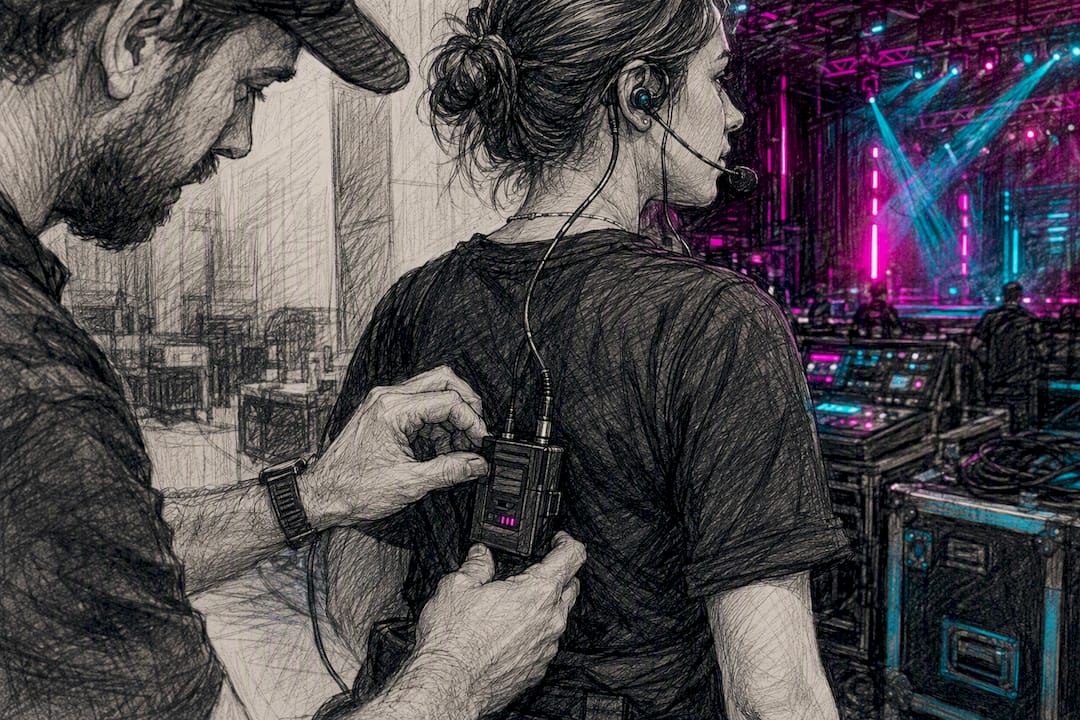
An intercom beltpack is a compact user station, worn on a belt and connected to a headset, that lets stage, production and technical crew talk instantly on a dedicated communication channel, either through a cable back to a central base station or over a paired wireless link. This note comes from Firefly AV, an AV hire and event production company based in Leeds and Preston, working across the UK on conferences, live shows and broadcast events. Wired beltpacks run off a central power supply and offer rock solid range limited only by cable length. Wireless beltpacks free crew to move but need proper RF planning to stay reliable.
Key Takeaways
Choosing between a wired and wireless intercom beltpack comes down to matching talker count, mobility needs and venue RF conditions to the right system architecture.
| Point | Details |
|---|---|
| Match system to talker count | Count simultaneous users first; that number decides wired partyline versus wireless port capacity. |
| Battery life needs planning | Wireless beltpacks typically run 8 to 12 hours per charge, so build in swap points for long shows. |
| RF planning prevents dropouts | Position base stations centrally, avoid metal enclosures, and test coverage before doors open. |
| Budget for day rates realistically | Expect roughly £15 to £30 for wired beltpacks, £25 to £45 for wireless, and £60 to £150 for base stations. |
Table of Contents
- What is an intercom beltpack made of, and how does it work?
- Wired or wireless beltpack: which suits your event?
- Where do beltpacks get used on a live event?
- How do you choose the right beltpack for your event?
- How do you set up a beltpack system without dropouts?
- Which beltpack models does Firefly AV recommend for each role?
- What safety issues should you plan for around beltpack intercoms?
- Ready to hire beltpacks for your next event?
- Where can you read more about intercom system design?
- What actually matters when you’re choosing a beltpack system
- Sources
- FAQ
What is an intercom beltpack made of, and how does it work?
Every beltpack does the same job: it takes your voice, puts it on a channel, and lets you hear everyone else on that channel through a headset. Wired or wireless, the controls are broadly the same:
- Headset connector — usually a 4-pin XLR male, though some units use 3.5mm or proprietary jacks.
- Talk switch or switches — a push-to-talk or latching key, sometimes duplicated for multichannel packs.
- Volume control — a dial or rocker for individual channel levels.
- Channel keyset — buttons or a rotary selector for multichannel units, letting a user hop between production and stage channels.
- Belt clip — the physical mounting point, usually with a sprung clip for a waistband.
- Power connector — a DC input from a central supply on wired units, or an internal socket for charging on wireless packs.
Wired beltpacks draw power from a central supply feeding the whole partyline loop, so there’s no battery to manage. Wireless packs run on internal lithium-ion cells, and production units typically deliver 8 to 12 hours of talk time per charge, which is why crews on long shoot days carry spares. Before any show, check headset wiring and impedance match the beltpack, because a mismatched or modified headset cable is a common cause of dead or distorted audio.
Wired or wireless beltpack: which suits your event?
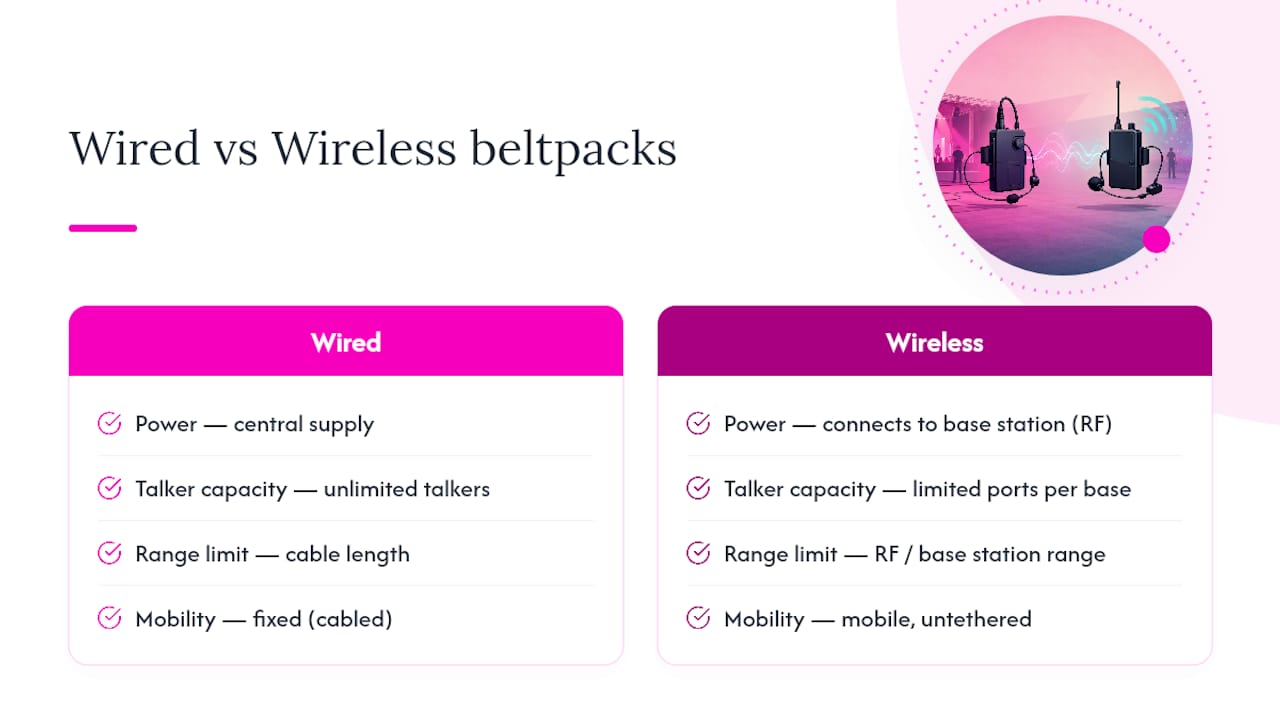
Wired partyline systems run off a central power supply with parallel cabling to every station, giving unlimited talkers on a channel and range that’s only limited by how far you can run cable. It’s the standard for fixed stages, theatre productions and any site where cable runs are practical, and it’s the most dependable option when uptime matters more than mobility.
Wireless systems pair a base station with a limited number of beltpacks, and each wireless beltpack occupies a port on that base station. Most wireless intercom is full-duplex, meaning everyone talks and listens simultaneously, though some systems can switch to half-duplex to squeeze more users onto fewer ports.
Choosing between the two comes down to a short list of trade-offs:
- Mobility — wireless wins for roaming stage managers, camera operators and runners.
- Trip hazards — fewer cables underfoot matters hugely in front-of-house areas and on outdoor sites.
- RF coordination — wireless needs frequency planning; wired doesn’t care what else is transmitting nearby.
- Battery management — wired removes this problem entirely; wireless adds a logistics task to every show day.
- Interference risk — wireless systems using 1.9 GHz, 2.4 GHz and similar bands can suffer dropouts near heavy Wi-Fi or other RF-heavy kit.
- Range and coverage — wired is limited by cable length only; wireless is limited by antenna placement and building materials.
Before locking in a system, work out how many simultaneous talkers your production actually needs. That single number, more than any other factor, decides whether you need a simple wired loop or a scaled wireless deployment.
Where do beltpacks get used on a live event?
Stage management leans on beltpacks constantly. An ASM calling cues needs a lightweight single-muff headset so they can still hear the room, while a camera operator on a multi-camera shoot typically plugs into a four-wire CCU circuit where the camera supports it — and where it doesn’t, running a mic cable to a beltpack at the camera end is a standard workaround.

Front-of-house and back-of-house teams use beltpacks to coordinate paging, and many production beltpacks have programmable buttons that trigger back-of-house functions directly, such as paging a dressing room or patching into a two-way radio channel crew are already using; see the UCaaS Hardware Catalog — Yealink Phones, Snom & Algo Paging | California Telecom for compatible hardware options. That radio bridge matters more than people expect: most venue crews run analogue radios for building operations, and a beltpack that can talk to that channel saves duplicated headsets.
Headset choice should match the role, not just the budget:
- Single-muff, lightweight — stage managers and ASMs who need situational awareness.
- Dual-muff, sealed — noisy stages, front-of-house near PA stacks, pyro or SFX positions.
- Low-profile, discreet — camera operators, presenters and anyone on camera themselves.
How do you choose the right beltpack for your event?
Before you ring a supplier, work through this checklist:
- How many simultaneous users do you need on comms, and does that number spike during load-in versus the live show?
- How many channels are required — one production channel, or separate stage, camera and FOH loops?
- Wired or wireless, based on the mobility versus reliability trade-off covered above.
- Headset compatibility — confirm connector type and whether crew are bringing their own headsets.
- Battery runtime for wireless packs, and whether spares or a charging station are needed on site.
- Expansion headroom — will you need more users added on the day, and does the base station have spare ports?
- Venue RF environment — ask about existing wireless mic systems, Wi-Fi density and any radio interference history.
On UK day rates, expect roughly £15 to £30 per wired beltpack per day, £25 to £45 for a wireless beltpack, and £60 to £150 for a base station depending on channel count and whether it’s a simple partyline hub or an IP-enabled rack unit. Always confirm current quotes with your supplier, since technician time, cabling and RF licensing (where relevant) sit on top of unit hire.
Dry hire makes sense for a one-off conference or a single-day awards night. If you’re running recurring events, or you’re a venue with a fixed comms need, buying starts to make financial sense once hire costs would exceed a purchase within a handful of events. Either way, ask the venue about their RF policy and available power before you finalise kit, and request a site walk-through so antenna placement gets planned properly rather than guessed on the day.
How do you set up a beltpack system without dropouts?
Getting the RF environment right before doors open saves more headaches than any other single step. A few habits from years of load-ins:
- Position the base station centrally and in line of sight of beltpack users where the building allows it.
- Avoid mounting base stations inside metal flight cases or steel-clad plant rooms, which kill signal fast.
- On larger sites, distribute multiple antennas rather than relying on one central point.
- Walk the full coverage area with a beltpack live before the audience arrives, not after.
On the power and audio side, keep the central PSU on wired partyline systems secured and away from foot traffic, and resist the urge to modify headset cables to fix a bad connector. If you need to feed dressing-room audio or paging, route it from the base station to a dedicated back-of-house amplifier rather than improvising a splitter off a beltpack output.
Pro Tip: Check Ofcom guidance and the venue’s own RF policy before you book, especially if other wireless mic or in-ear systems are running on site. Coordinating frequencies in advance is far cheaper than troubleshooting interference mid-show.
Which beltpack models does Firefly AV recommend for each role?
Firefly AV stocks a range of beltpacks matched to different jobs on site:
- Green-Go Wireless Beltpack X — best for roaming crew who need mobility across a stage or venue floor, ideal for stage managers and floor coordinators.
- Green-Go Wired Beltpack X Sports — built for long cable runs, the natural choice for sports broadcast and fixed camera positions.
- Sennheiser Speechline SL Bodypack DW — a solid bodypack option where a wireless mic and comms need to sit on the same belt.
- Clear-Com FreeSpeak paired with a Clear-Com Central Station — for productions needing multi-channel wireless scale across a large venue.
Beltpacks rarely travel alone on a job sheet. We commonly pair them with Absen LED wall, Panasonic projectors, Allen & Heath consoles, DB Technologies speakers, Birddog cameras and Lite Deck staging for full conference and broadcast builds.
What safety issues should you plan for around beltpack intercoms?
Crowded venues and high-noise stages bring specific risks that a comms plan needs to account for, not just an audio one. Cabling from wired beltpacks becomes a trip hazard the moment it crosses a walkway, so route cable along walls, under matting or overhead wherever load-in traffic passes. On outdoor sites and festival fields, that risk multiplies with uneven ground and rain.
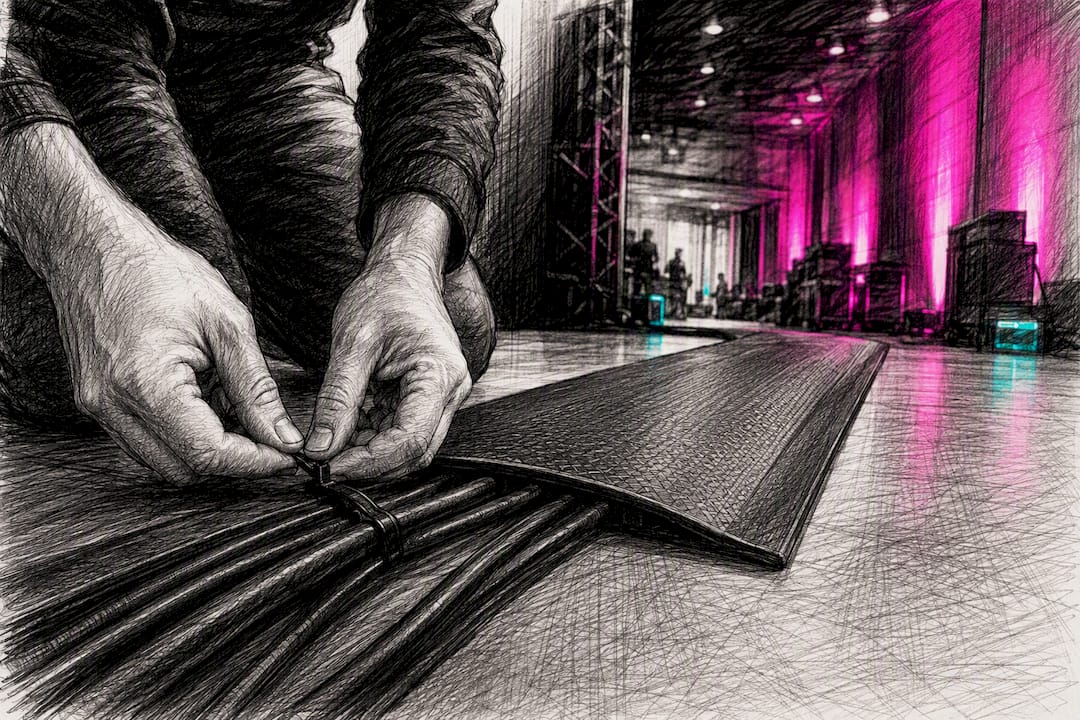
Hearing protection matters more than most crews admit. A dual-muff headset near a PA stack or pyro position isn’t just about hearing cues clearly, it also cuts the ambient noise reaching the wearer’s ears over a long show day. Volume levels on beltpacks should be checked individually rather than left at a factory default, since a channel set too loud can mask an emergency announcement rather than help someone hear it.
Battery-powered wireless beltpacks need a charging routine that doesn’t leave a stage manager without comms mid-show. Build in a swap point during a known quiet moment in the running order rather than waiting for a pack to die. And if your comms system doubles as an emergency communication channel, make sure that use is agreed with venue safety staff in advance, with a backup method (a runner, a radio, a second beltpack) if the primary channel drops during an evacuation scenario. RF interference near medical or emergency radio bands is rare but worth flagging to the venue’s own RF coordinator if your event runs alongside other broadcast or public safety wireless use.
Ready to hire beltpacks for your next event?
Firefly AV supplies wired and wireless beltpack systems as dry hire or with a technician, alongside the wider comms, lighting, sound and staging kit needed for conferences, awards nights, live sport and broadcast events across the UK. If you’re speccing a system from scratch, our team can talk through channel counts, RF planning and headset compatibility before your event date is locked in. Browse our AV equipment hire range or read more on audio visual equipment for event planners to see how comms fits into a full production build.
Where can you read more about intercom system design?
- Intercom design guide (TSDCA e-book) — a detailed technical primer on partyline architecture and wireless integration.
- Comms 201: key intercom system components, features & functions — covers camera CCU wiring and channel routing.
- Comms 101: a primer on intercom systems for production work — a practical introduction for crews new to comms planning.
- Intercom buying guide — useful background on base station and beltpack terminology.
What actually matters when you’re choosing a beltpack system
Most guides to intercom beltpacks spend too long on spec sheets and not enough on the question that actually determines whether a show runs smoothly: what happens when the wireless drops mid-cue. Every wireless system will lose a beltpack at some point, whether from RF congestion, a dead battery, or someone walking behind a steel truss. The systems that hold up on the night aren’t the ones with the most channels, they’re the ones where the crew tested coverage properly beforehand and built in a fallback, whether that’s a second channel, a runner, or simply knowing which corner of the venue drops signal.
The conventional advice to “just hire wireless for mobility” undersells wired partyline more than it should. For fixed stage positions and long cable runs, wired remains the more dependable choice, and it removes battery management from your job list entirely. Wireless earns its keep for roaming roles, not as a default upgrade. Prioritise honest RF testing over kit specification, every time.
Sources
- Intercom design guide (TSDCA e‑book)
- Comms 201: key intercom system components, features & functions - ProSoundWeb
- Production intercom beltpack — BOMwiki
- Intercom buying guide - Sweetwater
FAQ
What is an intercom beltpack used for?
An intercom beltpack gives production crew hands-free voice communication over a dedicated channel, most commonly for stage management, camera coordination and front-of-house paging during live events.
How long does a wireless beltpack battery last?
Production wireless beltpacks typically run 8 to 12 hours of talk time on a full charge, which is why long shoot days call for spare batteries or a swap routine.
Do I need a base station for a beltpack system?
Yes, both wired and wireless beltpacks connect to a base station, which supplies power and routes audio in wired setups and handles channel assignment and pairing in wireless systems.
What’s the difference between wired and wireless beltpacks?
Wired beltpacks draw power from a central supply and offer unlimited talkers with range limited only by cable length, while wireless beltpacks connect to a base station over RF and each pack occupies a limited port, trading some capacity for mobility.
How much does it cost to hire a beltpack in the UK?
Day rates typically run £15 to £30 for a wired beltpack, £25 to £45 for a wireless beltpack, and £60 to £150 for a base station, though it’s worth confirming current quotes and technician charges with your supplier.
Can beltpacks connect to two-way radios used by venue crew?
Many production beltpacks have programmable buttons that can bridge into a two-way radio channel, letting comms crew talk directly to building or security staff without a second headset.